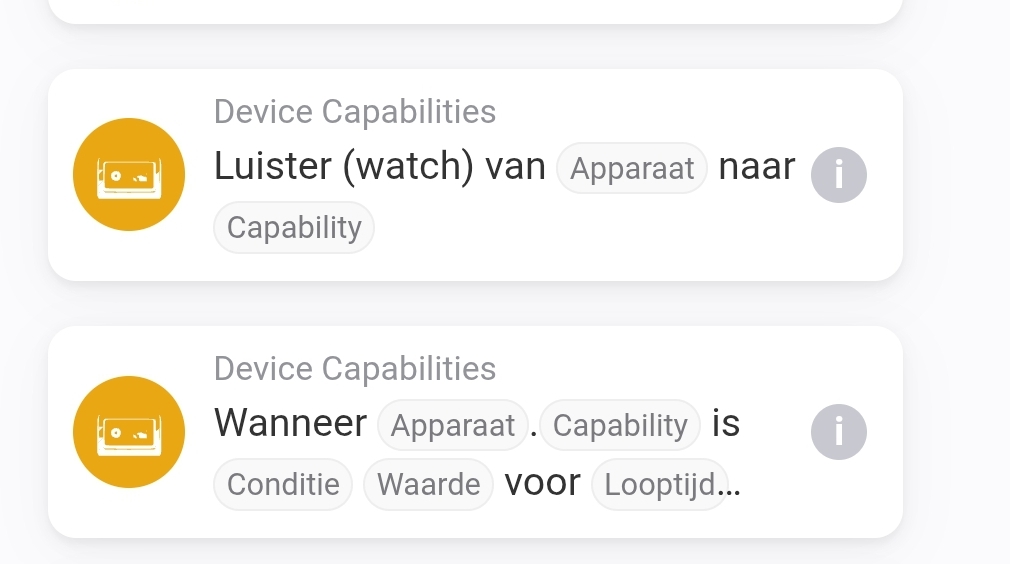
Can elaborate on what you mean by insight trends
Its an app 
Hello,
I created recently a new device as a ev charger.
i get my data from mqtt and use a flow card to fill the avd.
i use power, energy and max current.
all working as it should.
but when i look at the insights of this device it says 4?
it creates also “energieverbruik” and that value stays “0”, and power does what it has to do.
am i thinking wrong that power and energieverbruik are the same?
and if im thinking wrong how to get the power value in energieverbruik?
and what is and isnt working in the energytab?
am looking to find a way to get my kwh on the top left fill with the kwh data.
pls help.
Maybe an interesting alternative: With the MQTT Hub app you can create a virtual MQTT device, which doesn’t need flows to read the selected MQTT topics and write those to preferred Homey capabilities.
@Arie_J_Godschalk , will you please have a look also on memory footprint, or can I do anything about that ?
Currently changing the Homey limits/checks to overcome it

Looks like that is also a possibility. The charger pops up in the energy tab.
So far so good.
Playing around now. And thinking about creating multiple capabilities to this device.
I now struggle how to create a selector
To use for different loading programs. Like for example off, smart,normal,solar etc.
Just like the thermostat but then with my custom names.
Do you know if this is possible. Couldn’t really find my answer on the forum neither with google.
But thanks so far getting me in the right direction! 
Do you mean DC app or MqttHub suggested by Peter?
For MqttHub, please use the app thread.
If you meant MqttHub:
[APP][Pro] MQTT Hub - Community version - #124 by RonnyW
When you mean a custom selector for an AVD: this can’t be created by users, you’ll have to request it here:
I found my way with the mqtt hub app.
Created there a device and got most important capabilities running. Thanks again for the ideas.
The big memory user is the homey-api (reflection). I hope the update yo the new version reduces memory usages.
Lets find out haha
Try the new testversion

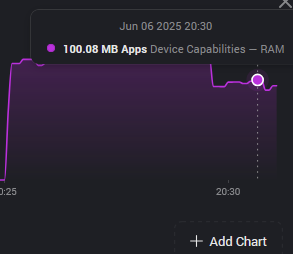

Is this the first start? Because since its an update, there are extra resources used on startup, some reconfiguration, plus the new building of classes and capabilities etc.
So, im assuming that restarting the app might even lower the usage.
I was an 82mb just yet, restarted the app, and its now on 74mb.
And i have actually many AVDs, way more than 10  .
.
The issue with memory is the usage of any homey-api watcher.
Meaning, flowcard Watcher and any reflection.
The more devices you watch, the more resources are used.
I think you can have hundreds of AVDs if you wouldn’t use reflection.
But build one AVD in which you reflect hundreds of devices, i think memory would be insane probably 


Good to know. I didn’t know yet a device reflection is resource intensive as well.
Does the ‘listening’ cause the load, or the frequency of the reflected value?
Like, power changes every sec,
Humidity changes a few times an hour
lots of new capabilities and classes 
Did notice a small quirk, in the classes there is a “boiler” class and a “waterheater” class, in dutch they are both called “boiler”, a little confusing to see 2 of the same, even though Athom also calls them both boiler in their tranlation 
Maybe you can do something like: Boiler (opslag) for “boiler” and Boiler (directe verwarming) for “waterheater” or something.
I actually included the homey-lib npm package; thats where the (new) classes and capabilities (now) come from. So the names are those that Athom uses, and it does it in there language (not just en, nl, de, no, but all language).
And i (currently) dont edit any of it. But i guess i could. But now its the same as everything else in Homey, so perhaps thats best?!
Edit, i just checked what you mean precisely, and yeah, this is confusing. Just like capabilities, i’ll show the class(id) in parentheses behind the name/title in a coming update.