[APP][Pro] Device Capabilities - Enhance the capabilities of devices

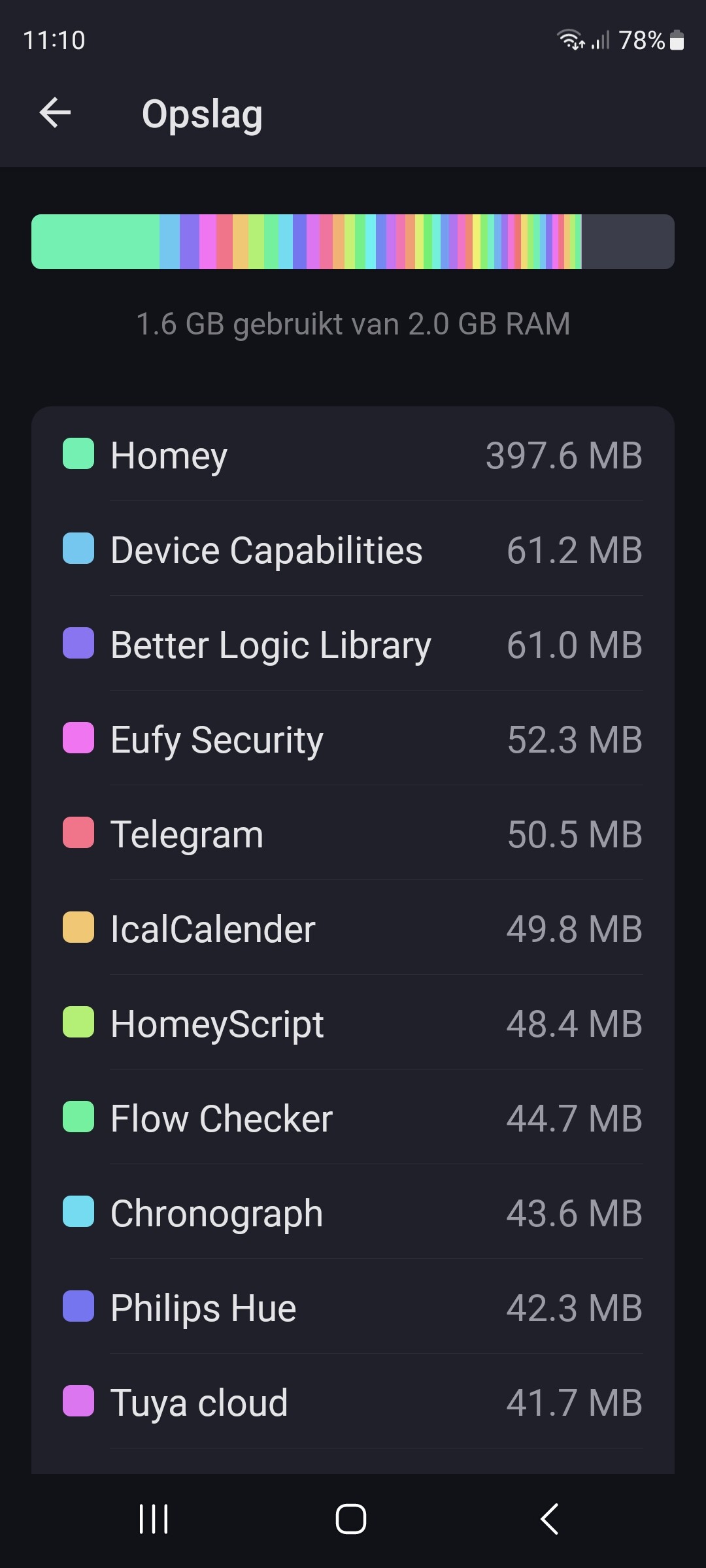
Hi @Arie_J_Godschalk, in terms of memory it looks good and the consumption is a lot lower than before and the app continues to work with all my restored AVDs.
That’s going well.

I do see something strange now and that is that wrong logic is displayed in the AVDs after saving changes.
After restoring my previously deleted AVDs via TEF, when I do maintenance I see that there are incorrect logics for the various items. At first I thought it was due to the TEF, but if I replace the incorrect logic with the correct logic and save it, you will see that the incorrect logic immediately returns.
I think the wrong logic is being used for the right values, but I’m not entirely sure.

This is with multiple AVD’s and multiple items within the AVD

92dc5e1c-99cc-433f-9539-57d8c89d0783


Thanks.

Good to hear about the memory!

And indeed, the test version still had some bugs, sorry about that.
I’ll continue next week with bugfixing.

No problem, good luck and no rush.

Thanks for a great app!

Ever since 2.14.8 the app constantly crashes on my Homey Pro 19.
I’ve tried multiple restarts of the app and homey, reinstall the all but it crashes all the time.
I’ve not tried to delete the app, as I’ve quite some programming going on…

Any other here experiencing the same?

Update to v2.15.1?

I’m currently on 2.15.2

2.15.2 contains bugs.
Ill continue next week.

Ok, thanks for feedback! Then I’ll wait for an updated version!
All the best.

1 Like

Just install 2.15.1 (stable) over 2.15.2 (test)?

Arie also seems that in 2.15.2 the trigger doesn’t work.
obrazek
(no crashes on HP23 but switched over to 2.15.1 due to this)

1 Like

Please direct me if this is not the place

I got a script and advanced flow from this page a year ago. It ran 3 scripts every day to check zigbee devices, like motions sensors, if they were reachable.
It showed the results on the timeline of Homey.

Does anybody have an updated version of this or the original one?

Motion script
// Sensor.Motion_Check.js 

// to check motion sensors connection by comparing last update times

let array = [];


const devices = await Homey.devices.getDevices({ filter: {class: 'sensor', capabilities: 'alarm_motion'} });

_.forEach(devices, device => {

//log(device);

array.push( device.capabilitiesObj.alarm_motion.lastUpdated?.substring(0,16) + "\t" + device.name );

});


//oldest date on top sort array = ["time_stamp device", "time_stamp device", "time_stamp device" ]

const array_sorted = array.slice().sort(function(time_stamp, device) { 

const firsttime_stamp = time_stamp.split(" ")[0];

const secondtime_stamp = device.split(" ")[0];

if(firsttime_stamp < secondtime_stamp) return -1;

if(firsttime_stamp > secondtime_stamp) return 1;

return 0;

});


console.log("Motion sensors:\n" + array_sorted.join('\n') + "\n\nSensor.Motion_Check.js");


Homey.flow.runFlowCardAction({

uri: 'homey:manager:notifications',

id: 'create_notification',

args: {

text: "Motion sensors:\n" + array_sorted.join('\n') + "\n\nSensor.Motion_Check.js"

},

});

return(true);
Temperature script
// Sensor.Temperature_Check.js 
// to check Temperature sensors connection by comparing last update times
let array = [];

const devices = await Homey.devices.getDevices({ filter: {class: 'sensor', capabilities: 'measure_temperature'} });
_.forEach(devices, device => {
array.push( device.name  + '\t==> ' + device.capabilitiesObj?.measure_temperature.lastUpdated?.substring(0,16) );
});

//oldest date on top sort array = ["time_stamp device", "time_stamp device", "time_stamp device" ]
const array_sorted = array.slice().sort(function(time_stamp, device) { 
 const firsttime_stamp = time_stamp.split(" ")[0];
 const secondtime_stamp = device.split(" ")[0];
 if(firsttime_stamp < secondtime_stamp) return -1;
 if(firsttime_stamp > secondtime_stamp) return 1;
 return 0;
});

console.log("Temperature sensors:\n" + array_sorted.join('\n') + "\n\nSensor.Temperature_Check.js");

Homey.flow.runFlowCardAction({
        uri: 'homey:manager:notifications',
        id: 'create_notification',
        args: {
          text: "Temperature sensors:\n" + array_sorted.join('\n') + "\n\nSensor.Temperature_Check.js"
        },
      });
return(true);

Here 2.14.9 is the latest stable version?

Indeed 2.14.9 is the latest stable version.

1 Like

My bad, you’re right, my app says v2.14.9

I got my info by looking at the changelog, which seems to be off @Arie_J_Godschalk
What is v2.15.1 ?

That was a test-version.

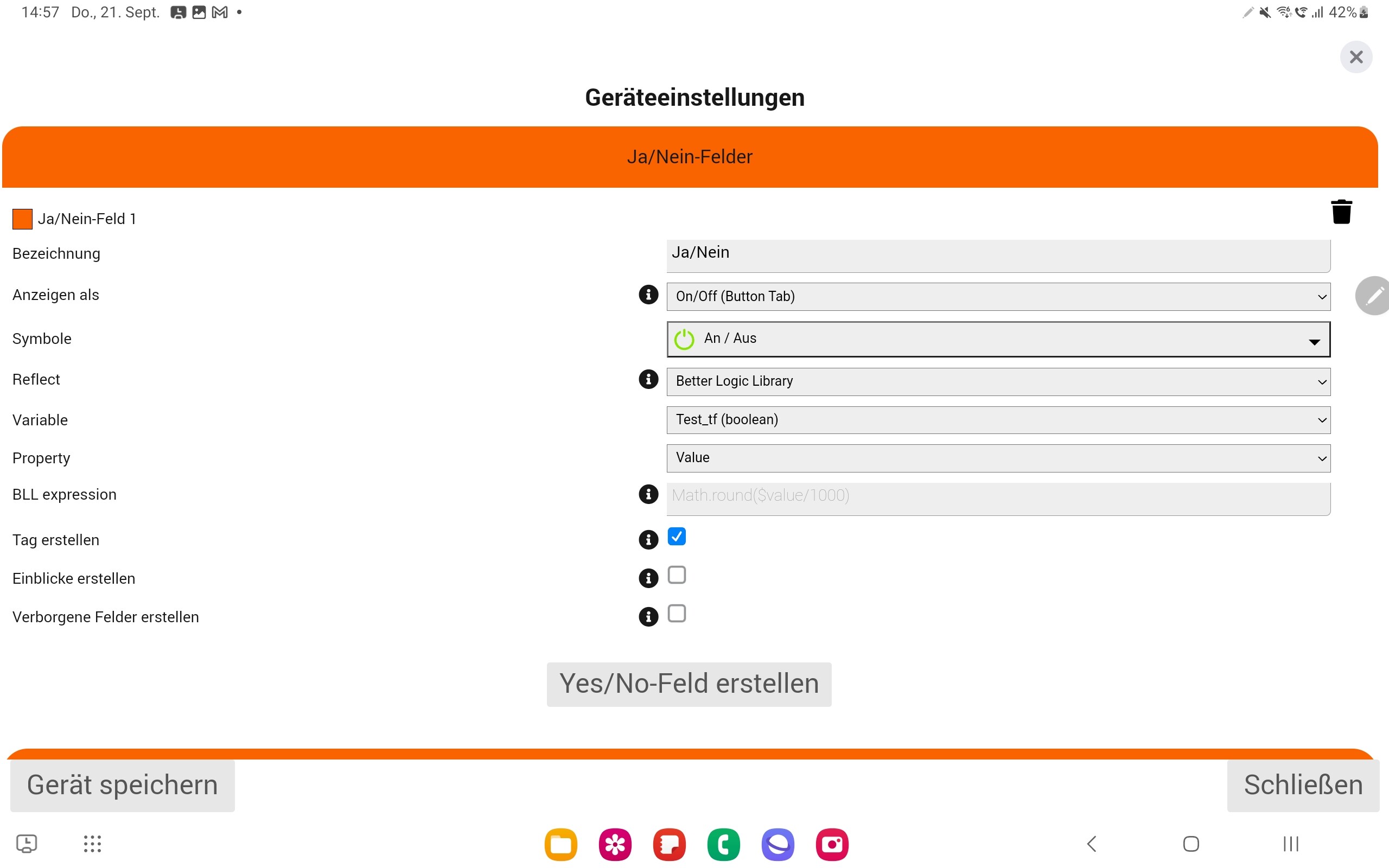
I try to make a device that is showing the state of a bll variable and switch that
If anothrer flow change the variable it should show that.

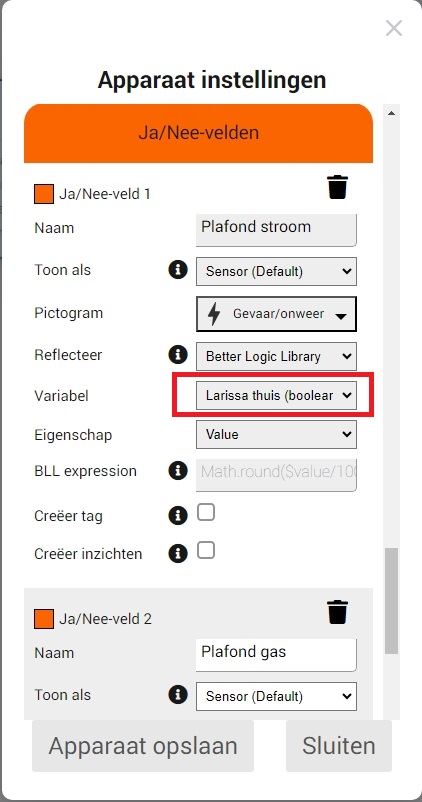
You can use reflect for that.
Just select the bll variable.

Thanks for the quick answer.
That was what I tryed.
But only creating the device and press the button did not change the variable.
So I made a flow to switch the variable if the button is pressed.
But now if the variable is changed I have a nice loop.

As in: it is working like you want?
Or do you have loop that keeps coninueing (a bug).

And indeed, BLL variables are currently only used for relfect and not react, the will update the device but do not respond to pressing the button.

I might add this in the future.