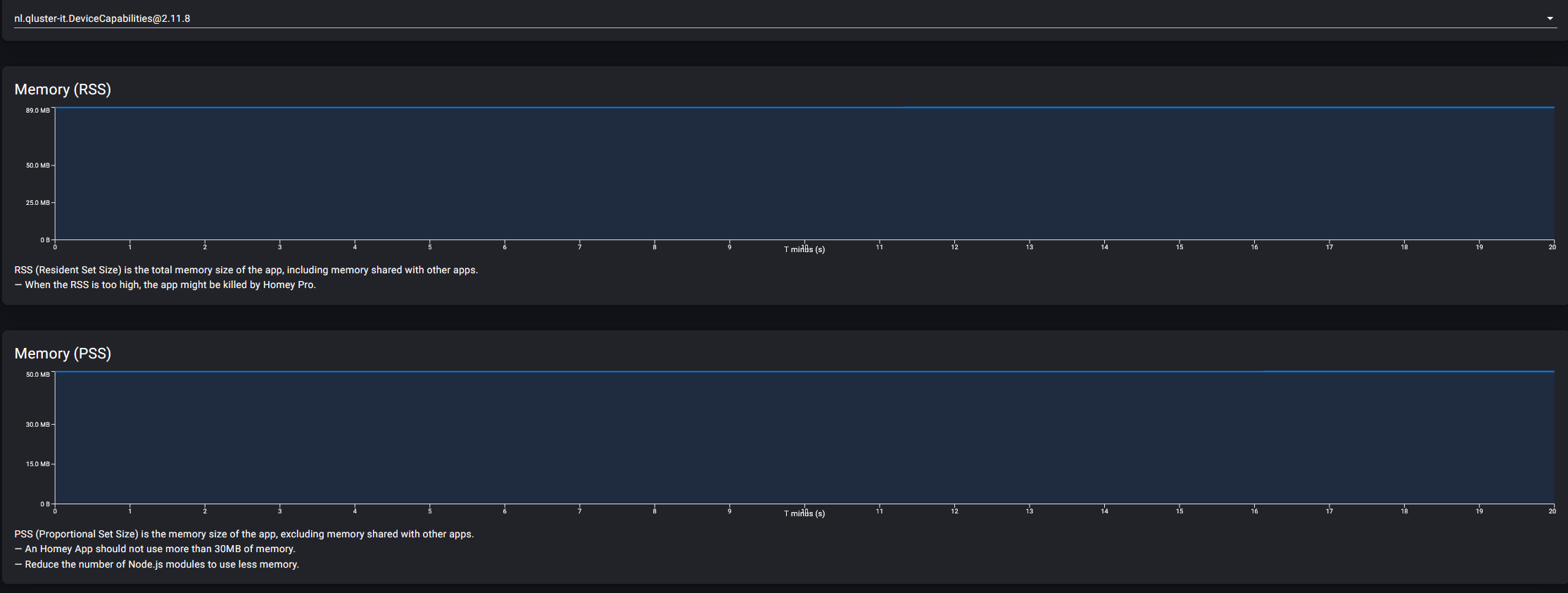
@Sharkys Is that Pro23 only, or general? I’m using a Pro 19.
This doesn’t match the beautiful story:

.
I’ve 55 AVD’s at the moment.
Homey has been up for 34 days, I just restarted it.
This is right after restarting Homey '19
@Sharkys Is that Pro23 only, or general? I’m using a Pro 19.
This doesn’t match the beautiful story:
.
I’ve 55 AVD’s at the moment.
Homey has been up for 34 days, I just restarted it.
This is right after restarting Homey '19
Wauw, all your apps are about double of what i use, also HomeyScript, mine is running at 18.2.
Can you share memory printscreen (of the homey app) for more apps?
like, what does BLL cost for you?
And Simple Sys Log?
For AVD and HS:
Do you have a lot of tags end/or insights?
I don’t follow you, sorry, which tags do you mean? The ones inside the AVD’s?
Let’s say each AVD has a few, so 55 times 2 or 3
HS has 240 numeric homeyscript vars
(of which a huge number can be deleted)
But mine is also pretty high as you can see  Using just 3 VD devices…
Wow.
RSS is RSS in the view, which yours is empty (probably not implemented on Pro19?) and yes, for me it’s RSS in the Insights
Yeah, but I was under the impression Pro 23 uses memory in a whole different way? Aren’t all of your apps using much more memory compared to your Pro 19?
You mean 41MB on the HP2023?
You cannot compare HP2023 with HP2019, all apps i have are about double on the HP2023 vs HP2019.
On HP2023, my DC is running at 40MB after a restart, without my HP2023 having any devices at all (not only no AVD, no devices at all, i just resetted the HP2023 fully) and without any flows or other usages!
And only have Simple Log installed with one flow and HS installed.
So my HP2023 has one flow, no devices, and just 3 apps installed. Still HS is 38MB and DC is 40MB.
So, really, you cannot compare the HP2019 and HP2023 memory usages 
It’s actually 51MB but I don’t mind… Compared to what this app does and used npm modules, I think it can’t get less, or ?
For changing the Icon and its name, see the post in the beginning of this topic:
Hi @Arie_J_Godschalk ,
Love the app and it capabilities. But think there is room for some improvement
I’m playing with the virtual device as a light control with a color wheel with the following number parameters:
One of the things I ran into is that if I change a RGB color in wheel or preset mode It change mode to color temperatuur wheel/ presets in the app. In other apps like Mi+Light it stays in the mode where you are changing parameters.
Other thing that is happening in the app is when I set the dim minimal and maximum to beneath setting the color goes to black and if I change color it stays black.
If I do both examples in the web app it work correctly, so this is only happening in the mobile app. Is this a bug?
And is this the right place to put this kind of bug report of do I need to put it somewhere else?
A comment on Nummerveld 1:
The dim value range is 0.00 - 1.00
You should enter ‘2’ instead of ‘0’ at the “Decimals” field.
“Max” should be ‘1’ instead of ‘100’
But while you used ‘dim’ with “Toon als”, you don’t need to enter the Min and Max fields
Just remove the min, max, decimals, and it will work as it normally does.
Ah, I assumed / thought the Decimals field is always mandatory, but it isn’t when we use a capability other than ‘Sensor’ at “Toon als (Show as)”?
No, if a field is mandatory it will be shown in red.
Most fields are optional, the Dim capability already fills this data itself, you can just override it if you want.
Thank for you reply. When I remove the min and max values it value is from 0 to 1 in decimals. Like to have is from 0 to 100% to control brightness of a light. Can do it with a logic in AF to multiply it with 100, but it would be nice to have it already counting from 0 to 100% if that is possible?