Do you mean at the Sensor Tab or the Device Tile?
The first you can change with flows
status indicator field

Standard is this number and then text.
No, i cannot reverse it (as far as i know).
Maybe in the future, but i got a lott of work re-writing the Device Setting, that comes first.
Oke is not bad its great app
Not important now, I’m just surprised you come up with that ‘workaround’ or ‘hack’ or whatever you call this.
I’ll be happy if it works when adding AVdevices to add the desired fields.
Question (DareToAsk): Is it even possible to copy or clone an existing AVdevice?
Or, base a new device on a ‘template’ device?
Usecase: I create a AVD for a window blind, with numericfield position indicator and a on/off button (like on=down off=up)
I need that for each of my 15 blinds. So I can create another 14 of them, or (the question) just copy the first one as a new device, and then on and on.
Yes, that would be possible, i allready had a working function for that before (for testing).
Now that the device settings is in my full control, yes we can do this very nicely 
Playing with it more and more, liking it more and more too, and notice that I’ve got 2 (more) feature requests 
1, Don’t necessarily need it myself (yet?), but I can imagine that someone wants it:
step (size) for number capabilities, things like thermostats often have a step size of 0,5°C, I can imagine more devices have this behaviour.
2. Contact/Motion alarm beside the regular “alarm” for the yes/no capabilities, with that you can active a zone, just a regular “alarm” won’t do this.
Absolutely stunning!
In reality I’ve only 3 ‘smart’ blinds 
Indeed, both will get on the list 
Night Night!
I just removed the Settings from the app.json (in develop).
It went fron 500k lines to 142k lines(!). Saves about 1.1Mb.
And the installation goes much faster again.
This also means that the overhead of icons is greatly reduced.
Thuse, at a later point, we can at more customisable capabilitiy/field icons.
New version in Test: Saving device settings goes much faster now.
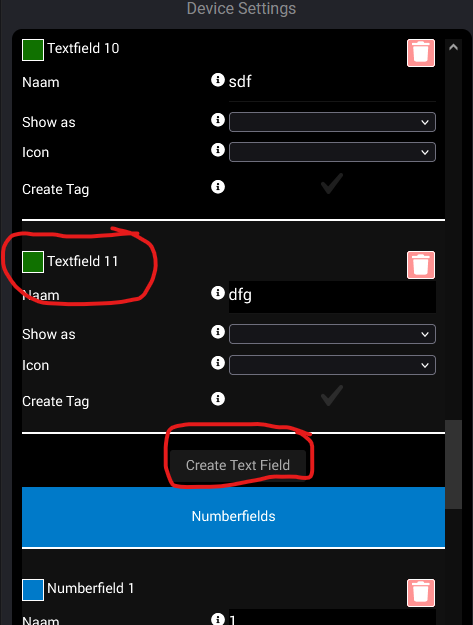
New version in Test: the New Device Settings are almost done.
Fields and there properties are only shown when applicable.
Please let me know if you find a bug or mistranslation.
Also worked on better explanations in settings.
Tooltips have been reviced.

Click on Wartung (and again click) and press Save.
Sorry about that m8, that should not have happend.
The newest Testversion has pretty wel Device Settings, just go there (through Repair/maintenance) and press save.
I just updated Test so tooltips also work on Mobiles (click on tooltips).
Also changed the texts about hidden capabilities, i hope the text makes it clear now whay the option is there.
Each checkbox for Create Hidden Fields (old create Separate Capabilities) has its own tooltip(!).
Does not work for me. The fields remain greyed out.
