Another question, is it possible to make it possible to rearrange the capabilities on a device?
For example, I have a device with 18 capabilities. If I want to add one more now it will end up at the bottom. However, this new capability would fit better at the top together with other similar capabilities, to make it more tidy and organized. So to rearrange it now, you have to make small edits to all the others you want the new to be on top of, in the right order, as an edited one will end up at the bottom of the list.
Would love for it to be an easier way of doing this.
Different views… It is a ‘hack’ yes, but I’m totally enthousiast I can finally show any text and emoji as tile status 
@Arie_J_Godschalk For the mobile app, the numberfield has to have a value with the “set status to” flow cards, but is it possible you set it to hidden (or make that a user choice)?
All those are possible with an AVD 
The 0 for the status can be zet to empty through the flowcard Set status with Number (leave it empty).
I have set it to 0 by default, so it shows up in the Mobile App, which otherwise will not happen.
Well appareantly, not. I lost a few items off a list:
| Speaker | speaker | Use this device class for devices that can play music, usually together with the speaker_* capabilities. |
||
|---|---|---|---|---|
| Solar Panel | solarpanel | Use this device class for solar panels. | ||
| Sunshade | sunshade | Use this device class for sunshades (window coverings against the sun). | ||
| Thermostat | thermostat | Use this device class for thermostats, either for the entire home or radiator-mounted, usually together with the measure_temperature, target_temperature and thermostat_mode capabilities. |
||
| TV | tv | Use this device class for TVs. | ||
| Vacuum Cleaner | vacuumcleaner | Use this device class for vacuum cleaners, usually together with the vacuumcleaner_state capability. |
||
| Window Coverings | windowcoverings | Use this device class for window coverings, when the curtains, blinds or sunshade device class doesn’t apply. |
I have added those back in the Current Test version.
Now, if you add a new AVD:

and

(doesn’t need to be Button 1, but its the most handy, else the indicator is differend then the button itself)
This will give you:
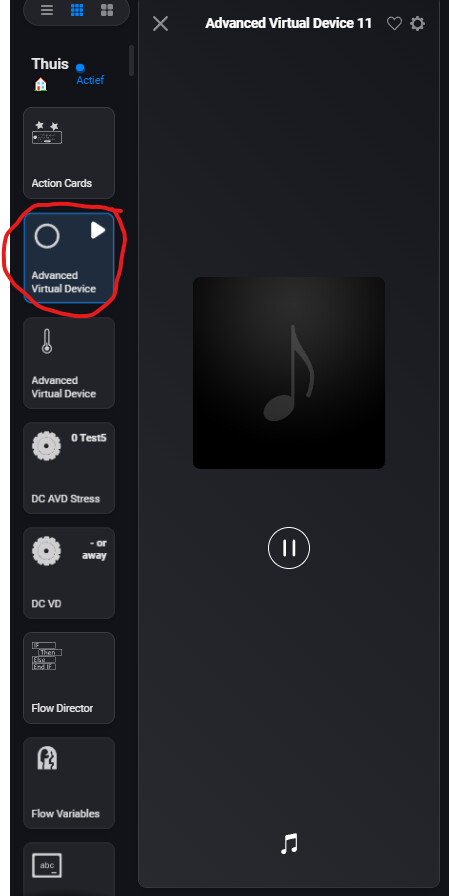
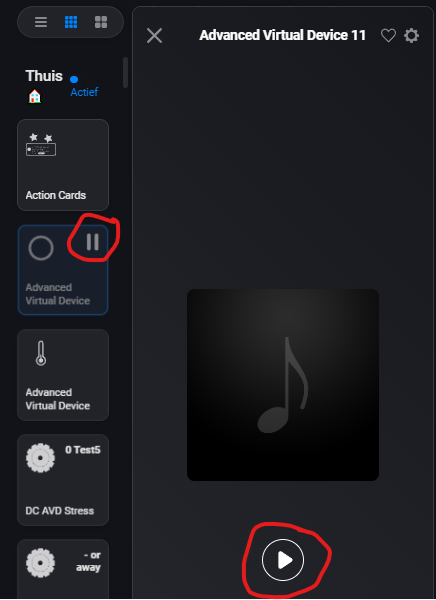
EDIT
You can change the Class to Lock:

Now add a Lock button as second/2 button:

Now you will get:

But if you push the Device tile in Mobile, it start/stops playing. And the Backgroundcolor of the device tile is also based on Playing.
But the indicator show the lock status.
The above is standing ready in test.
Yeah, and yes there is, i allready do it with button1.
When button 1 is changed (not name, but icon or type) all other buttons (and yes/no with button option) will be recreated!
This, because the order off appending the capabilities makes up the sequence.
So yeah, i know of a simple way (just add sequence fields to every field).
Only thing is, changing a #1 field, will make it really heavy.
So i actually wait a bit to see if the app works correct, before adding this functionallity.
But it is on my list.
Yes, just set the Status with Number field, but leave the number empty. It will clear the number, giving a dash (-) in Web and nothing in Mobile.

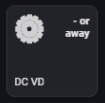
Without a number, it will also not show it on the tabs:

([Status] is still “or away”, but you cannot see it).
You need a number in it to see it here:

Still hoping to find a secret number which makes it invisible or something…
Weird.
When i enter
9223372036854775295
i get:
9223372036854775000
when i enter
9223372036854775296
i get:
9223372036854776000
While i would assume 9223372036854775807 would be the highest. Weird.
Small update to Test:
Execute Expression card:
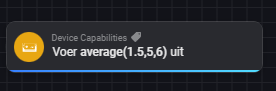
It works the same as Set expression, but its an App flowcard (not device) and gives the values back as tokens.
I know you can use HomeyScript and some other apps.
I just want to be able to use my own predefined functions from App Settings.
Yes, don’t get me wrong, I think this app is awesome. I just don’t know what are hard limits enforced by Athom, and what are bugs, or tweaks waiting to happen
I see, they are not status indicators as such.
Is it possible to make a custom class, with custom icons attached to them?
You mean, can i as a developer, instead of setting a device class to Lock with a Lock Status Indicator, create a new class with its own status indicator icon?
If so: No that is not possible.
Thanks, that was what I meant.
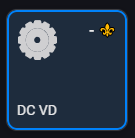
You can cheat a bit tho, with emoji’s:

@Caseda , @DirkG , @Le_Cactus , @Gruijter , @Peter_Kawa
Wanted to ask you a question.
Because i just realized, that i can give each created device it’s own customisable icon, without adding to app.json or the iconlist.
And the most part of the sourcecode is allready done, beccause this is what i tried first (but now know how to complete).
Question 1:
Should i implement this?
It would mean during creation you can just pick a icon out of all default icons (or upload your own here again) with a text that you can customise it after creation also.
It would also mean that the custom icon list is just for capabilities.
Question 2:
Or should it be still an option to pick a custom icon (and replace that later) just like now?
The only win is that when you have 10 devices with the same icon and can change it later with just one adjustment. However, this can never be undone, you can never split the device icons again this way.
+1

But please note, i am thinking about removing the 21-40 device from customlist and add them to 21-40 capabilities, since the will be just primaraly for capabilities.
What do you guys think?
(It’s just a name, in the background the icon is named custom_** and will not change.)
So nothing will break, just a few icons change names (device21-40 to capabilities 21-40)
Version 2.0.14 just went live (thanks Athom)!:
- Solving some bugs
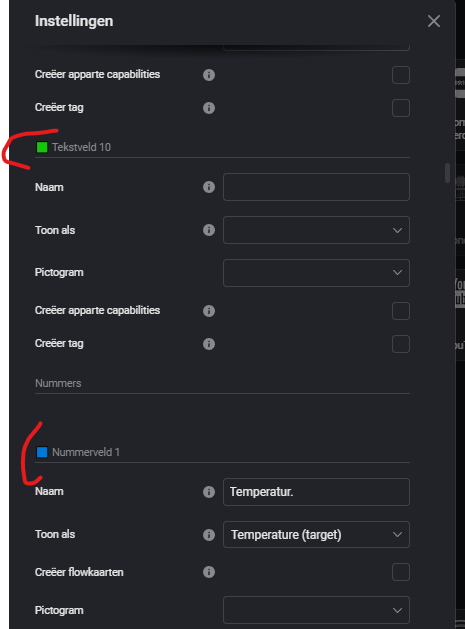
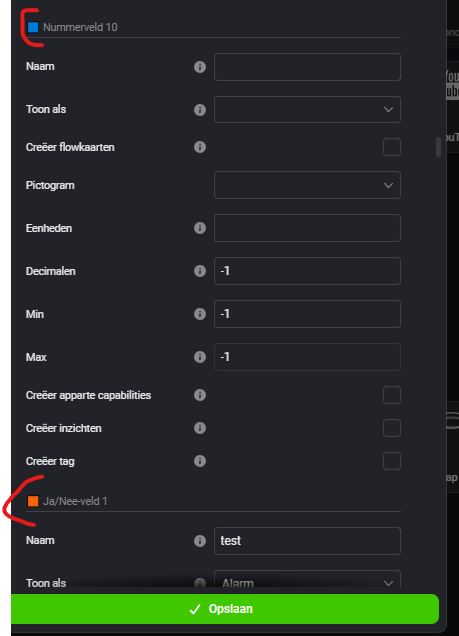
- improved Device settings (a few color items to make it more clear which fields you are at)
