[APP][Pro][DEPRECATED] We Connect / myAudi / MyŠKODA / My SEAT / My Cupra

Hi Stefijn and Martijn,

I had the same and 30 minutes works for me.
But I also switched the forced refresh button off.

As soon the Audi connection is rejected you first have to drive with your car to get it working again.

I also make use of Jedlix app they always show the same battery status during Charing as in the Audi app. My best guess is that the force refresh connects to the car and with force refresh off that it connect to the Audi server only.(less communications with the car or the car controls the updates)???

Regards,

Harry

1 Like

Hey Harry,
The force refresh button is a single click which gets the latest data. so it’s not a switch.

New app update (test: 0.7.4): (auto update only)

Changelog:

  • FIX: remote controls not working
  • FIX: prevent memory leak

So after some tinkering I managed to get the remote controls working. I was missing some config which caused the remote controls to fail.

Right now they work even when the car is ‘asleep’

5 Likes

Thanks Martijn, I am able to start/stop the climate controll from the homey app!

Great work!

Regards,

Harry

1 Like

In the ID cars:

  1. Start climatisation is not working
  2. Stop climatisation works
  3. Start charging works
  4. Stop charging works
1 Like

Hi
On my 2020 it’s not working. I can’t control neither lock or climat.

Hey @Bo_Bjorkman
Which brand and model?

Hi
It’s a VW Tiguan 2.0 CLOPF4M 140TSI

Med vänlig hälsning,

Bo Björkman

1 Like

@Bo_Bjorkman can you try to re-add the car as a > 2021 model ? :slight_smile:

Hi, just sent diag - car data get updated only during app restart :frowning: Not in standby nor when car is on/driving.

e-Golf vvw2

a664eb7e-4a7e-4e85-9293-a6cd3333f7b4

@Sharkys
Does the we-connect app does this for you?
As mine doesn’t update while driving.

Well, the point is that ioBroker does for sure. But at this moment the point is rather that data are not updated at all until I restart the Vag app (while I have 5 min update interval).

Anyway, at this moment WeConnect app shows updated 53 min ago, while Vag app shows 1 hour ago…

Ok I’ll have to check it again, but last update was only the fix for remote controls.

Can you check if force update works for you in ioBroker?

1 Like

Apologies, this is going to be longer… so I also tried Start charging button in VAG App, happened nothing. I just launched WeConnect app, it showed “refreshed now” - but both IoBroker and VAG didn’t update anything (based on outdoor temperature in IoBroker only, as the car is stopped/closed).

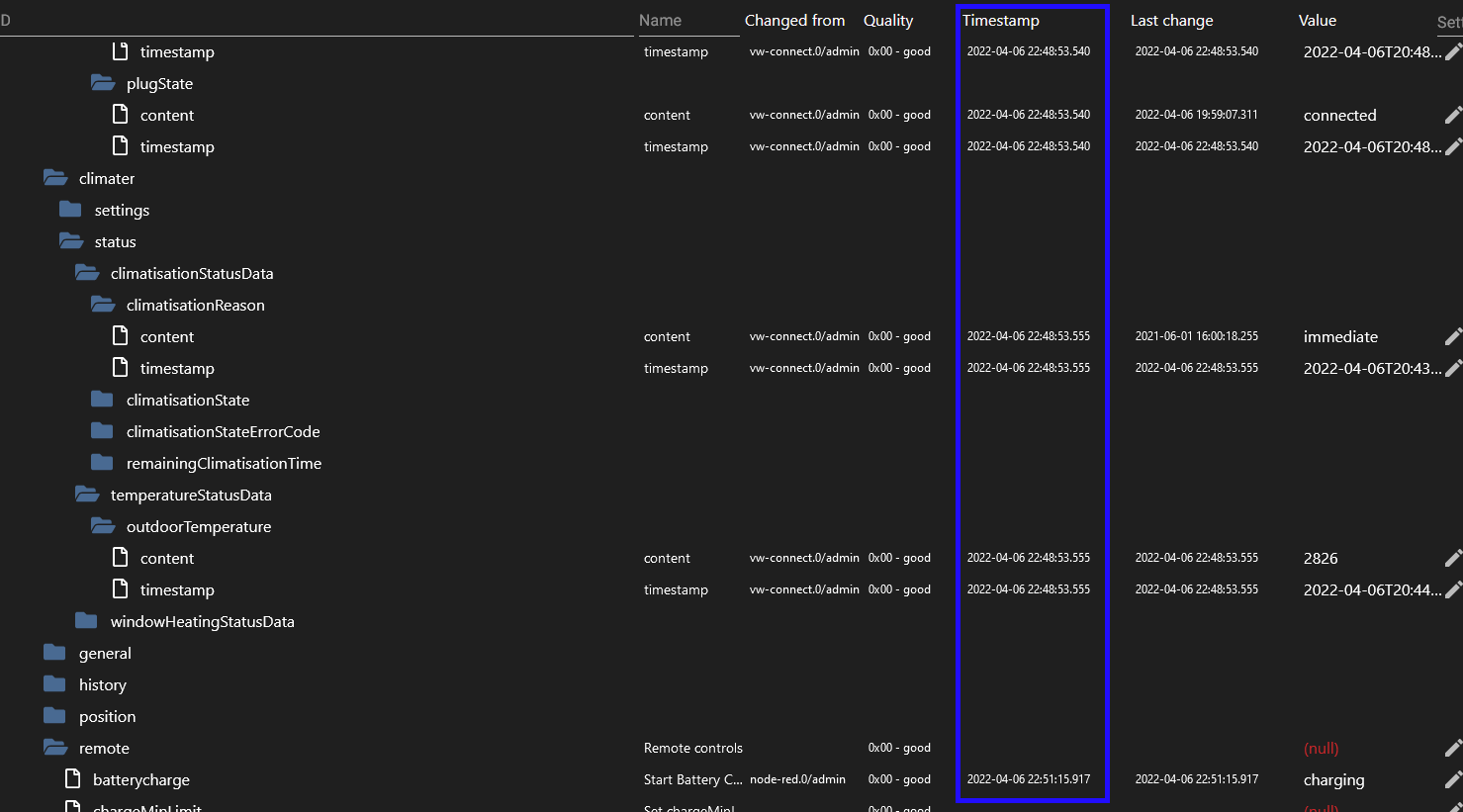
Then I tried to force refresh at 22:29 via ioBroker - the values got immediately updated (probably car is not yet in “deep sleep” mode :
obrazek

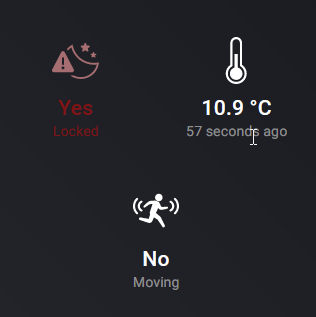
vs VAG app at the same time (notice the temperature difference).

and >6min later (eg. just in case of 5min refresh interval) it’s still the same.

Then I forced charging via WeConnect app at 22:40 - got error “Too many requests sent” …

Diag if it helps : 8ee499b8-9ca6-47ea-af44-d80cda083d00

Around 22:43 I started the car, re-locked it - no updates in both IoBroker and VAG App this time (I did not perform refresh via vw-connect.0.refresh), launched WeConnect app and enabled charging - unfortunately at this time I realised I have IoBroker refresh set to 45min to avoid rate limits together with VAG App - so I changed it back to 5min, restarted iOBroker connector and naturally, values got updated again but not in VAG App.

  • 8min after enabled charging, IoBroker shows updates, VAG App not (not posting the same screenshot as above)

So I have restarted VAG App at 22:53 and I got refreshed data…

Note : when posting screens from VAG app, I double-check in both mobile and web app, including refresh - to ensure it’s not updated just because of view.

Diag after app restart : d7a3bb11-5c87-4093-90e8-4b1b1360686f

Let’s see if others will get the same problem or not.

Btw, I realized also, that in iOBroker I’m using VWv1 (vor 2020) while in VAG App I used VWv2 (after 2020) - I switched iOBroker to VWv2 as well to ensure this is not making difference for me. But that’s for another day now :wink:

1 Like

@Sharkys
Thanks for the information.
I Will dive in to it.

But if possible the easiest way would be if you could share your car temporarily with me.
Then i can check if any errors occur.

What I can say about the difference beteren VW and VWv2 is the refresh token. Which is used for the force update

Just curious if you change it to VW if that would make a difference in updating the values

Will check tomorrow

1 Like

the updating of the values is also stagnating on my end (Golf GTE VW2). After restarting the app it is updating but at a certain point the updates seen to stop. (have an hourly app restart to try and prevent the stale entries.)

1 Like

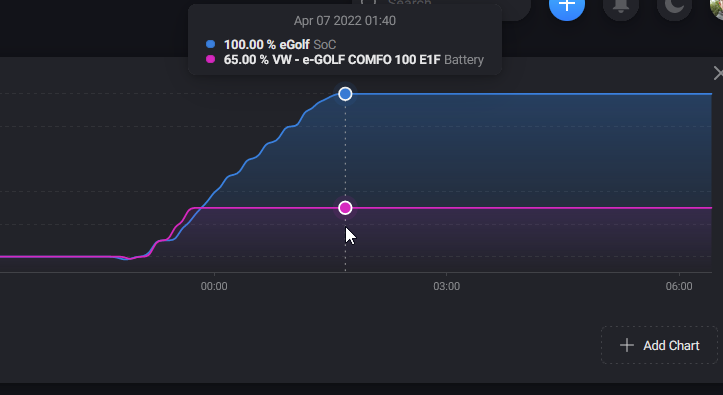
Also - IoBroker and VAG App both are set to vwv2, IoBroker update interval is set to 11min, VAG to 5 min - I’m taking into Homey values from mqtt and having it as “eGolf” device added - now I’m charging the car, so both app shall keep showing same values (actually VAG sooner then IoBroker because of refresh interval) - blue is MQTT/IoBroker, pink is Vag app…

1 Like

Updates seemed to have stopped for me also (audi a3 hybrid). I have a flow that reports driving distance updated (so that I don’t forget to log my business drives), but that does not trigger anymore, also various specs do not update anymore (f.e. batterycharge, batter was almost empty last night at 20:00 and was charged somewhere last night, but nothing has been happening in the VW connect app.

I have not been able to get locking/unlocking, charging start/stop or climate start/stop working so far. (a reminder;
I cannot lock/unlock my car in the audi app. I can start charging (if not charging) and start/stop climate with the app.
Stopping charging is a bit unclear, there is no obvious button for it in the app, but I was able to stop charging with the audi app a few days ago. It’s one of the “tiles” when the car is in a certain state.)

edit: there was one update last night at 2:00; distance got updated, battery got updated to 70%, car was charging at that point probably because battery is now at 100%, but VW connect app does not display that.

1 Like

Thx for the info guys. Seems like the update for the memory leak also caused the updates to stop.
Which is strange :thinking:

I’ll look into it!

3 Likes

So found the issue. I’ll let it run for a while here and see if the fix works.

Problem was:

  • in the background the service was updating which cause the memoryleak
  • the interval in homey was not really refreshing the data and therefore re-creating a call to the vw connect client → which cause a memory leak again.

Now i have it all managed from Homey and it seems to work as expected. :crossed_fingers:

3 Likes