@Erikvl87: The new label widget has a fancy animation when it updates it text. This works well when the displayed text does not change frequently. However if the text contains elements (like variables/tags, etc) that change often - like every second in case of a timer - the label is never displayed. When the animation completes, the next change presents itself and the animation starts over. Would it be possible to have a toggle through which you can enable/disable the animation?
Could you share with me some more details about your flow (and which DataVista cards you are using)? I haven’t been able to reproduce this yet, as for me the progress bar is dynamically updated without reopening the dashboard.
I don’t have the identifier right now, because I removed it, but the flow looked like this. As I said, the flow worked in the sense that the data was right/updated, but the actual widget wasn’t updated until I closed and restarted Dashboards.
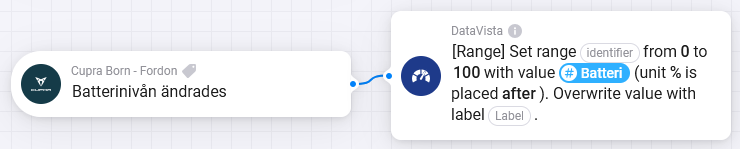
I guess the widget somehow lost connection with Homey, because I tested the exact same thing here and it worked flawlessly. I will add some logging and error handling and see if this will help.
Can I reach out to you via PM after the enhancements have been implemented, so we can see if we can get this reproduced / fixed?
1 Like
Absolutely, thanks @Erikvl87!
1 Like
 Version 0.8.3 of DataVista is now available in the test channel, with the following minor changes:
 The Label widget now has an option to toggle the fade-in animation (@SunBeech)
 The Label widget now has an option to toggle its value in bold
 Fixed an issue in the Label widget for capabilities having no text value (
null) Improved error logging for widgets
Thank you very much! 
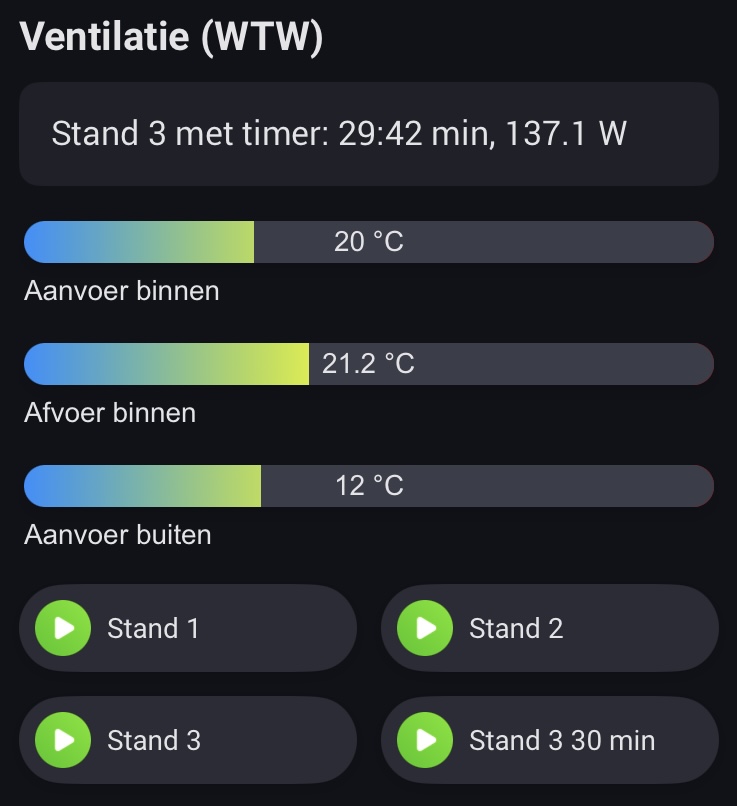
I can now display the remaining time as part of the status message when setting my heat recovery unit to a timer.
2 Likes
Hi. Great widgets!
Would be awsome with a label that can handle multiple rows with text instead of scrolling.
1 Like
Sounds like something worth to look into for adding to this app. Do you have some more info to share so I can understand the use case better? What kind of large texts would you like to visualize? How would the widget handle text that’s to large (manual scrolling, auto scrolling, etc), does it contain HTML or just raw text? Is it from a capability, or need to be set via a flow? Etc. Anything helps!
Heyo I really like your app, any chance that you could add some buttons for shutter control? Maybe an up and down button. I searched for any widget what has this feature but there is none.
1 Like
Right now i have a lot of text-variables that i group together in the dashboard to show info about one event or more. For exemple my kids next football activities. What it is, when and where. It would be nice to get all that info on one surface.
Another example is the “house” part of the dashboard where I have my next dates for house cleaning service, garbage collection, maildelivery etc.
I think the easiest way would be to give a big text box where i could write the text myself (and add variables) and then format it how I want. The size of the label-witdget would auto adjust after the content or by fixed pixels.
I have two picture from my dashboard with the things I have described and one picture with how I would like to set up a big text-label.


2 Likes
Or maybe even better. Do it as you do now, but add another field for row 2, another for row 3 etc. Then each row can scroll independently if you put too much text in
Hi @JayR, glad to hear you like the app. Datavista is primarily focused on visualizing data rather than enabling interaction, but I do have some ideas for a widget to visualize one or more capability states next to each other via an icon/symbol. I may consider adding the ability to trigger a flow when clicking on any of these icons. Could that maybe solve your use-case?
@Fredrik_Gustafsson That’s very helpful! I’ll look into this because I do think this could be something for DataVista. I will however try to find a good balance between simplicity and advanced capabilities. If you’re interested in a fully customized solution, you may want to check out what @Cuprani did using the Enhanced Device Widget:
1 Like
You could use the advanced datavista flow to add 2 variables and convert it to text right?
Something like “Temperature bedroom: 20, humidity 60%”.
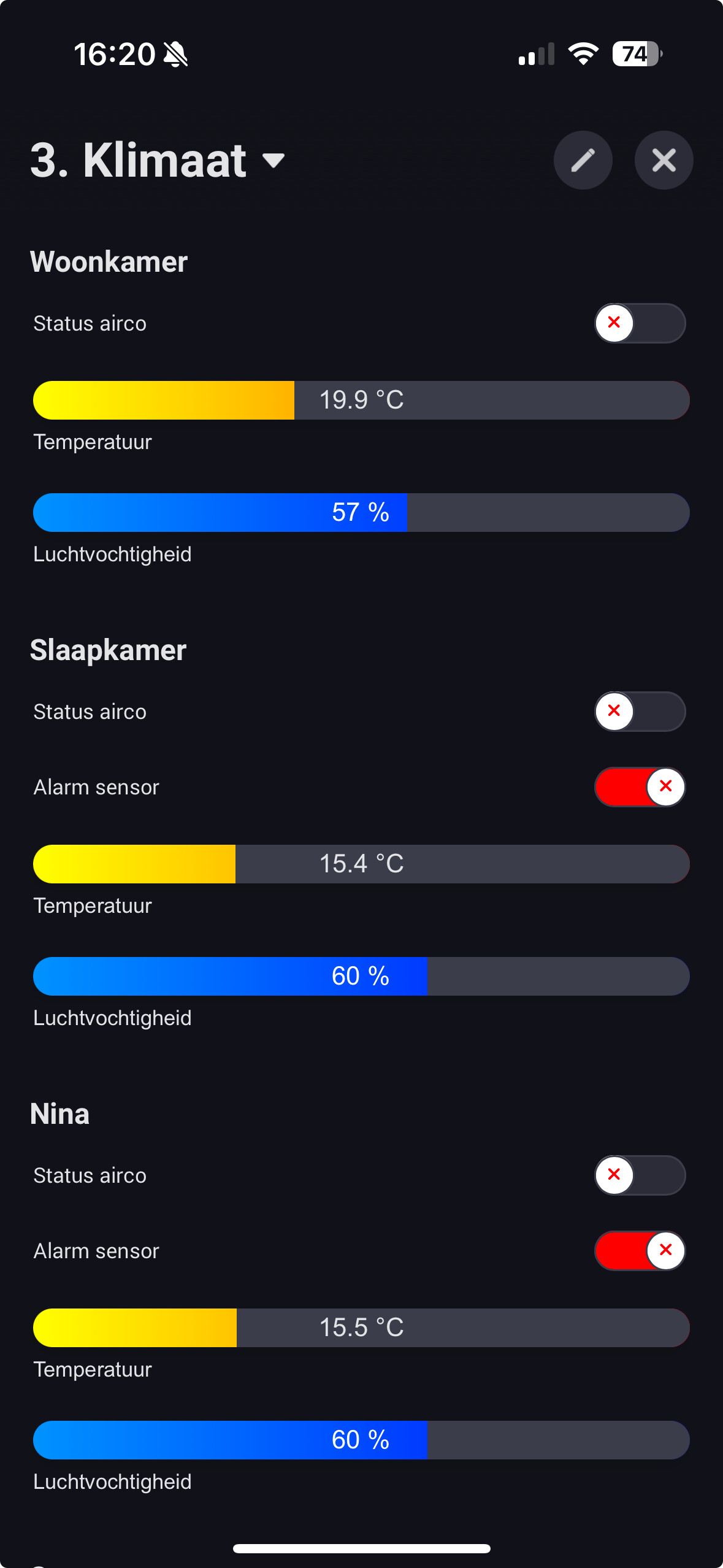
Can you invert the switch somehow?
In my case when my window sensor gives alarm it’s “wrong” because it’s an alarm.
I did invert the colour, so alarm = red, no alarm = green.I also inverted the icons, but now the icon’s are badly aligned. I prefer al the same statusses on the same side.
(I still prefer a “horizontal line” setting) 
Where do you find the codes for the FA icons, like ?
Hi @Dirk_vdM
I know fa, I was looking for the icon codes.
 . Then I don’t understand.
1 Like
Uhhhh damn, didn’t see that part….
@Erikvl87 the text label seems to be misaligned with the other datavista’s?
I was trying to change the toggle with a text tabel for my window sensor, but it looks awfull :-).

