It looks like you are using local dashboards. If you use the dashboard app and save the dashboards on your own homey, you can use the dashboards on all kind of browsers. So far as I know you have to create your dashboards again to do so.
The local dashboards came indeed later and become then the only way to make new dashboards.
But why they let you think that you can save a dashboard while you can not edit it.
The only differences is: “source”: “localstorage” or “source”: “homey”.
Who can change this then.
When I have it understand it correctly is that Athom want only local or only outside dashboards.
The new versie of this one is still outside but I have not see anything of that.
This I have to put in a local dashboard so I have no time for helping in Homey.
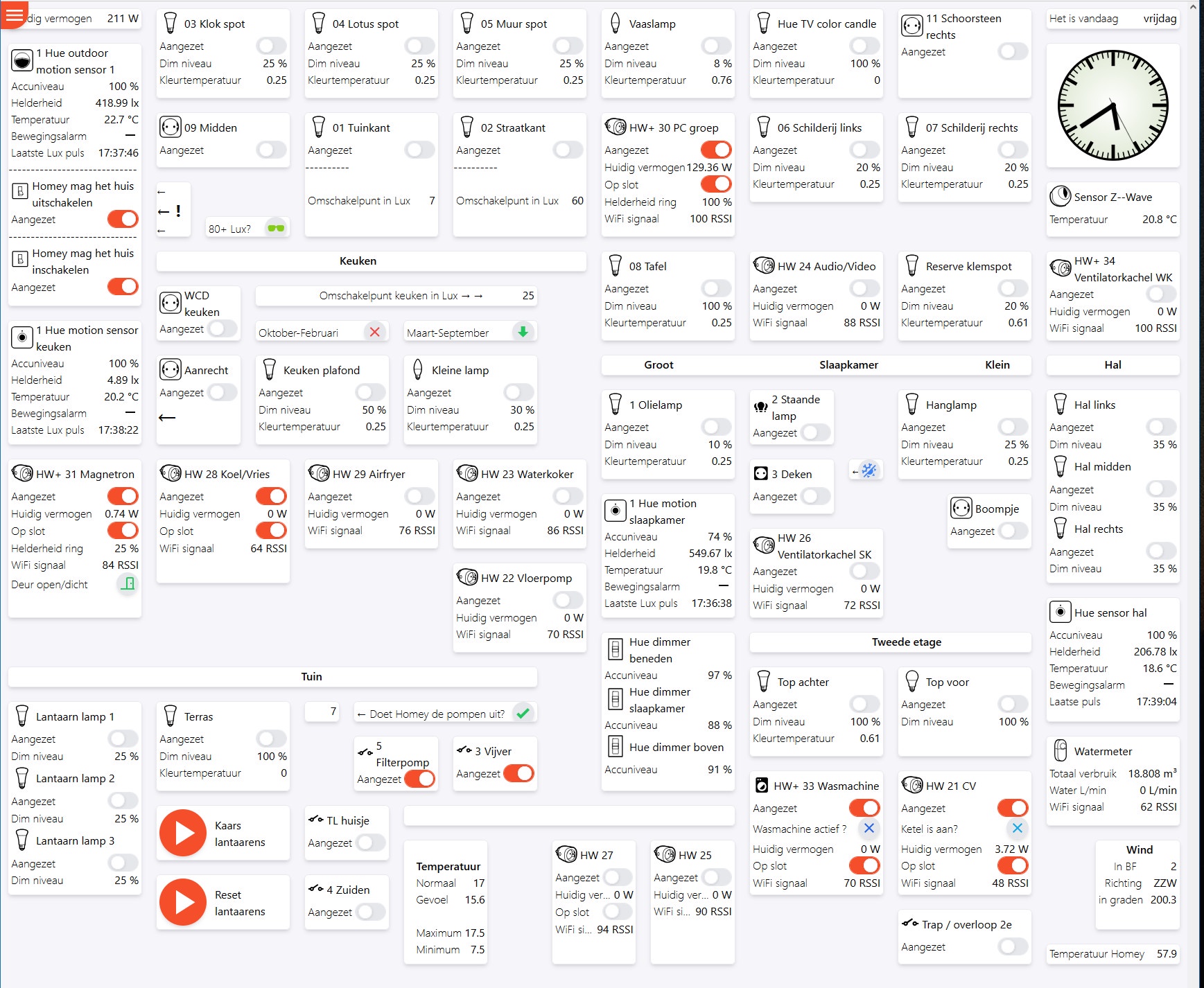
Sometimes a dashboard could not be adjustable anymore if one or more capabilities/devices are not avaible anymore (for example if you have removed these from homey). Sometimes it works if you re-add the removed capability/devices again.
By the way, you can add local dashboards in the browser (these are saved on the device were your browser is running). A dashboard which have to be stored on your own homey have to be created on your own homey.
That has nothing to do with my problem.
For your last post.
You can only make local dashboards now.
And those are connected to your Homey and in every browser to see.
If my 1st one is saved on my PC then: where and how can I copy/past it to a local dashboard.
Because that’s the problem.
It’s about time that I say something 
The reason that I never pushed the experimental version to all users, was because I knew that it would break stuff. And that would unleash a shitstorm og people complaining. So the old version has been allowed to continue to exist, for all other people, except me and my wife that is
But if the old version is so old now that doesn’t support the newer firmware updated from Homey, it might be time to just push it to everyone anyway 
I’m using all my spare time working. So I basically have no spare time, and haven’t had for several months now  But the work deadline is in about 1 week, so after that, I will have time to do the necessary steps to push the latest version to everyone. Because I’ve been working so much lately, I also have accumulated roughly 3 months worth of vacation. So this project might get all the love it should have soon
Last question then.
The local dashboards are not effected by the changing?
If so, why can’t we copy the “outside” ones and past them in an empty local one.
That is what I write every time here.
This because of the silly “save” link under “dashboard settings”.
That sounds great! Hang on 
Fyi: I still use the old one, but I can’t edit it anymore (and I need to update some devices on the page, which I’m not able to). Just checked the new one (with the URLs that I have) but the DEV version also does not seem to save updates. The TEST only shows a white page
What happens behind the scenes after March 8th.
Will Athom take over or is it all over?
Now patience is a virtue but I’m not really rooting for what I want either.
Releasing v1.0.0 tonight.
Or; at least I will submit the app to test and certification by Athom. Depending on how much backlog Athom have, it might be hours, days or weeks before it’s actually published.
More info pending tonight 
Athom has released too many things in a row.
And each has gotten additional apps that burden everything even more.
Then I’ll count on 6 months. 
But thanks for your work. 
Here we go! I expect everything to break. Let’s just hope something still works for everyone else than just me and my wife 
I’ve updated the first post a little, but much is still missing.
Some of the main changes is that the good old Dashboards device people had to create in Homey for each dashboard they wanted, is now a multi-dashboard/template store. This means that you actually only need to create a single device for saving all dashboards.
Dashboards no longer require you to organize widgets in a grid. Everything is now actually just widgets capable of holding child-widgets. The good old grid layout is still in there, but I don’t recommend you to use it for the main-layout of your dashboard, as it makes it impossible to create dynamic dashboards that show or hide widgets based on user presence or other scenarios like winter/summer or electricity prices.
There really is a lot of changes here, covering it all would take a lot more time than I have available today. Play with the dashboards app, find all the bugs, and hopefully it doesn’t break too much 
Pushing the button to release the Homey App to test now. That means that all who has installed the app through the https://homey.app/a/skogsaas.dashboards/test/ link, should get it installed now.
I’m also publishing the latest version to https://homeyboard.github.io now. This means that anyone using that site, which don’t have the latest version of the Homey App, will not be able to save new changes to dashboards.
Thanks Marcus.
For me is it almost bedtime so I shall look tomorrow in to it.
App gedownload but over that configureren I will Iater ask some questions.
Installed 1.0. i had to change the name of one of my companion devices for the app. To get them to show up. Dont know why but i tried it just to see if it solved me getting the whale ;). Other then that. Havent dived deep enouph but so far id say nothing broke that i didnt expect to be broken. Gonna dig deeper tomorrow is middle of the night here now
The stupid thing I have done was downloadde the app before going to sleep.
Because after that I did my normal routine on my oldest dashboard and I was shocked.
Have breakfast now, 1 hour earlier then normal, and then have to try to look how to go from here.
EDIT
This is my 1st dashboard and it’s only to opened by Firefox where in it’s make.
Still now under the new app. Often ask to get it also local/virtual.
Because of the situation now it seem to me that I can better start all over again.

Now I hope there is a manual in simple English that I can use to started up.
Take the word ‘widget’. That stand for a lot of things when I translated in Dutch.
Wow, what a surprise to wake up to this morning.
Our whole dashboard is now a mess, only a few things actually still seem to work, and the layout is totally chaos.
Sad after numberous of hours to have the optimal dashboard for our family 


as already reported during the development stages: mine does not convert … now it looks like - not really promising …
so what are my options: can I create a second device meanwhile to start from scratch (and hope that after some fixes my old one works again)? Or just trash everything and start from scratch …?

Please read the post of the creator 
