I can add option of 1 second, but you’ll have to use it wisely. In my case I have two 4k surveillance cameras. Each snapshot is about 2-3 MB. Doing this every second for two cameras equals up to 6 MB/s which is constant use of 48 Mb/s. I’m guessing it will be a bit much for the Homey
What do people think; should I help people help themselves by not allowing refresh every 1 second?
I only have a snapshot of 189 Kb, use a low rate 3th stream for snapshots,
was looking at the app performane of nl.xseth.dashboardctrl@0.3.3 :
it does not increase every 5 seconds the snapshot is created
Nice work, thx. Started to experiment a little with this dashboard. Looks very nice and promising.
I’m facing the insights error message also (HP2019].
Is it ok if I add some wishes to the backlog also?
add variables to capabilities and insights?
add other elements like line, circle, square and text to
Insights: Added a workaround for HP16/19. Hopefully this should work for everyone now. Thank you to @Robin_van_Kekem for letting me login to his HP16 for debugging. Issue posted to Athom here.
Replaced FAB with toolbar for more real-estate for adding selecting between multiple dashboards in the future.
Added option for refreshing images every 1 second@Dj_Kolk. Though I added a warning icon for that option.
Fixed scrolling on touch devices
Can anyone with a HP16/HP19 verify that the workaround works in the wild?
You mind elaborating how variables should be used in the capability widget?
And is this the built-in variable functionality in the Homey, or something else?
Yes of course,
I mean the standard homey variable functionality indeed. I use variables to calculate some values (numbers), but can imagine it can be usefull to show a string on the dashboard or use a Boolean switch to set a variable. Of course this variables only have one “capability” to show, so a picker isn’t necessary. So in the capabilities device picker list maybe add the variables also? Or a separate category to choose from (capability, image, insights, flow)?
Number variables have insights graphs also in standard homey insights.
Baby steps
Just give me a good looking design, and I’ll look into getting it to work. I’m a developer, not a designer. I can copy and recreate, but making a sexy design, that’s not exactly my day-job
Multiple insight lines of same device in one graph?
multiple insight lines of different devices in one graph? (Think that’s an advanced one )
Of course only of capabilities with same unit. Just like insights functionality where you can add several capabilities to the same graph.
On a touch screen (phone), I can’t scroll when in edit mode, only the tile moves. I have to create a small empty space to be able to scroll to the top and hit “Save”
I now have to remind myself to first reveal the edit bar before editing; then I can save things without issues.
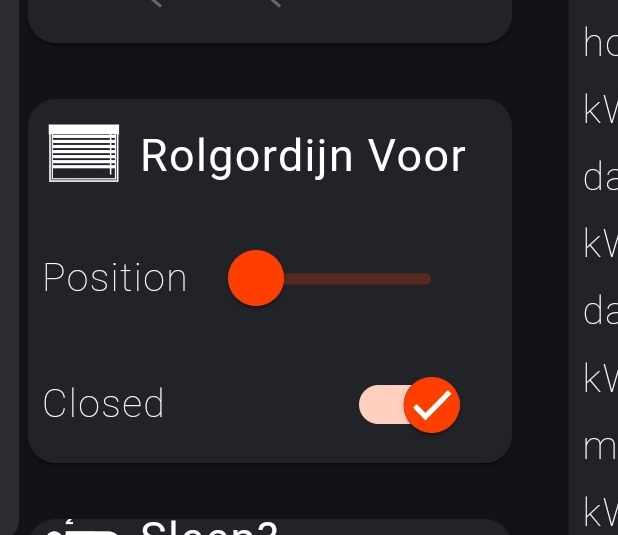
sliders of curtains don’t respond to touch, but they do get updated when it’s value changed
The 1 sec image refresh works nice by the way, it’s indeed almost a live cam this way. I tested it with an older HD cam, and can’t discover any increase of Homey load.
Of course I forgot about scrolling while editing. I was to satisfied with it working in display mode to test while editing
Yeah, there’s an extra click to first open the menu, and then start editing. I need more space for future options, but I also don’t want to enable editing just by opening the menu. I’ll see what I can do
Thermostats isn’t implemented yet. It worked in the first version because I used the data type (boolean/number/string) to determine which control to display. Now the capability-widget displays whatever Homey says I should display. I’m still missing some UI types is you see the issue I have for this on GitHub. I have to make a note of all requests and issues somewhere, and GitHub is perfect for this
Unfortunately, the refresh rate setting at 1 second of the camera results in the image not being refreshed at all.
No idea whether this is a limitation of Homey, or whether the underlying setting still needs to be adjusted.
Nevertheless, we are increasingly happy with your adjustments.
Thnx, DJ.
@skogsaas Marcus, I like the work that’s being done!!!
Maybe I missed something in all the replies but is there a way to refresh the insights graph automatically? Now it’s only refreshed when I click the refresh button of my browser (Chrome on PC). Using HP2019.
Or maybe another way to show logic variables in the capabilities option is to show “logic” as an extra device and the variables als capabilities to choose from…
Yeah, insights are not automatically updated at the moment. It’s on the list. When I query Homey for insight log entries, it also returns an updatesIn field with time until next value should be updated. I’ve also seen that events are emitted when a new value is available. So it sadly just static graph for now. I’ll see what gets done first. I’m also working on the installable companion-app for the Homey, which will allow you to save multiple dashboards on the Homey. And also retrieve the same dashboards on any device