Hello Phuturist,
today I have checked my BLU Motion Sensor. First I made a factory reset of the BLU Motion and the 1 PM Gen3. Then I added both to the shelly app. Then I pared first the 1PM with the homey. I started the script with the maintenance option. Then I checked the script, the web socked an Bluetooth gateway with the shelly app. All is running fine.
After that I pared the BLU Motion sensor to the homey. While paring the sensor was beside the homey. Motion detection was reported to the shelly app and the homey. Then I measured the RSSI with homey at 5 locations. At the farerest distance to homey outside the house but very close to the bluetooth gateway of the 1PM I got -84 to -93. Motion was detected by the shelly app and the homey. If I take the BLU motion to its planed position that has about 4 m more distance in homey no motion is detected. The shelly app detected motion. At the position direct close to the 1PM gateway I measured RSSI -70 to -81. I think this is a too bad RSSI for the nearest position to the gateway. Then I switched off bluetooth off the gateway and switched off the gateway functionality. I restarted the 1 PM. Then I measured the RSSI and I got a range between -71 to -80. That is the same rage as the gateway was on. I think the homey only uses his own bluetooth connection to the BLU motion. I need the function of the 1 PM blutooth gateway to extend the range of the Bluetooth to the planed position of the BLU motion at the door to the garden. What is wrong? What can I check for you that we can find the failure. Is it possible to debug in homey where the source of the motion detection comes from? homey Bluetooth or from the gateway? Thanks for your help.
Best regards
Ulrich
Good morning everyone, I’m usually on the German forum, but you can’t help me here anymore. That’s why I’m here in the big forum and would describe my problem.
I have 2 Shelly BLU motion sensors and 2 BLU door/window sensors in the hallway. I also have a Shelly1 plus Gen2 and 1 Mini Gen3 directly 5 meters away. everything has the latest firmware installed. I have the Homey 2023. In the Shelly APP, all sensors detect opening/closing or movement with precise seconds. The ddor window sensors also work in the homey app. However, the motion sensors do not transmit the movement correctly. Often there is movement in homey 5 hours even though the movement has not taken place for 4 hours 59 minutes. What I have done so far is activated and started the scripts. I’ll add a few pictures of what I’ve done, I’ve reinstalled all the sensors, re-added Homey, etc. I’ve been dealing with the problem for a week now and can’t get any further. That’s why I’m asking for help here so as not to completely despair. I’m also happy to pay money/Paypal if you can help me here!
So again a short summary:
- all updates installed
- in homey in the advanced settings BLU scripting is on
- shelly has activated the door/window and blu motion script
- Gateway is 5 meters away on the ceiling and has access to all devices.
how do I proceed?


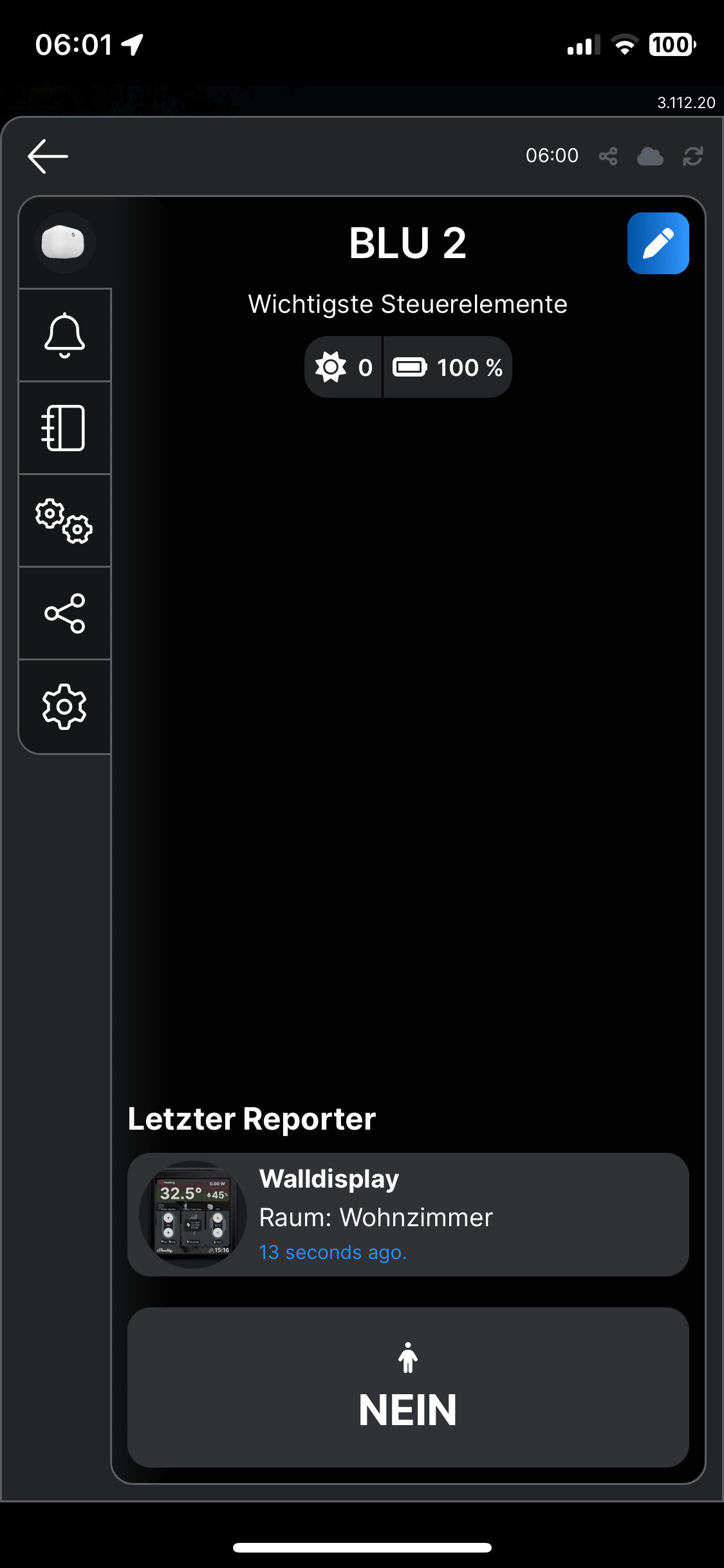


Addendum, I don’t suspect that it’s Shelly’s fault, I think the problem is the transfer from Shelly to Homey or the reception of the data/values by Homey. How can I troubleshoot this and move on?
In the first post are instructions on how to debug the BLE proxy script. You should be able to see the motion events being registered. If that is ok, you should double check the outbound websocket setting of the plus/pro device.
Let me first check myself today as you are the second one to report this issue. Perhaps there is a bug somewhere. Other then that the same advice as my post above is in place. Debug the script and the outbound websocket connection.
@Phuturist
Thanks! I’ll wait and you’ll get in touch? When it comes to debugging the script and the websocket connection I need your help on how to do it and what exactly should I do… best regards
@Ulrich_Krumpholz @Stefan_Beck I double checked the functionality of Shelly BLU devices together with a Plus/Pro devices acting as BLE Proxy. Nothing wrong with it from an app perspective. I have improved the troubleshoot guide under step 5 in the first post to help you identify your issue.
Thanks for your help. I switched on the web socked debug. I added the new line in the script. Then I restart the device. If I go to the shelly app I get the following failure
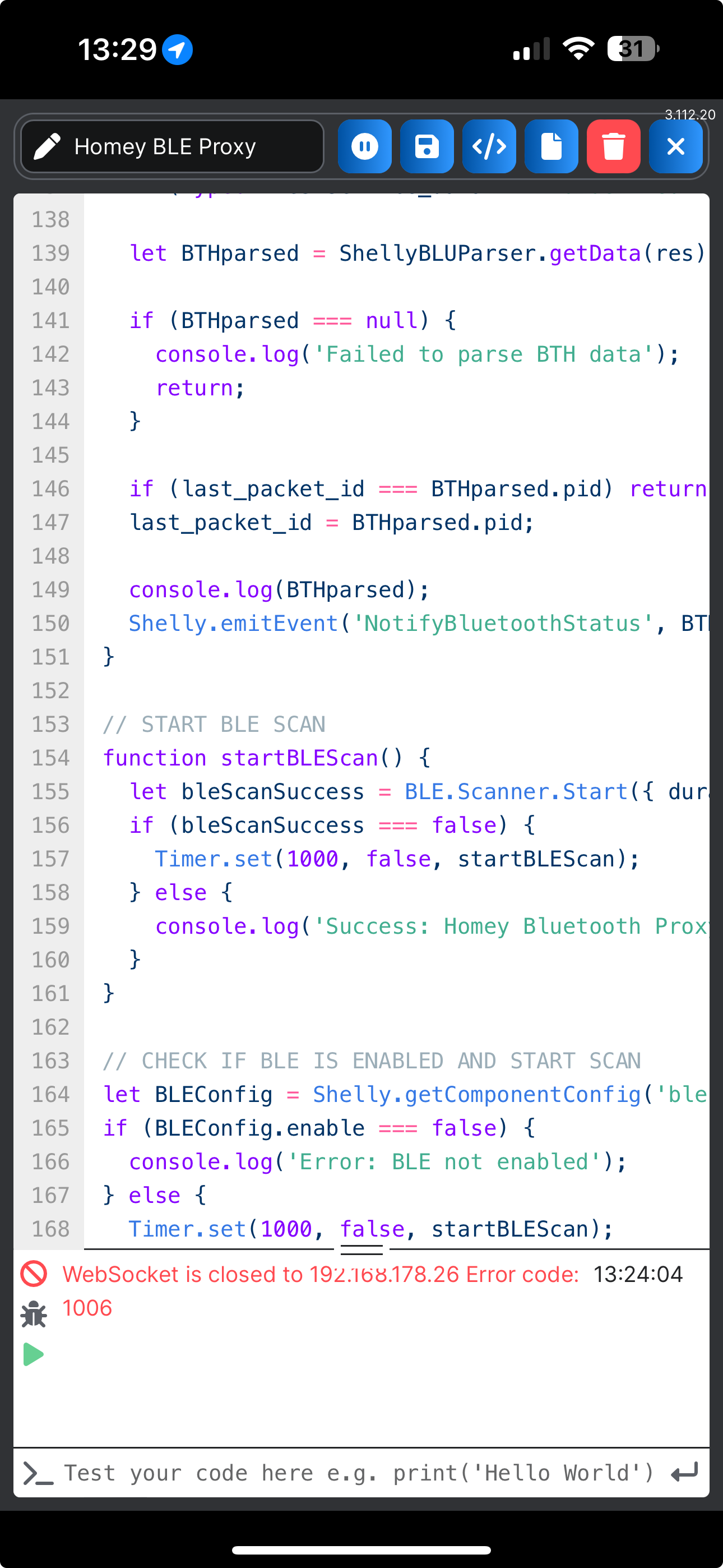
That means there is an issue with the outbound websocket between the Plus/Pro and Homey. Follow the troubleshooting steps.
I have checked with 3 and 5 trouble shooting. I send you my screen shots so you can check if you see something wrong.


I can’t send you a screen shot of the BLU motion device, because I am not at the installation place. At the moment I only can check remote. I have VPN access to the site.
The firmware of the BLU motion ist up to date. Ich have updated it some days before and checked it with the app yesterday.
Thank’s for your help.
A screenshot of the web interface. I think there is an hint in it about the issue:
Connected.15:49:00
shelly_debug.cpp:236 Streaming logs to 192.168.178.201:5533215:49:00
shos_rpc_inst.c:242 script.getcode via WS_in 192.168.178.201:5533115:49:00
shos_rpc_inst.c:242 script.getcode via WS_in 192.168.178.201:5533115:49:00
shos_rpc_inst.c:242 script.getcode via WS_in 192.168.178.201:5533115:49:01
shos_rpc_inst.c:242 script.getcode via WS_in 192.168.178.201:5533115:49:01
shos_rpc_inst.c:242 script.getcode via WS_in 192.168.178.201:5533115:49:01
shos_rpc_inst.c:242 Shelly.GetStatus via HTTP_in GET 192.168.178.37:5646615:49:10
{ “encryption”: false, “bthome_version”: 2, “pid”: 167, “measure_battery”: 100, 15:49:27
“measure_luminance”: 0, “alarm_motion”: 0, 15:49:27
“model”: “SBMO-003Z”, 15:49:27
“addr”: “0c:ae:5f:5b:41:2e”, 15:49:27
“rssi”: -72 }15:49:27
shelly_notification:208 Event from script:1: {“component”:“script:1”,“id”:1,“event”:“NotifyBluetoothStatus”,“data”:{“encryption”:false,“bthome_version”:2,“pid”:167,“measure_battery”:100,“measure_luminance”:0,“alarm_motion”:0,“model”:“SBMO-003Z”,“addr”:“0c:ae:5f:5b:41:2e”,“rssi”:-72},“ts”:1729086567.77}15:49:27
{ “encryption”: false, “bthome_version”: 2, “pid”: 168, “measure_battery”: 100, 15:49:28
“measure_luminance”: 0, “alarm_motion”: 1, 15:49:28
“model”: “SBMO-003Z”, 15:49:28
“addr”: “0c:ae:5f:5b:41:2e”, 15:49:28
“rssi”: -68 }15:49:28
shelly_notification:208 Event from script:1: {“component”:“script:1”,“id”:1,“event”:“NotifyBluetoothStatus”,“data”:{“encryption”:false,“bthome_version”:2,“pid”:168,“measure_battery”:100,“measure_luminance”:0,“alarm_motion”:1,“model”:“SBMO-003Z”,“addr”:“0c:ae:5f:5b:41:2e”,“rssi”:-68},“ts”:1729086568.97}15:49:29
shelly_notification:162 Status change of switch:0: {“id”:0,“aenergy”:{“by_minute”:[0.000,0.000,0.000],“minute_ts”:1729086600,“total”:4.423},“ret_aenergy”:{“by_minute”:[0.000,0.000,0.000],“minute_ts”:1729086600,“total”:0.000}}
All looks good to me. Homey did not show status updates for notifications with PID 167 and 168?
Is Homey connected both through ethernet and WiFi? I have seen issues with this before.
I wrote to Athom Support the text bellow and they redirected me here:
"I use for 4 years Homey Pro + Shelly for 4 houses with 6 Homey’s.
A couple of months ago the behavior started to change for all the Shelly RGBW2 LED’s in the following way:
When you use ONLY the CARDS from Homey and ONLY FOR LED RGBW (dimmers and switches not) the behavior is:
Card Off - also dimms both channels (RGB & W)
Card Light On - ONLY White channel dimms to 100%
If you turn device On/Off in shelly mobile/web app, the Homey app or from the physical switch it keeps the same state (color, dim, etc) as expected.
So the Shelly app does its job as expected, the problem is the different behavior only for the Light Cards (all and individual light but only for RGBW2 model in my case)
Tried beta and normal app for many months. Reinstalling everything also. Delete app, delete Shelly devices, restore to factory defaults and reinstall. It’s just the behavior of the LIGHT CARD and only for RGBW (2 channel) leds.
Can you please investigate?"
The answer from Athom Support is to get help here:
Hi Ciprian,
Thank you for contacting support.
I’m so sorry to hear that you are experiencing this issues.
Unfortunately this app isn’t an app which we have developed. That’s why we can’t see any data from this app. I would advise you to contact the developer of the app. You can reach him via this link: Shelly App for Homey | Homey
For now this is all I can do for you, which is why I’m closing your ticket.
I wish you a great day and a lot of fun with Homey!
Best Regards,
Daphne
Athom Support
Has already been investigated and it’s probably an issue with Homey. See my explanation here.
Thank’ for the checking my configuration. Homey is only connected directly to ethernet not to wlan.
The screenshots of the BLU motion from the shelly app:


The snapshot from the homey app. No update since a day.

What I see in the BLE Proxy script is status updates from a motion sensor with address 0c:ae:5f:5b:41:2e while the screenshot shows a motionsensor with a different address. Do you have multiple sensor and if so, do those sensors work fine with Homey?
It is only one sensor connected. Yes I see the different Macaddress. I think this address is unique for each device. How ist that possible?
Here you can see my current problem! What should I do to find the error? cloed in shelly, opend in homey since 10 hours…


Follow the instructions in the first post.
If those values in the screenshot are indeed coming from the Shelly Cloud and you are sending them with the same Plus/Pro device to the Shelly cloud you did not read the instructions properly.
I dont know why that is happening but it could be the reason why Homey doesnt update the status. Perhaps do a full reset of the BLU Motion with the Shelly BLE Debug app and re-pair it with Homey afterwards.
