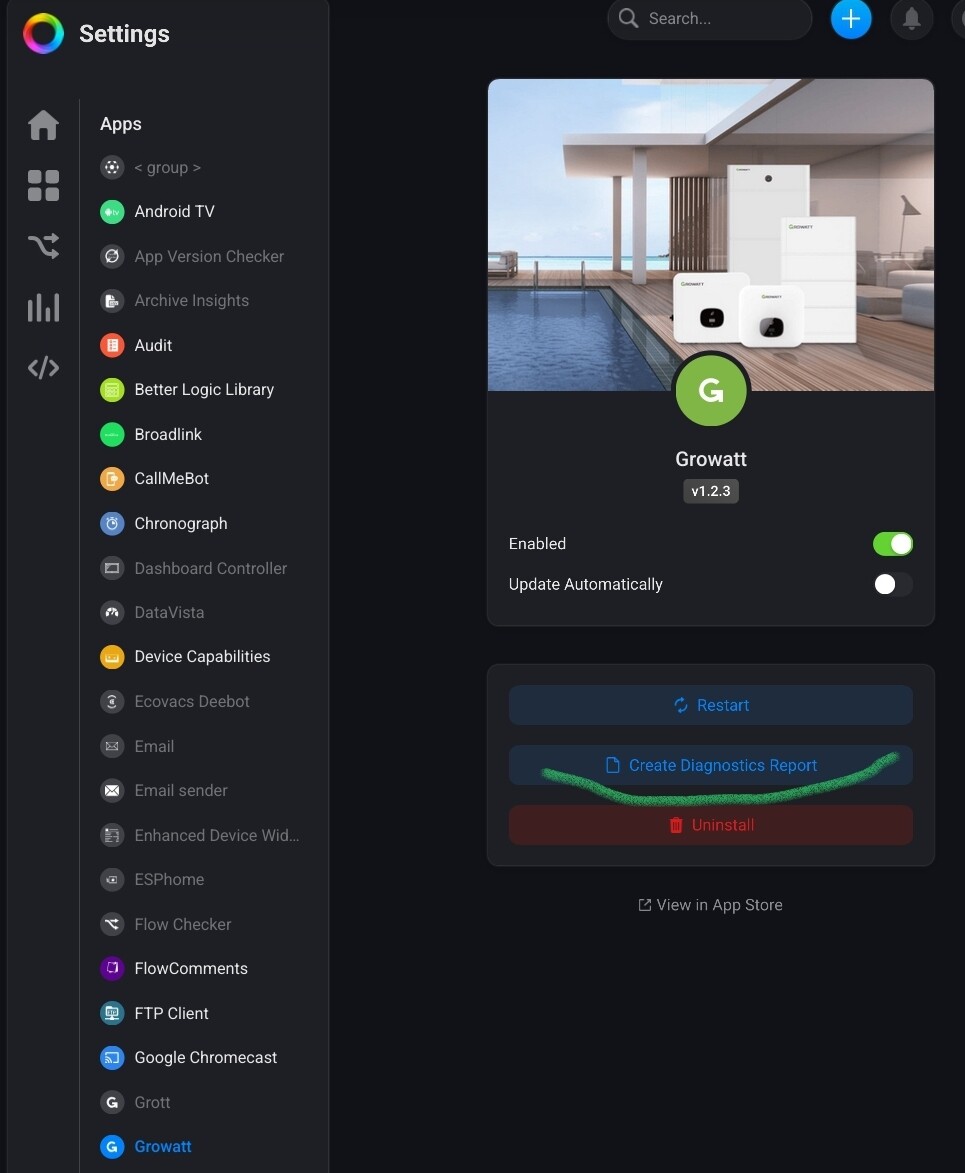
[APP][PRO&CLOUD][OFFICIAL] Growatt

Problem loging in (authentication timeout)
Installed the app latest version v1.2.3 cloud based.

Next added the Growatt device but when logging in I get a timeout ?

Tried multiple times this week but no success ?

I can login to the Growatt server though …

Am I missing something ?
Thanks in advance !

Can you pls create an app diagnostics report after trying to pair?
And what country are you located?

I experience the same problem. Cloud version 1.2.3.

Hi
Thanks for following up !!
I am a geographical neighbour from Belgium :wink:

This is the code for diagnostics report.
7A37B2CC

This is a Homey diag report, and gets sent to Athom;
Please use the app diag report button:

1 Like

I hope this is better ?

3770b8e1-5870-404a-ba31-460a3dda97ba

Thanks

1 Like

I can confirm that the HomeWizard app can see the Growatt inverter as online.

@Audministrator @Erik_van_Es
I tested adding my inverter with a Pro 2019, it doesn’t seem Growatt API or app related:

  • It indeed does time out @ web app
    but
  • It works immediately with mobile app
  • It works immediately when using a private tab with fresh Homey login @ web app

Can you confirm?

1 Like

Ah yes, that could be it. I’ve seen browser cookies messing things up.

1 Like

Net geprobeert met de mobile app maar hetzelfde probleem ?

Oh that’s strange.
Try turning off your phone’s wifi so that the app “has” to access Homey via the cloud using the data connection.

If that doesn’t help:
I would just uninstall the app, restart phone, install app and try again.

Net de stappen getest die je aangaf, maar net hetzelfde probleem ?

Het enige waar ik nog kan aan denken is dat ik inlog in de Homey online, met een Gmail account authenticatie, en niet met een gewone log in ?

Maar ik zie hier wel geen verband met de Growatt login ?
Omdat de app inlogt met een andere credentials

That might be related;
I would always use local accounts. But how this could affect connecting to Growatt API I don’t know.
Perhaps Robin can find something in your logs.

Ook dit getest zonder succes ?
Een in-private browser tab geopend
Ingelogd met een manuele account login (geen linked google account)

En terug hetzelfde probleem een timeout ?

Het lijkt er precies op dat Growatt geen access meet toelaat vanuit de Homey app ?

Want rechstreek inloggen op hun server = OK
Inloggen met de HomeWizard app = OK
Inloggen met Homey app = NIET OK ??

Dit is blijbaar bij meerdere gebruikers al gemeld …
Als ik nog iets kan doen dan graag ?

I’ve seen the same problem with the Daikin app, it looks like somehow something changed in the behaviour of the browser window that handles the logon at the third party API.

If you could please keep the conversation in English as much as possible, then more people will be able to participate and help you. Please translate your post into English to keep the thread in just one language as stated in the forum rules Welcome to the forum!

If you need help, because depending on the trust level of your account, you may have limited permissions, please PM me or another moderator or reply to this post.

Hi thanks for reaching…
Can you help ro set the corect account permissions ?

Hi All,

Still no sign of activity toward a solution ?

I was planning to buy a Homey Pro for this reason to connect to the Growatt inverter …
But since the app connection is not working, I will have to hold my horses :wink:

I will monitor this thread from time to time to see if you guys can get it going.

Thanks for the effort so far.

Just be patient please, the developer is not running a big company, it’s a one guy operation :grimacing:
And Robin knows what he’s doing, he wrote some great apps.

Second, it’s not easy troubleshooting when things work fine for user X, but don’t work for user Z.
Third, it’s not always clear if it’s an app issue, or a Homey issue (which is Athom’s responsibility)

These kind of arguments are a bit useless on this user forum. We don’t sell them Homeys :money_mouth_face::winking_face_with_tongue:

BTW With which Homey are you testing this app?

1 Like