Thank you for the suggestion.
I tried to use the expression but Homey comes up with a red sign claiming date is undefined function.
The expression is pasted into a «set variable to math.js expression» card in a basic flow
Use the Set variable to bll expression.
And you can use date('m')/60.
As you referred to BLL I assumed you are using a BLL flowcard, in which the formula works. I believe ‘date’ is a build in function of BLL. You can use the ‘set variable or tag to BLL expression’ cards.
Thank you both.
Changing the card to BLL expression instead of math.js did the trick.
A bit late but: if you use the JSON handler app, you can create an array with the 10 timer names in it. Then loop through them, so you only need one flowcard within the loop that uses the value of the array.
But how do you want the results?
In one string/text?
If i have a better idea how you want it, from beginning till end, i can create an example.
edit: see the example just below here.
You are doing it correctly. The issue is, that yes/no is send as a checkmark or cross, instead of a true or false. This was changed with the hp2023. I still need to create a solution for that in BLL (and other apps).
Ill post this here also for other users:
Here:
First i create a BLL variable with an empty string in it.
Then i run a loop.
Then i write the variable to SSL.
Within the loop, well, you can see it yourself. Please note that after the true and false i have a linebreak (shift enter).


This is the shortest way i know. And weither you have 3, 10 or 50 items to check, you dont need anymore flowcards.
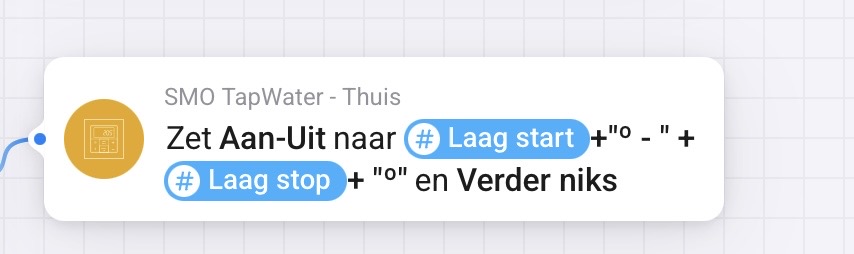
I want to combine two numeric tags into one string in the BLL card “Set text field to BLL expression” such as 48° - 52°.
How do I do that?


I was already making it more complexer. Thank you!
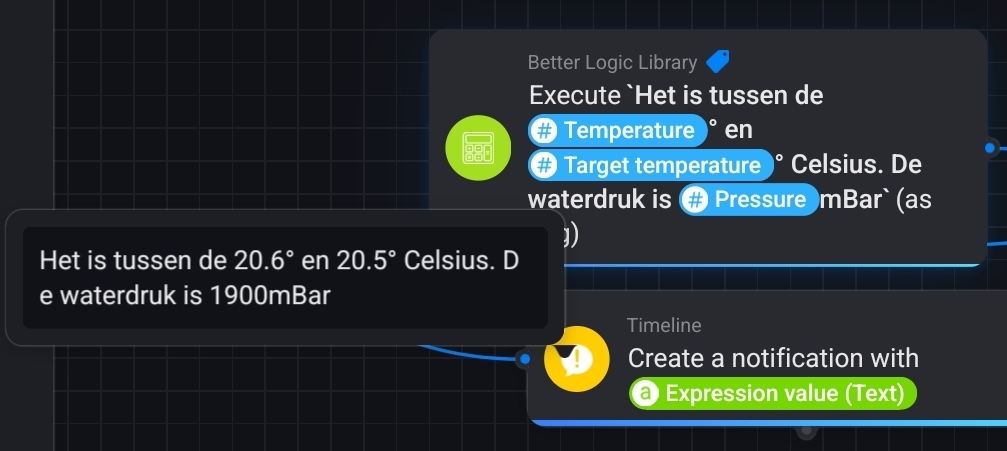
Just a question of conscience, should I have been able to find this myself? Is this standard JavaScript o.i.d. ?
Back to English, as this is the English section  .
.
This is indeed standard JavaScript. I have little knowledge of JavaScript, but have some other programming knowledge.
My big help is Google though: I searched for ‘javascript combine strings’ and the first hit contained some options including using the ‘+’ sign to combine elements. i know that in VBA it’s the ‘&’ character, so I did have a sense of direction.
Often you can achieve the same in multiple ways, like the suggestion of @Peter_Kawa shows.
appearantly there is some implicit conversion from number to text. I tryed the BLL expression toText but did not succeeded in that. I presume BLL expressions are also JavaScript with extra libraries.
It sometime feels like I am writing my first “Hello World” program again😉
Regarding the quotes used in the expression: did you use straigh ones (") instead of angled ones (“)? My tablet inserts the angled ones by default, and they don’t work.
Maybe you can share (the part of) your flow that does not work, so we can read along.
Hey @SunBeech , @Rmb and @Peter_Kawa ,
If you want to have the value available as BLL variable, all these options are great.
But for the purpose that RMB wants, it’s all kinda overkill. Just use a default logic card to return a text-tag or use the BLL card:

You can just fill it the easy way:

Now you dont need quotes, plusses or anything 
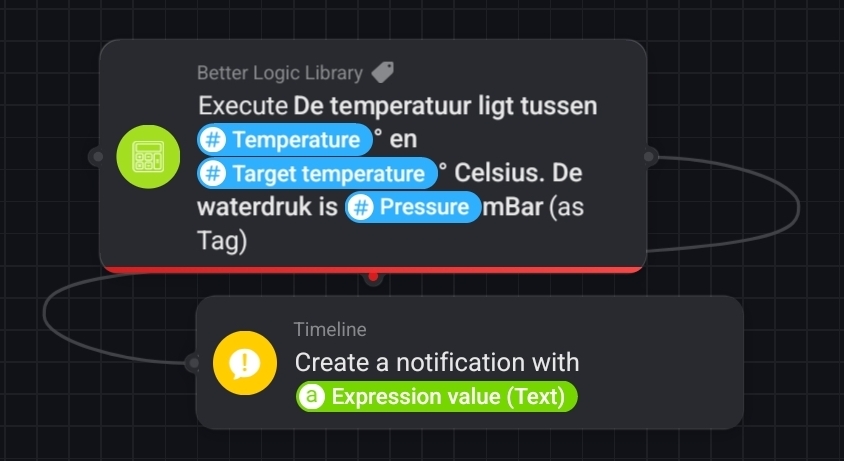
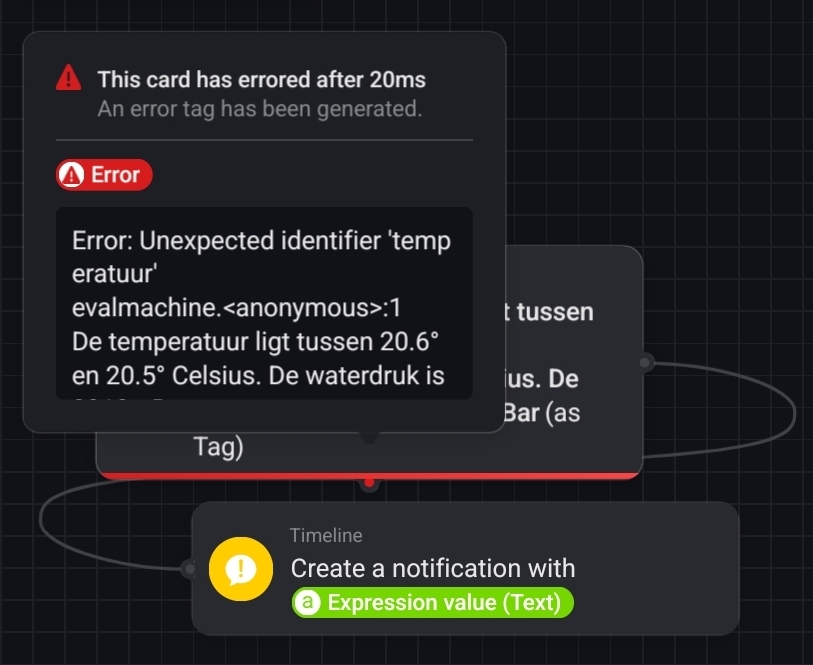

No, you are using the “execute expression as tag" flowcard.
And that is precisely my point: for combining tokens/tags with text, just use the “execute text as tag" flowcard. You can just enter text than and combine it with flowtokens. No need for difficult quotes or plusses or whatever
Ah, I missed that detail obviously! 


I think I never understood the functionality of this card, and forgot about it’s existence (sorry for that).
And when using the expression card for whatever reason, it’ll just needs backticks for this to work.
