It was not in the old code, the thermostat did this automatically or I did it manual.
New test version 6.0.9 is there where the app add the roomtemperature for Unit controlmode : roomTemperature — setpointmode: fixed.
Install thru Daikin ONECTA | Homey
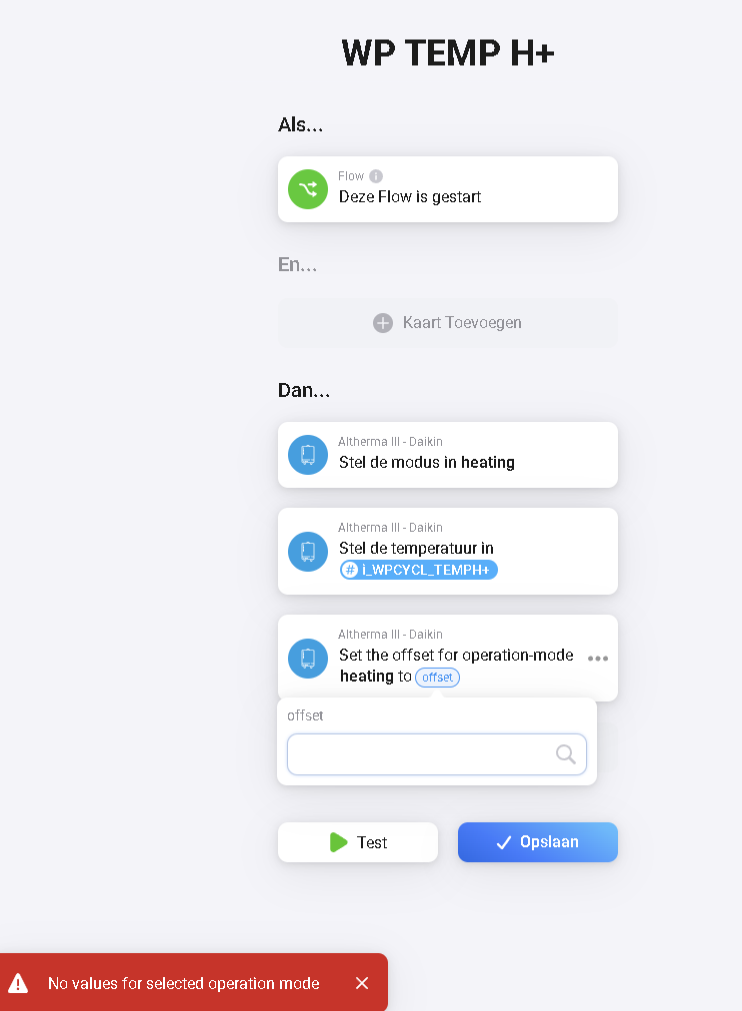


The regulator for leaving water is now back in place after the update to version 6.0.9. Many thanks for your effort!
Thank you so much for Version 6.0.10, works well for me with roomTemperature!
After updating devices to last drivers one of my airco’s is struggling to connect due to ‘400 Bad Request’. Tried to restart, re-add devices etc. Checked in dev tools, all are on the same drivers.
Diagnostic report: a6369c03-a0d4-4330-b049-85c25e4447da
Any idea?
I’m on 6.0.11. Both flow water and hot water temp can be controlled from Homey, any change can be seen after few seconds in Onecta phone app, but if I change flow water temp in phone app, there is no any change in Homey even after 20 minutes.
No, nothing shows up in the diagnostic report…
Please repair device with the Homey Webapp, but before clear your browser cache, cookies and history.
Maybe you need to reauthenticate.
Does the 400 comes direcly or when you change something on the device card or flow, and what are you trying to change?
If the repair doens’t solve your problem, please restart the app and send me a diagnostic report
Report the ID here.
Can you send some screenshots of both apps.
Also restart the Homey app and send me a diagnostic report where you update both flow water and hot water. from phone app…
Updates from phoneapp —> homey can take up to 30 minutes when the websocket is down due unknown reasons.
I see that the issue comes from ‘Too many requests’, but nothing changes since the driver update. Are the limits decreased? Because the number of requests is still the same.
Any idea?
Not that I know of…but the limits values are determined by Daikin and they don’t inform me about these kind of changes
Since two updates ago, my Perfera devices are no longer available. What’s up?
You have probably ignore the timeline notifications to upgrade to the latest driver.
Just remove your current daikin devices and add them again but with the new driver “Airconditions Heatpump”
Check [APP][Pro and Cloud] Daikin ONECTA - #653 by Mickel_Luiten.
And [APP][Pro and Cloud] Daikin ONECTA - #650 by Mickel_Luiten
As said in the notification all old drivers where deprecated the last few months and with this version removed from the code.
Hello,
I my energy tab the airco (one of them) the airco woonkamer gives a lot off energy usage. But it has not been on yet. The Daikin app also gives allmost 0 usage. Only homey thinks he is consuming power. Looks like it jumped up since 12/13 march. Al this consuption in one week but the airco was not turned on. See the printscreen. Any solution? The usage of the other airco’s could be right.

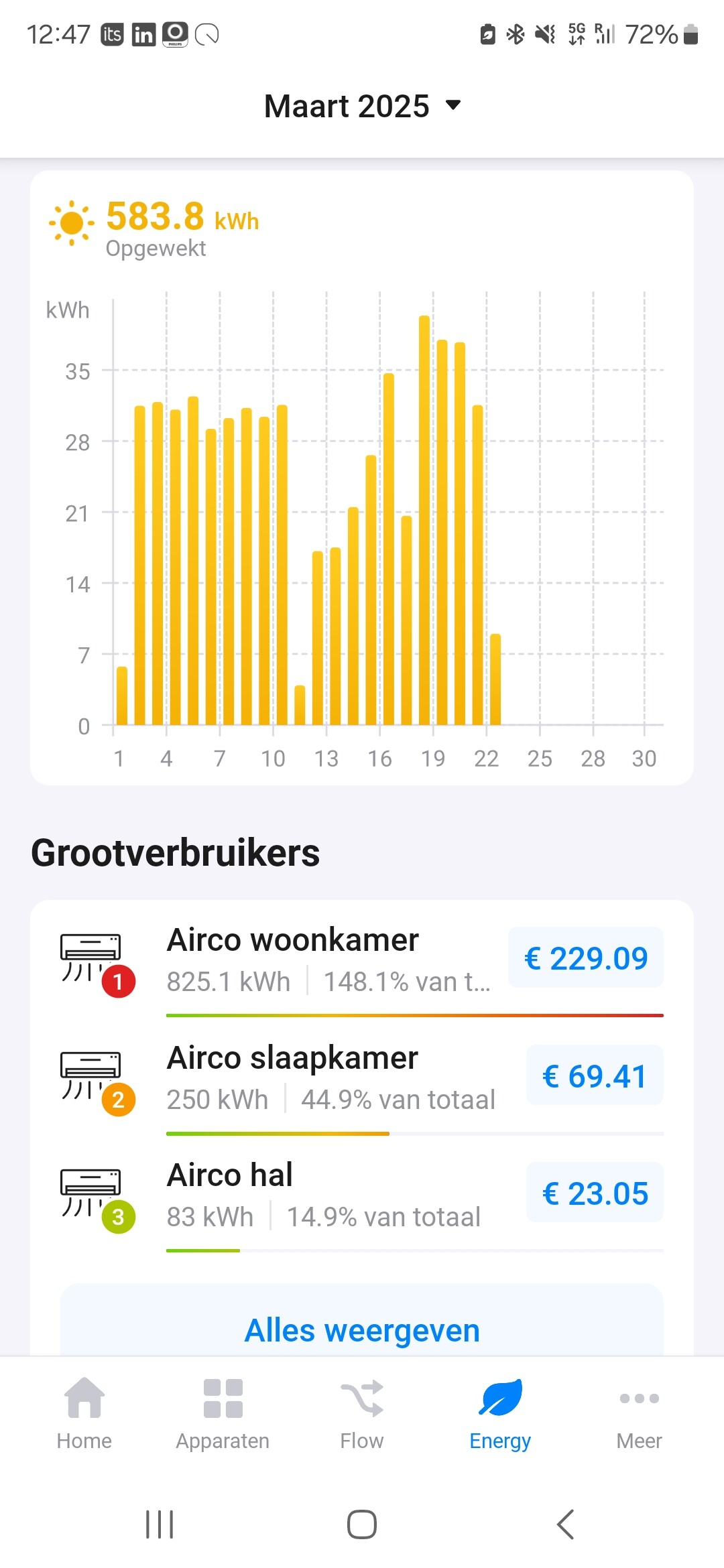
Wait 24H, you probaly have installed the new driver today?
Hi, no on 13 march where he now thinks he used for a full year 
Same problem here
The energy data comes directly from Daikin so maybe there is a glitch.
There is no much I can do about it


