I think it was the zigbee network. Reinstalled homey based on this post and it work again (for now at least :-)) Zigbee network down - #9 by DeMoker
Hi @TedTolboom,
Does the Eco-Dim.07 support a long press or double press action? I really love my dimmer, but I’m looking for some extra possibilities.
I have this dimmer (Zigbee variant). It does not have a long press trigger. It actually don’t think the physical switch of the dimmer itself supports it. In Homey the following trigger are available: switched on, switched off and dim level changed:

Is there any change the WiFi version will be supported in the future? I still have some .05 WiFi versions, hopefully I can use these with this app.
Hi all. I am interested in buying the ECO-DIM.05 Zigbee duo dimmer. However, in the EcoDim-app this device is showing as ‘left’. Does this mean that only the left dimmer can be controlled by Homey? So the right dimmer can only be controlled manually?

I am experiencing a lot of disconnects/unreachable or other issues with my ecodim’s
Sometimes they don’t react at all, other times all the touches are executed later and my whole room is a christmas show
Any others have the issues?
Some device(s) may flood the mesh with updates. Other devices or/and Homey keep trying to send their commands, which arrive only sometimes, or with a delay, resulting in chaos.
This kb article seems to be the troubleshoot info you need:
https://support.homey.app/hc/en-us/articles/10225734620188-Common-Z-Wave-error-messages
i dont have any z-wave devices in my network as far as I knew, and all ecodims are zigbee. but did have this:


Is that the ECO-DIM device or another one through which the ECO-DIM is routed?
Anyway, I seems wise to repair or re-pair unreachable devices, as they will likely cause issues in the ZigBee network.
By the way: I have an ECO-DIM.07 dimmer which presents itself as following the ZigBee overview:


Ah my mistake, I thought your screenshot was from the ZigBee section, but now I see that it is from the Z-Wave section.
Seems unlikely that both affect each other as they have their own mesh networks. Still I would remove the unknown node or (if you don’t have any Z-Wave devices) reset the Z-Wave network.
oke did a full z-wave reset
also in discussion with Athom. if any solutions related to zigbee and ecodim, i’ll report back
1 Like
Is it possible to solve the timeout error on de zigbee 05 duo dimmer when switching on or off. Setting the dim level will not cause a timeout error
solved it here (at least the problem in my case): Homey pro going crazy - #3 by Patrick_Van_Deursen
A good evening,
Since the last app update this day, whenever I switch on or off any Ecodim dimmer I get an error;
”UNSUP_CLUSTER_COMMAND”
So i think there is a bug in the app?
Edit:
-Ecodim app version 3.0.0
-Homey pro 2023 version 12.9.0
Since the last update the lights suddenly quickly get to full brightness and back.
The “timer” isn’t working
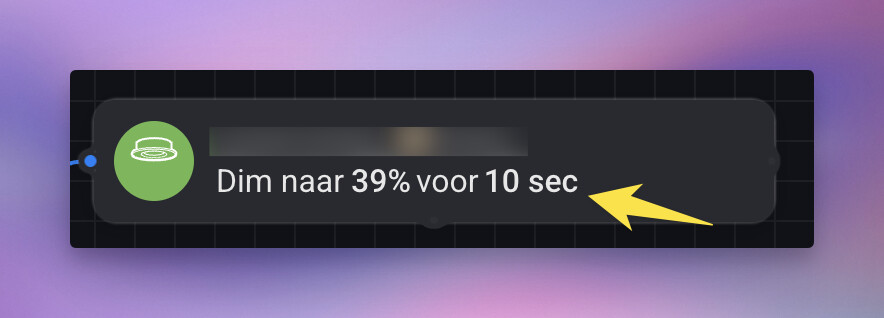
So … a couple days down the road .. a company who decides to update their app .. doesn’t keep an eye open if users have a problem since the update ..
what a shitty hardware supplier.. and haven’t open-source’d so you can’t go back or improve.
It tells a lot ..

I also got the UNSUP_CLUSTER_COMMAND error from one of my Ecodim 07 zigbee dimmers. It’s farrest from the homey. I still get the timeout error on the zigbee 05 duo dimmer.
After emailing with support ( see 1st post and their website ), it’s solved.
They responded quickly and an update to the app has been made.
