Can you open the app settings and set the log screen to log webhooks from the hub

The open the lock via the lock.
Next, set the log to Basic Information
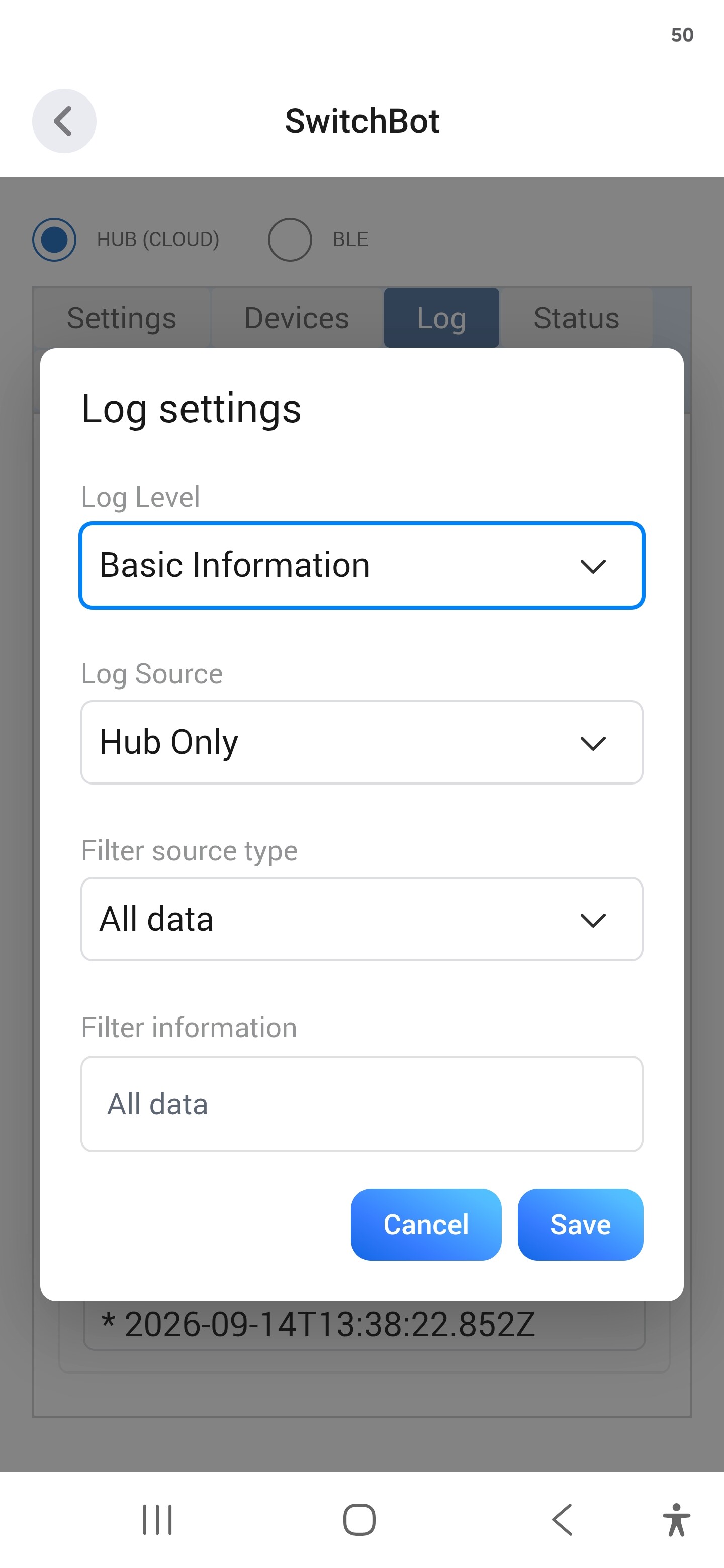
Now try to control the lock from the Homey app.
Then send the logs
Hi Adrian,
today the Lock Pro Matter Enabled seems to be working really well. Yesterday I had no response at all, so I’m not sure what changed, but today the commands and status updates seem to work properly.
I’ve still sent the diagnostic data just in case. If it stays like this, that would be great. Thanks again for the fast support!
I’ll continue testing it over the next few days.
One small thing I noticed in the German translation: the two top actions are labelled only “Schloss” and “Türschloss”, which is confusing and doesn’t really describe the actions.
From the actual behaviour, they seem to mean something like:
So the German labels probably need to be adjusted.
I attached a screenshot for reference.
One more thing I’ve noticed: the current lock/door state is not always shown correctly in Homey.
I’m going to test this a few more times over the next days and try to reproduce exactly when the status becomes incorrect before reporting it as a definite issue.
I’ll keep you updated once I have a clearer pattern.
Is there a reason why the app keeps forcing a relogging on every few days? This has been going on for months. Same problem I brought up some time ago. Still the same problem.
I can’t remember the last time I had to log in.
Could you send the Log from the app settings when you next have to log in, but before you log in.
Maybe it has to do with using my gmail account? For some reason it keeps kicking me off and nothing works until I log in again. I did send you a log yesterday, I think.
Hello! I only have Homey cloud, so no psysical homey unit.
Can i get a temp value in to homey that I can use in flows if I buy the switchbot mini hub and some SwitchBot Indoor/Outdoor Thermo-Hygrometer IP65?
Yes, you can connect via the cloud and the hub will forward the temperature values.
Sent you another log yesterday. For whatever reason the app keeps getting logged out and the lights just don’t work even under local control.
I haven’t got any logs. What app version are you using?
2.0.96 test
Just sent you another via send logs using the send to developer button.
Hi Adrian,
I am trying to add the brand new “SwitchBot Smart Lock Ultra” to Homey, but the setup fails with an API error. It seems the new device type is not yet supported by the app.
When trying to control or add the device, the log shows the following error:
Invalid response code: 190: Message: not support device type
Here are my details:
Device: SwitchBot Smart Lock Ultra
Device ID: B0E9FEC09FE7
I have already sent a diagnostic report via the Homey app settings.
The Report ID is: e8a7e668-4b04-46ec-813f-38bc46c9e682
Could you please look into this and add support for the Ultra lock in a future update? I would also be more than happy to help test an experimental version if needed!
Thanks in advance for your great work!
Best regards,
Boris
Could you try enabling developer mode in the SwitchBot mobile app:
For app version ≥ V9.0:
a) Go to Profile > Preferences > About
b) Tap App Version 10 times. Developer Options will show up
c) Tap Developer Options d) Tap Get Token

For app version < V9.0:
a) Go to Profile > Preferences
b) Tap App Version 10 times. Developer Options will show up
c) Tap Developer Options
d) Tap Get Token
You don’t need the token for the Homey app, but some users have found this fixes the 190 error code.
Hi Adrian,
Thanks for the quick reply! I already had the Developer Options enabled and even tried resetting the token, but unfortunately, it didn’t fix the issue. The 190 error still appears when I try to add the Ultra lock.
It looks like the app might need an update to explicitly support this new device type. Let me know if you need any more logs or if there is a test version I can try!
Best regards,
Boris
Hi Boris,
Thanks for checking. The Ultra lock is already explicitly supported in the current app code, so error 190 alone doesn’t establish that device support is missing.
Could you send your installed SwitchBot Homey app version, the full error message or a screenshot, and a diagnostic log captured immediately after reproducing the pairing failure? Please also confirm which SwitchBot hub the lock uses and whether it works remotely through the SwitchBot app.
That should help identify where it fails and whether a test update is needed. Please don’t include your token or secret.
Best regards,
Adrian
Hi Adrian,
Thanks for the update! Good to know the Ultra is already in the code. Let’s find out what is causing the hiccup. Here is the requested information:
Installed App Version: Homey App is on v2.0.96 (SwitchBot iOS App is on V10.5).
SwitchBot Hub: I am using the SwitchBot Hub Mini.
Remote Control: Yes, I can successfully control the lock remotely via the official SwitchBot app over a cellular connection (LTE), so the cloud connection is working fine.
Error Message: The exact error log is “Invalid response code: 190: Message: not support device type”.
Diagnostic Report: I just reproduced the pairing failure and immediately sent a new log. The new Report ID is: 2450bc5d-9ca1-4e31-abf9-1705967d57a0
Let me know if you can spot the issue in the new logs!
Best regards,
Boris


