Could you open the app settings and select the Log tab. Then change the log level to Detailed information and restart the app. Once the app has started (about 1 minute), go back to the log page and send the Log.
1 Like
sure - I will do that
@Adrian_Rockall log sent successfully
The log indicates that the alarm state is being returned:
>
> * Water Leak Hub got:{
>   "version": "V1.4",
>   "battery": 100,
>   "status": 1,
>   "deviceId":
So the app is behaving as it should given the information that’s being returned.
Could you submit a support ticket via the SwitchBot mobile app and let me know the case number so I can ask my contact at SwitchBot to look into it.
I created a support ticket and sent you the number of this ticket 
Great Idea
Perhaps a stupid question but I’m really confused by the thread / matter lately. I’m using a old homey pro 2019 and would like to buy a smartlock and looking into the ultra with keypad, but the old Homey pro has no thread or matter possibility, am I still able to connect it to homey or are all those new products a problem for me
You can still use them with this app via the cloud interface.
Thanks for the fast reply! I also read Bluetooth connections can be a pain in the ass on the old homey pro, do I need a hub or can I connect it without, and for example open or lock the door when not home functions etc with the ultra and vision keypad? Would be sweet if I can make flows with it
You will need a hub to connect the lock to the cloud. The app doesn’t support the lock via Bluetooth as SwitchBot are keeping the interface a secret for security reasons.
1 Like
Just a question..
I’m using some Switchbot locks and curtains and bots with Homey in combination with a Switchbot hub mini 2.
This hub is supporting matter. So I am wondering; is it also possible to connect the hub (and its connected devices) using Matter to Homey? And, does this has benefits? I don’t know how Homey is talking to the Switchbot hub, but is this local? Or using a Switchbot server on the internet.. In that case, Matter could have some benefits.
Any idea’s?
Correct. This app either talks directly via BLE or via a server for the hub devices.
Matter is completely local, so would in theory be a better option. Unfortunately, I haven’t had any luck connecting via Mater, so I can’t say how well it works.
1 Like
Well, I figured it out!
It’s a bit difficult and contra intuitive.. But I will try to explain how I did it:
-
Open the Swithcbot app on your phone and go to settings, Matter setup
-
Follow the instructions and add it to Google home. You have to press the button on the hub for 15 seconds to put it in pairing mode. This will NOT reset your device. So all subdevices keep connected to the hub,
-
When finished go again to Matter setup in the Switchbot app. You see Matter-Setup connected. Down the page you can add sub devices, add one or more devices.
-
Open the Google Home app and look for the hub mini 2 (or the name you have given it)
-
Press ‘Connect Apps and services’
-
In the dialog window search for ‘pairing code’
-
Open the Homey app and add a Matter device. If you paste that code it will find the hub mini 2 and the sub devices.
-
Now they are connected using Matter.
I do not completely understand why it have to be configured using Google Home, but I think it will now connect directly using Matter? Or is it now using the servers of Google.. Because, than it doesn’t make sense at all 
EDIT: It is working nice. A bit less delay compared to using your app. My doorlocks respond within 2 seconds now, while using the app it’s about 3 seconds. Also the bots and the curtains respond a bit faster.
EDIT 2: Only able to add 4 subdevices, which is a shame…
3 Likes
Hello Adrian,
First of all, thanks for developing the app — it’s great!
Well, I think I’ve found an issue with the WHEN conditions for the Lock Ultra device

I have a simple flow: receive a notification saying “It is locked” when the device is “Locked.” However, I don’t receive any notification when the lock changes to that state

On the other hand, I have the opposite flow: receive a notification saying “It is unlocked” when it is “Unlocked.” In this case, I receive a notification every 5 seconds, even if the device is actually locked. It make no sense
¿could we have the 3 different states (lock, unlock and latch/deadbolt) as WHEN conditions?
Thank you very much for your help
Can you install the test version as that’s fixed in there.
Hi, thanks for the quick response.
I installed 2.0.39 version
The result are better but not perfect. It’s like the lock shows differents states until the final one. Maybe it’s something of switchbot API. I don’t know.
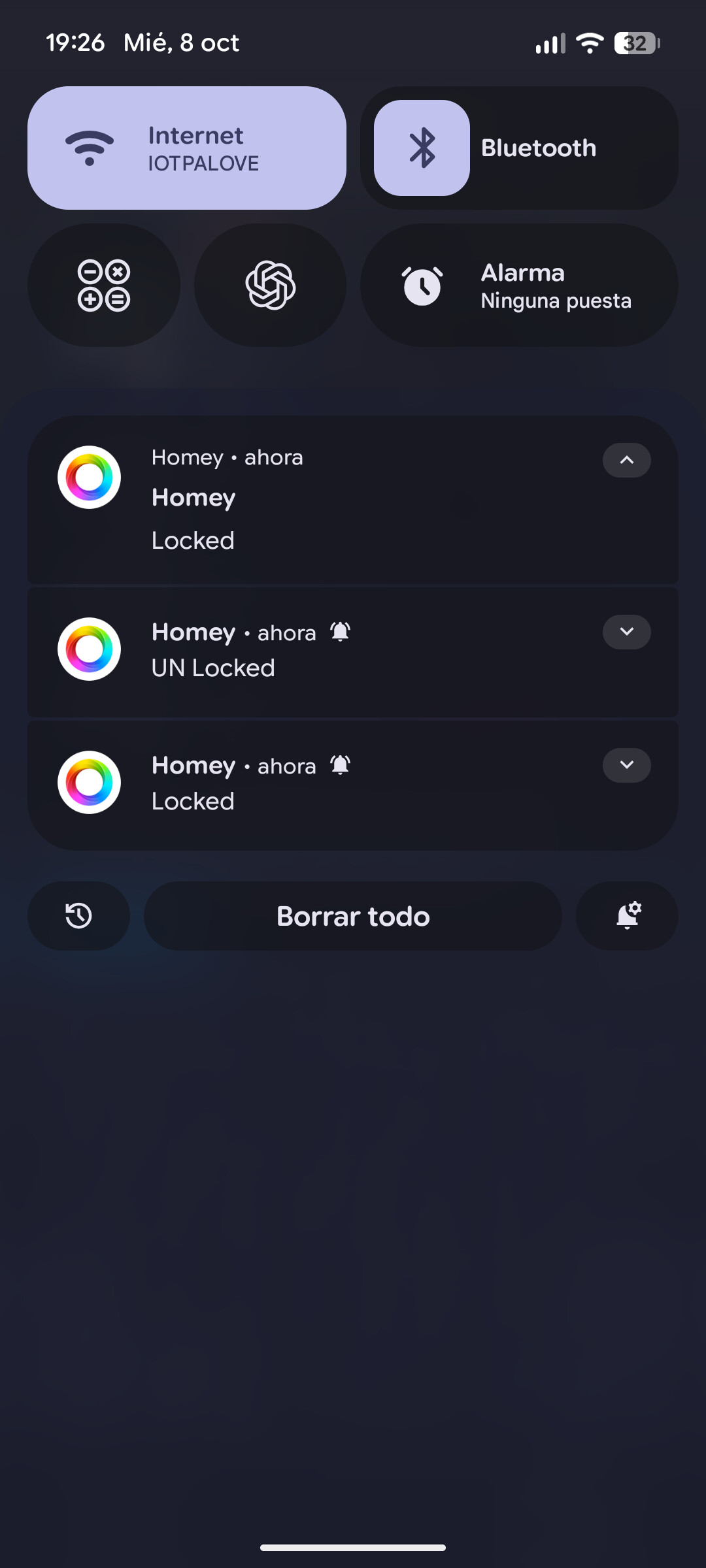
For example, unlocking the device once, triggers 4 actions. In this flow I do receive 4 notifications as shown in the next image
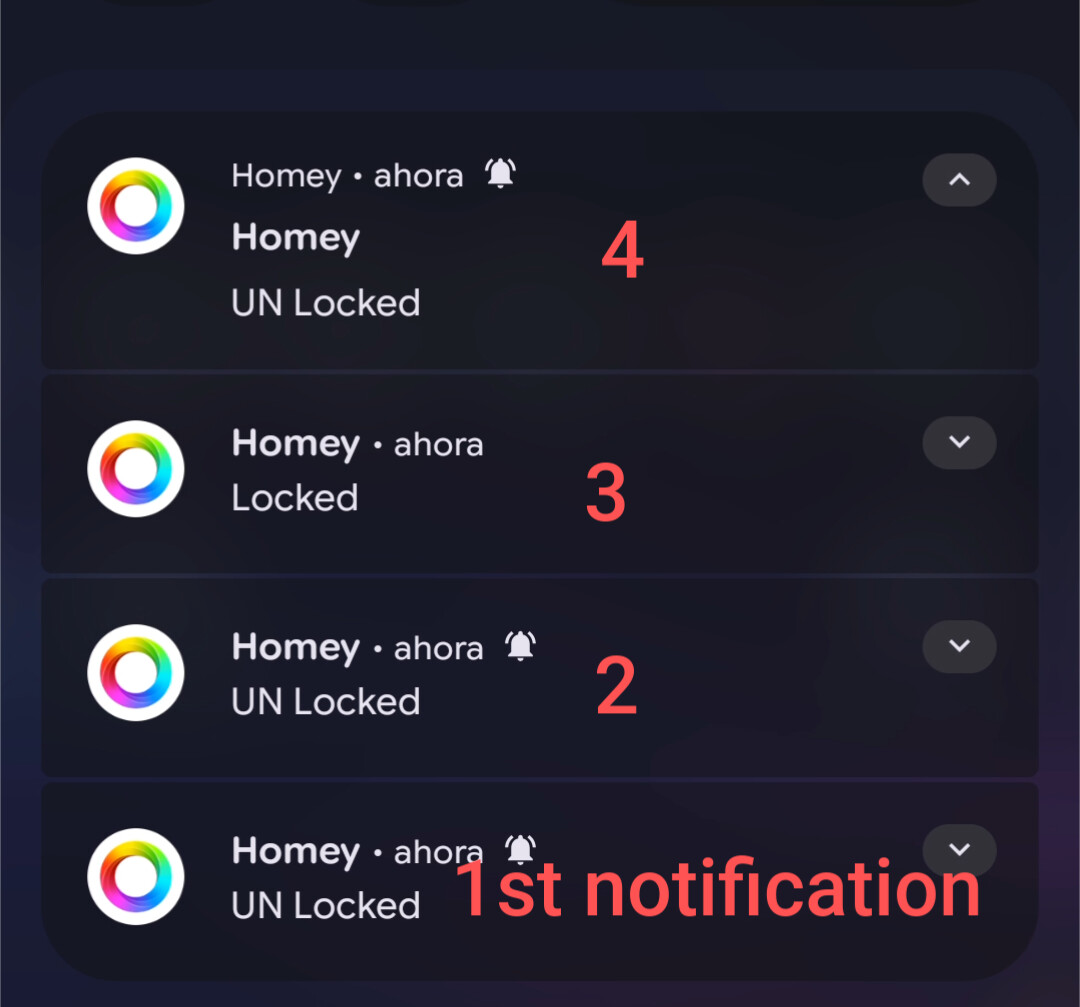
Something similar happened when locking the device, I received 3 notifications
Can you open the app settings and go to the log tab. Set the log to Webhook information.
Then lock / unlock the log and check the log.
Hi, I have this log
UNLOCKED
* 2025-10-09T07:01:05.310Z
* Got a webhook message! {
“eventType”: “changeReport”,
“eventVersion”: “1”,
“context”: {
“battery”: 62,
“deviceMac”: “B0E9FEEB2CDC”,
“deviceType”: “Lock Ultra”,
“lockState”: “LOCKED”,
“timeOfSample”: 1759993265173
}
}
* 2025-10-09T07:01:10.728Z
* Got a webhook message! {
“eventType”: “changeReport”,
“eventVersion”: “1”,
“context”: {
“battery”: 62,
“deviceMac”: “B0E9FEEB2CDC”,
“deviceType”: “Lock Ultra”,
“lockState”: “UNLOCKED”,
“timeOfSample”: 1759993270675
}
}
* 2025-10-09T07:01:14.727Z
* Got a webhook message! {
“eventType”: “changeReport”,
“eventVersion”: “1”,
“context”: {
“battery”: 62,
“deviceMac”: “B0E9FEEB2CDC”,
“deviceType”: “Lock Ultra”,
“lockState”: “LOCKED”,
“timeOfSample”: 1759993274676
}
}
LOCKED
* 2025-10-09T07:02:43.687Z
* Got a webhook message! {
“eventType”: “changeReport”,
“eventVersion”: “1”,
“context”: {
“battery”: 62,
“deviceMac”: “B0E9FEEB2CDC”,
“deviceType”: “Lock Ultra”,
“lockState”: “LOCKED”,
“timeOfSample”: 1759993363588
}
}
* 2025-10-09T07:02:48.095Z
* Got a webhook message! {
“eventType”: “changeReport”,
“eventVersion”: “1”,
“context”: {
“battery”: 62,
“deviceMac”: “B0E9FEEB2CDC”,
“deviceType”: “Lock Ultra”,
“lockState”: “LOCKED”,
“timeOfSample”: 1759993368037
}
}
Ok, so the app is just responding to the messages be sent by SwitchBot and therfore working ‘correctly’.
I will let SwitchBot know to see if they can remove the superfluous messages.
Ok thanks. Just waiting for the experimental version 2.0.39 to be released as stable. Thank you
Hi,
I have a feature request.
Is it possible to add the following card for curtains (hub+BLE)
IF card:
when position becomes belower then X & when position becomes greater then X
I know I can use the option when postion changes and use a logic card to check the position, but this keeps triggering the flow beyond the value , I only need 1 trigger and stop triggering is has been triggered.
In theorie this request card should do this, it would only trigger 1 time when the value is reached and stops triggering further, also when the value changes more below the set trigger value…
Hope this can be added in a feature update.
