It was appearing after the pop up was searching for the device, when I tap the “X” on upper right to exit from the search. Now after the reboot of honey nothing happen. Simply don’t find any device. Do I need to send you some reports?
Could you enable the Information log in the app settings page and then try to add the Thermostat again. Then send the log.

Yes,
I called with Somfy and with Danfoss. Disappointingly both were not able to help me. But by reading and reading more I had the feeling that I really needed the Danfoss Zigbee module 088U1130. You need it for each main controller (088U1141).
I also had some struggles with controlling them afterwards. That was solved after selecting a new main thermostat (the one who can choose between cooling en heating). But maybe you have not those issues.
Thank you for your suggestion 
I will wait for Adrian if he will succeed letting my devices working before taking an additional device. But thank you again for your support!
Hello,
From a few days, my connexion with Somfy Tahoma & Connexoon does not work anymore.
All login information are correct and the setup page say connexion sucessful.
But when I try an action (alarm on/off) no result from Tahoma/Somfy protect.
Thanks for your support
Can you enable the log in the app settings page and then operate turn the alarm on /off. Then go back to the app settings page and send the Log.
I have also (the same?) issue with the Somfy Connectivity Kit (based on Tahoma). My shutters stopped responding. Controlling through the Somfy app works fine so the connection with the hub is ok. But controlling via Homey stopped. Tried to add devices again and now it states ‘Far too many login attemps, blocked for 24 hours’.
Any idee?
Hello Adrian,
I just send the log, ID: -433924143
Thanks a lot for your support.
Pierre Henri
Same problem over here.
Connectivity box no longer reconsigned as also the individual devices.
This is pretty painful.
log ID - 1992627658
Problem solved, I’ve tried to install all IO-devices one-by-one and at a certain moment there was a successful hit.
Although everything is working, it’s a bit strange that the same devices are differently recognized.
3 IO screens master bedroom, 2 diff devices
3 IO suncreens canopy, 2 diff devices
I’ve solved it in the advanced settings.
Hello Adrian, did you found something strange in the log I sent? Thanks!
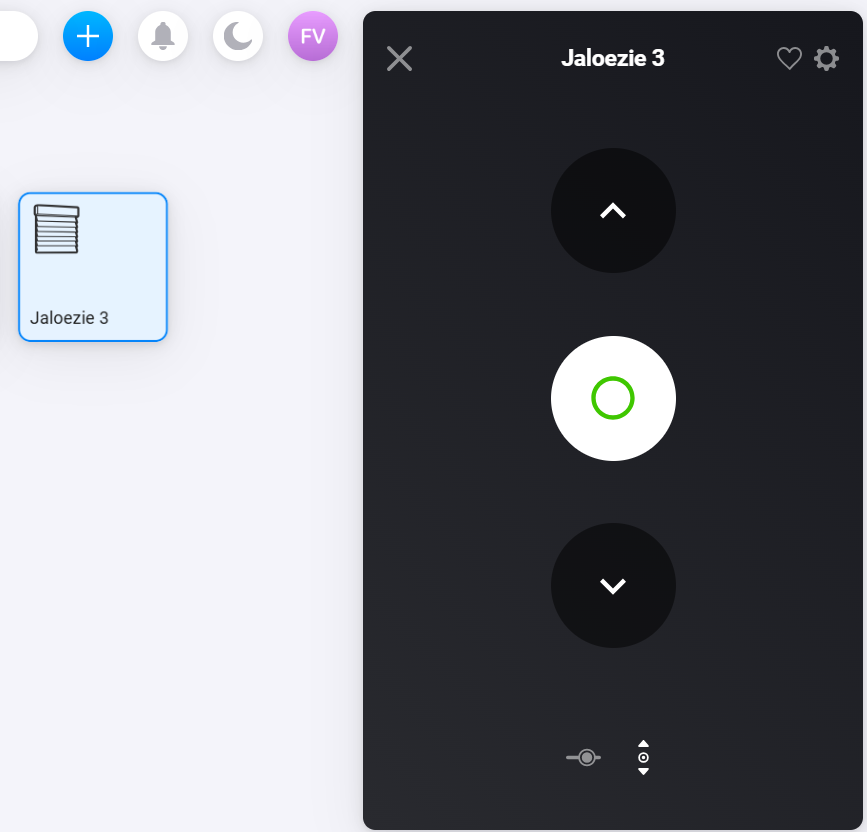
Did anyone manage to get the MY button to work for the external blinds through the connectivity kit and Homey?
Do you mean you have the button in Homey but it doesn’t work or the button is not in Homey?
The first one, the button is in Homey, but it only acts as “stop” when a blind is moving.
There should be a separate button on the next screen for the MY position.
If you send the Device log from the app settings page I will take a look when I get home.

Sorry, I have search the logs you sent and everything looks OK in them.
Can you clear the log and then produce the error, then send the log as soon as possible after that. Also try sending a normal Homey App Diagnostics Report after creating the error.
It seems 3 of your devices report as being “ogp:Awning” and 3 report as being “ogp:Shutter”, hence requiring two different drivers in the app.
