[APP][Pro] Iungo - Realtime insights in your energy consumption

Iungo

Iungo App for Homey | Homey

With this app you can read your P1 data and some connected sockets, energy meters and water meter from your Iungo. You can connect up to three local Iungo controllers and read all there device data.

Supported Features

  • Read energy data from your Iungo Controller
  • Read data from connected energy sockets
  • Toggle sockets on/off
  • Read data from your connected water meter
  • Read data from other connected energy meters
  • Trigger flows based on energy consumption

Issues can be reported here: GitHub - Iungo - Issues

If you like this app you can donate here: PayPal.Me - RobertRaaijmakers

Happy to support since 2017! :slight_smile:

1 Like

Useing it about since day 1 I have my Homey.

Actually, biying a Homey was initially to combine Iungo and Enphase app…

But then I went haywire :nerd_face:

1 Like

I see my App is outdated.
The changelog mentions this :

I’ve got quite som flows that use triggers from the iungo. How seriously will this affect the flows. Do I need to replace all triggers ? Wil the flows break ie card dissapear so I don’t know whate the orininal card was ?

The latter happened to me once with another app and it was a pain in the A to fix all flows…

Hm, it was quite a while back. I think only the flowcards for the non-default Homey values changed (so L1, L2, Ampere etc). I think the when energy_meter, gas_meter changed cards were all untouched.

Ok, will take screenshots of all related flows then, just to be save…

Actually I didn’t need to fix any of my flows.

  • Created Screenshots/print flows

  • Stopped the iungo app and created screenshot to see which flows use a iungo trigger:

  • Ran Flowchecker, it reported failed flows (no Cards or Tags avaiable form the iungo app obviously)

  • Re enabled iungo app and updated it

  • checked and test-run of flows that failed with app disabeld, they where ok

  • Rebooted Homey to be sure

  • re-ran Flowchecker, it said al previous failed flows where fixed

1 Like

I have a battery connected to Iungo, using a Easton SDM630 modbus meter. Is there an option to get the data from that meter into Homey?

Theoretically there should be. I think it is reported as a normal meter and by setting the device class (after adding) it can be set to ā€˜accu’ or something and then it will show up. I think somebody did it like that.

At the moment I stopped developing the app. So there will be no updates (unless people contribute through GitHub themselves). As my device broke down a couple of months ago and it is a little bit to much investment to spend another €150 or so on a new one when there are quite some (cheaper) alternatives.

When I try to add a Iungo device the following window is shown:

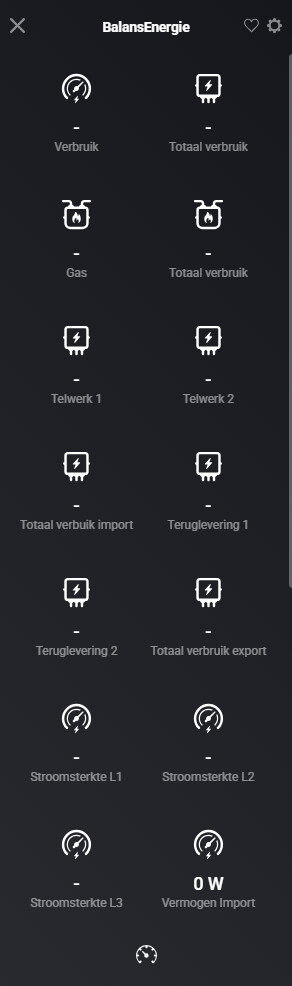
When I chosse Energie Controller he will find the meter, but is does not show any measured values:

And when choosing socket? Does it then also find the device?

No, with all other choices he does not find the meter.

How is the modbus setup in you iungo ? I see ā€˜Gas’. in you iungo homey device, a modbus doesn’t have a ā€˜Gas’ tag…

(It’s been ages since I’ve been in the iungo setup…)

If you read through this topic and can do that for your meter then I can see if I can find some time to modify the code for you and add proper support: Iungo - Homey - Sun total Ā· Issue #21 Ā· robertraaijmakers/com.iungo Ā· GitHub . You can open an issue in GitHub with the results of the query and the device properties :slight_smile:

@Deejeebv, just updated and published a new test version. I can’t test myself, but you can check out this version: Iungo | Homey to see if it works. I added support for the Home Battery and Car Charger.

There are no new devices found when I try to add thuisbatterij. My SDM630 is still found as energie controller.