Sure, Here is the report id: 2490758d-578f-4ecc-99ef-173c22ef580c
I found the bug. Sorry for the inconvenience. I have just released a new version. Can you please install v2.0.3 and let me know how it goes
Awesome! Thank you. It is working now 

I’m guessing you don’t mean the event in the list, since that isn’t ongoing yet 
I’ll need a diagnostics report again.
Can you do the same as last time:
- Lower the import limit to 1 week
- Activate log all events
- Restart the app
- After a minute or two send a diagnostics report
Thank you. Yes, the one Event you see here is not the ongoing event. I can not see the ongoing event
Here is the diagnostic report: a3520e1a-775c-43de-a899-0585b5d6d6bf
I believe i found the bug. I’ve added the bugfix to v2.3.0.
I’m trying to start a flow with a “Event starts in” card. When I put in a number for the amount it’s working fine but when I put in a Variable it’s not triggered.
Hereby my test script:
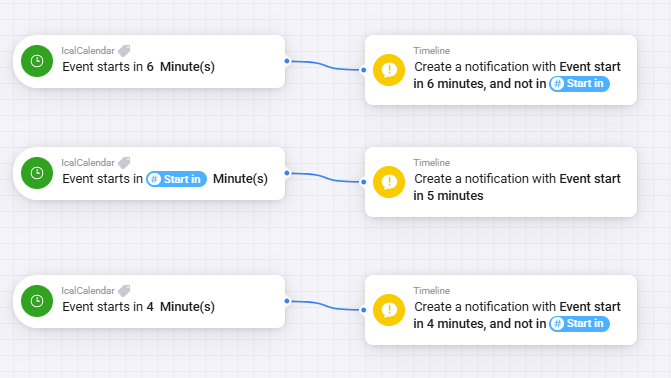
And the result:

I was hoping to see 3 notifications but I only get two, the one with the variable is missing.
Is there a way that i can use Variables in the “Event starts in” card
kind regards Mattijs
Very few trigger cards accept variables as value.
It’s not erroring or such, which is odd. The card just “sees” no value.
Just tested this on my Homey Pro 2023, and using a variable in the trigger card Event starts in X minute(s) works for me from both an advanced flow and a regular flow.
also works perfectly in timey:
I have the same problem, and have done some research on this in recent weeks. I see that I often get the error message
“TypeError: Cannot convert null value to object” when I try to open a flow on the phone app (android) that have a trigger with a variable.

I see that flow with triggers with variables often do not work. I have seen in the settings for the IcalCalendar app that it does not register a “hit count” on flow triggers with variables. But it usually works if I have previously tested the flow with a number that matches the variable.
This is on a 2019 Pro.
I have now tested on both my Homey 2019 (Pro) and my Homey Pro (Early 2023) that triggering the flow card Event starts in X X using a number variable or just a number works as it should.
Both flows, one with variable and one with number, triggered simultaneously.
If you have problems with triggering flows with variables, reach out to Athom support. The app itself has nothing to do with you using a variable or a number. It’s Homey core that reads the input and pass along to the apps!
Likewise, if opening a flow containing a variable in a trigger card is throwing an error, reach out to Athom support!


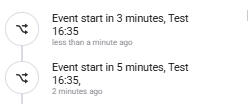
I think I have discovered the same thing.
I see in the post above that the ‘number’ tag should trigger in 4 minutes, but that doesn’t happen. The ‘number’ tag does not trigger on its own, only when it is a secondary trigger.
I’ll try this on my Homey’s. However, if this is true, this is still a Homey core issue/problem. As said, the apps receive an integer from Homey core as an argument to the trigger flow. If this integer is from a number directly used in the flow or from a variable which Homey core has read and passed along to the flow, has the apps no clue about.
So still, if you find problems/issues with variables in triggers, contact Athom support.
Screenshots of my flows:

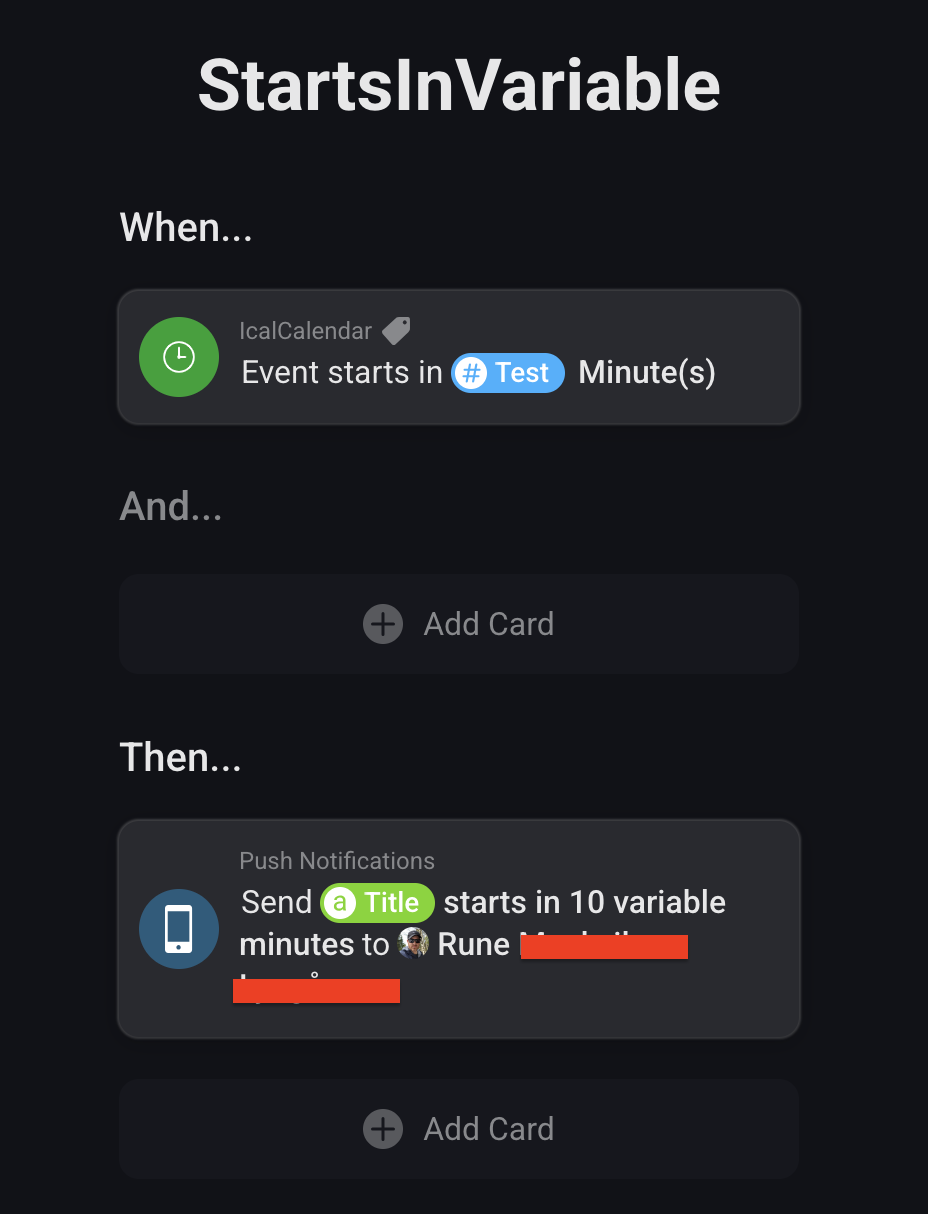

Yeah I know… I’ve contacted Athom already. Waiting for their reply… if you test the first 1 with 10 min, and the number logic in 9 or 11 min. Not the same as the first one.
Does the number logic trigger?


I managed to recreate this on my homey’s as well, and in fact, I think this is caused by a bug in the app.
I have been running a test version on my development homey which seems to be working as it should.
I’ll release this as a test version soon. Would appreciate if you guys would give the test version a go
