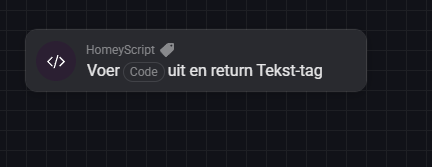
You aren’t returning anything in that script, so it gets the information and then does nothing else with it? Add return jsonOutput; to the end of the script.
Remove the return jsonOutput; that is under the const res = await fetch(url, { method: "GET", headers: { "Content-Type": "application/json", "Authorization": `Bearer ${API_KEY}` } }); line.
And then copy the code from your RD4.js script to the inline code editor inside the Flow card. You can then replace the “Ophaaldagen (JSON)“ tag in the Logic card with the “Result“ tag from the script
You don’'t always need to return values, only if you need to use something the script generates later on in your Flow. If the script for example takes an argument “temperature“ and sends a request to set the thermostat to that temperature, then you don’t need to return anything.
As for the null value, I think you created a virtual device for this? Is it possible to set the “Status indicator“ to None in Hdashboards, like you can in the Homey mobile app?
Yes it’s indeed a virtual device. I could switch of the indicator for it, but then also dissapear the 02-12-2025 line, and that’s the line i would like to see.
It could maybe also comes from a flow card below. I try to replace some cards, maybe it would help