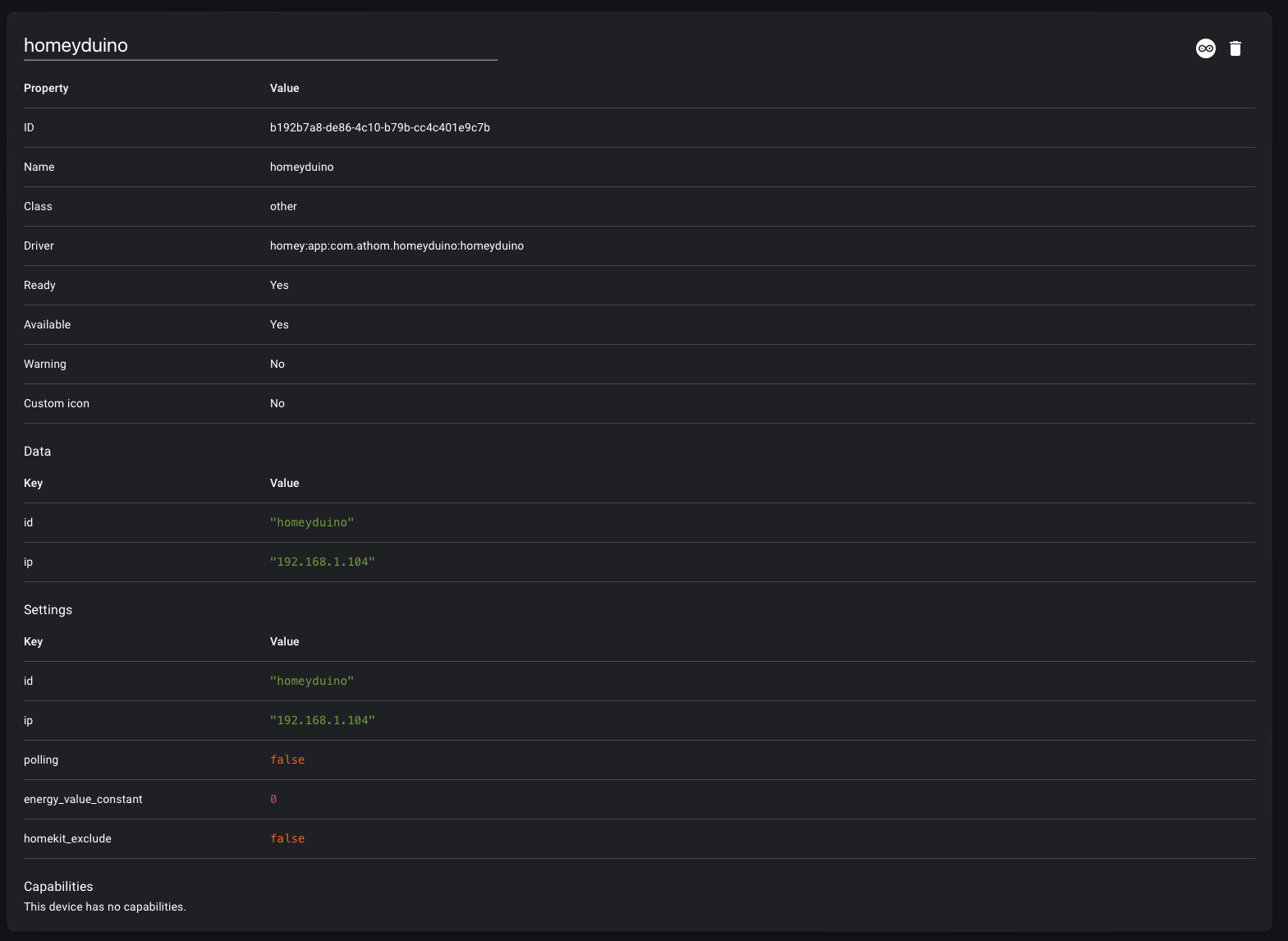
I had one of the original Kickstarter homey pros on which I used to control an Arduino using homeyduino.
I took advantage of the ‘homey remote’ configuration because I cannot program Arduino and don’t have the time or brains to learn.
Recently I purchased the new homey pro to switch over from Hubitat (my old Homey Pro stopped working a year or so ago, and I’d switched to Hubitat).
As a non-programmer I prefer the easy-to-use homey pro interface.
Unfortunately it seems the ‘homey remote’ for homeyduino configuration no longer works: https://github.com/athombv/homey-arduino-library/tree/master/examples/Remote%20configuration
I’m hoping to automate a rainwater tank system using Homey Flows (solenoids/pump relays/level sensors etc).
Homey can see my Arduino on the network and add it as a device using the example ethernet shield script fine, but it has no capabilities.
Is there a way to still do this from Homey? Or is the remote config no longer supported in homey flows?
Hope this makes sense to someone who can help.
Hello… Like you, I am not good enough at coding. Homeyduino is a very well thought out interface for those who want to develop Arduino projects like us. I have been actively using Domoticz for 6 years. I’m currently in the process of purchasing HomepPro. I was hoping that remote configuration would solve my lack of coding knowledge. However, it saddened me that you read about your experience and could not find an answer to your question for 45 days.
If there has been any positive or negative developments during this process, please let me know. Thanks…
I’m sorry to hear that Homeyduino isn’t working for you. The app should be able to work for Homey Pro 2023.
Unfortunately we no longer have someone that can test or work on Homeyduino and I’m afraid I can’t do much for you in terms of helping you with this issue. The best I can do right now is recommend you research or post your issue on the community forum to see if someone there can help you with Arduino: Search results for 'Arduino order:latest' - Homey Community Forum
I have taken the liberty to add your issue to our internal list. Please keep in mind that we cannot give any guarantees on if and when Development will find a solution, as there is already quite the development roadmap laid out. That being said, your issue is definitely noted and will be discussed.
For now this is all I can do for you, which is why I’m closing your ticket. If you need additional support, please feel free to re-open your ticket by answering this email.
I wish you a great day and a lot of fun with Homey!
Best Regards,
Megan
Athom Support
Hi Tim
First of all, thank you very much for the quick response.
However, the answer surprised me. It is unbelievable that a feature like Homeyduino remains unsupported in such a serious development.
I didn’t fully understand one thing. Did you use Homeyduino first and then it stopped working? Or have you never been able to use it to run?
My plan was to control my house-ventilation system. Well, after I discovered Homeyduino I also purchased the proper hardware (Arduino uno and ethernetshield2) with some additional hardware. Only to see that the remoteconfig sketch and the app in Homey is not working, as it is decribed. Flowcards for this device are still available, but seem not to be working. I can not enter the pin-names in the flowcards. This would be such a good expansion for the Homey(Pro2019). Has anyone got this working?
If that is the case, Athom should mention this in the install screen atleast, so people don’ t spend mobey on hardware for nothing. Athom is the developer!
Use it with ESP32 and do the configuration in the ESP software, never used pin configuration in Homey nor Arduino. Works fine when app is reset once a week (not sure if this is still necessary)