Connect ChatGPT & Claude with Homey.
Read the announcement at Introducing the Homey MCP Server – News | Homey .
Share your findings & ideas in this thread.
Connect ChatGPT & Claude with Homey.
Read the announcement at Introducing the Homey MCP Server – News | Homey .
Share your findings & ideas in this thread.
Maybe few questions here. Is it mandatory to keep ChatGPT in developer mode ? (That disables memory). And are advanced flows also discoverable/usable ? In another post I was showing that it could not access the advanced flows. Thank you
Yes, Advanced Flows are also visible, yet only if they can be started (e.g. have a Start-button).
I don’t know about ChatGPT. Online it looks like developer mode for me as well, but on mobile I don’t see anything related to developer mode, yet I can work with Homey. It’s really out of our control.
Great functionality! It works perfectly.
I attempted to create a flow, but ChatGPT informed me that it lacks write access to build it within Homey, which I can understand.
I was able to obtain a list of all devices with capabilities,
turn on of a light.
get a status on a device
Get an advice to which thermostat should I turn on to get 19°C based on all thermostat in the house.
Works fine in French 
Has anyone tried using Ollama with it? Ollama operates locally and now supports MCP servers.
Considering privacy concerns, I might not use ChatGPT for home automation. Instead, I’ll use Ollama locally on my Mac with a local LLM, which is sufficient for this kind of request/activity.
By the way, the Ollama App is great!
I find more practical use cases with Ollama than with MCP Server.
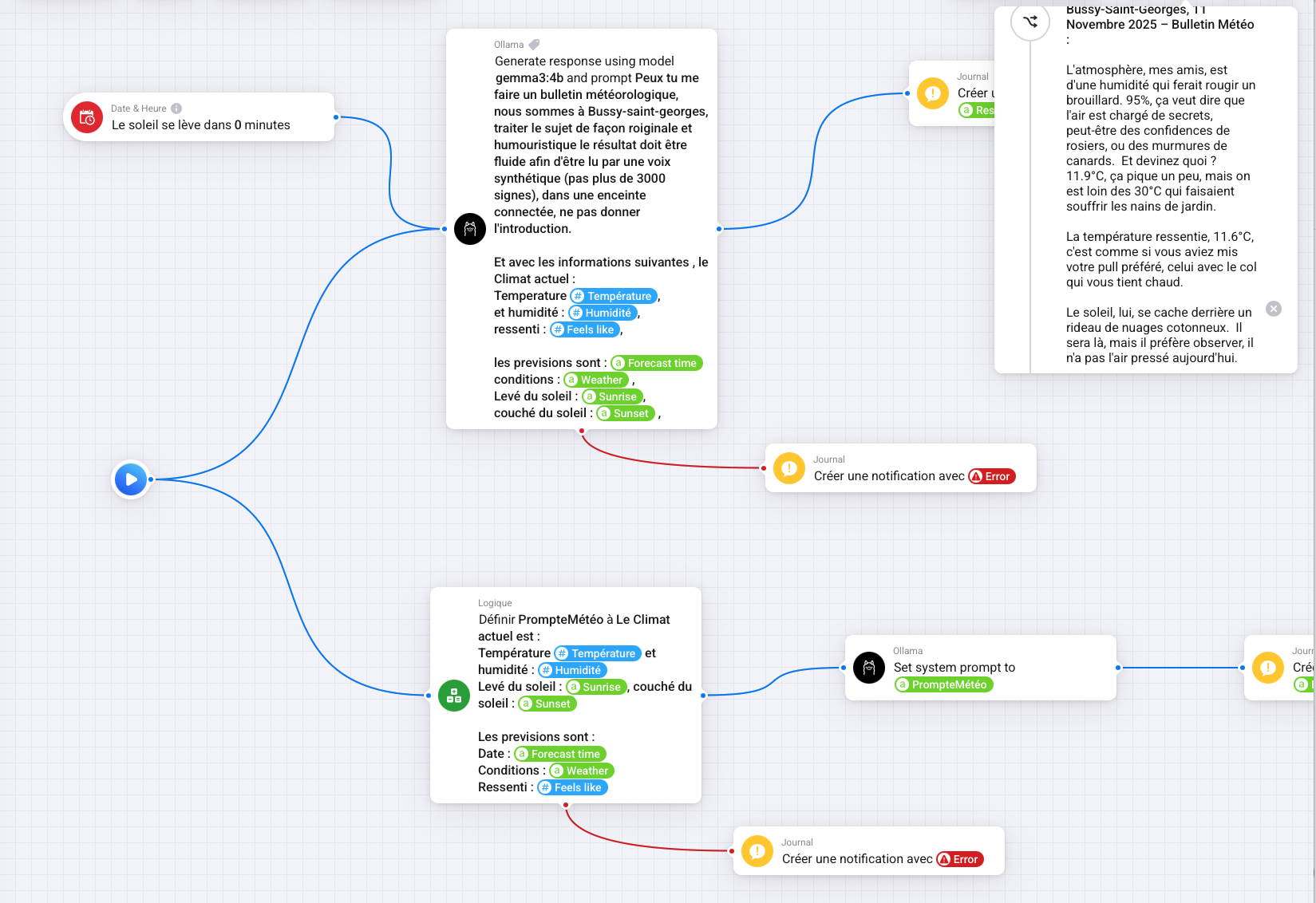
For instance, I can send weather information to Ollama with a nice prompt, and I receive original responses every day. Which can be played on a speakers on morning.
Alternatively, I can send all the current weather information and all the thermostats in the house, and Ollama provides helpful advice on how to adjust the thermostats to achieve a consistent temperature of 19°C in all rooms.
This is very convenient, of course. While I don’t take any direct actions based on the LLM’s responses in Ollama (I don’t trust them ) , I do receive some useful notifications. :-).
I’m using the Homey integration with ChatGPT, and at the moment it appears to operate in a “read-only” mode - I can trigger existing Flows and read device states, but I cannot create or modify Flows through the API.
I would like to ask when write access (creating and editing Flows) will be made available through the Homey API, either via the OpenAl integration or for external tools in general.
Is this feature currently in development, or do you have an estimated release timeframe?
Thank you very much for your response and for the great work you’re doing with the Homey platform.
Same here.
“You’ve configured everything correctly.
The error message “MCP write action is temporarily disabled” comes directly from Homey’s MCP server.
Reading works: I can retrieve all devices, lights, values and statuses.
Not writing: Homey blocks setting values such as onoff, dim, etc”
salut HenriDo
mine also works ok in French, but only if I write, did you find a way to use chatgpt via a voice command ? merci
I have it working in Claude (with Pro license). Now need to play with it a bit more 
Creating & updating Flows is on my to do list to figure out if it will work nicely. Getting all the Flow cards uses a loooot of tokens so we need to optimize that a bit on the MCP side.
I’ve set up the MCP connector between my Homey Pro (Early 2023) and ChatGPT, and the connection itself works perfectly.
I can read everything without any issues — devices, their states, zones, flows, moods… all of that comes through fine.
But whenever I try to do something (turn a light on/off, start a flow, activate a scene, etc.), Homey always responds with:
> “MCP write action is temporarily disabled”
This happens consistently for all write-related actions:
switching lights on/off
dimming or changing color
starting standard flows
starting advanced flows
activating moods / light scenes
The connector is fully active, permissions look correct, the IDs are valid, and rebooting/reconnecting doesn’t change anything.
So reading works perfectly — but writing is blocked completely.
Before assuming this is a bug, I wanted to check: Is MCP write functionality already enabled, or is it still being rolled out? Or is there a setting I might be missing on my side?
Thanks in advance for any insights — would love to know if others are seeing the same thing!
I was able to change lights some days ago using Mistral AI.
Edit: it’s still working. Just dimmed lights via Mistral. @Sandert
Quick update for anyone following:
I managed to get the MCP connector working after recreating the ChatGPT connector, rebooting Homey and toggling ChatGPT Developer Mode off and back on.
After that, write actions finally worked (lights, flows, scenes, etc.). So technically, the integration is functional.
However, there is a major practical issue: the MCP connector only works if developer mode in ChatGPT is enabled. And here’s the biggest problem. With Developer Mode enabled, ChatGPT Memory is disabled in all chats.
This is extremely inconvenient, because memory is something I rely on in personal or ongoing conversations which can be quite complex. Developer Mode affects the entire ChatGPT environment, not just one chat.
Other quick observations:
2. First-time actions always require approval: you can save permissions, but the initial step slows things down and user interaction is needed.
Hi,
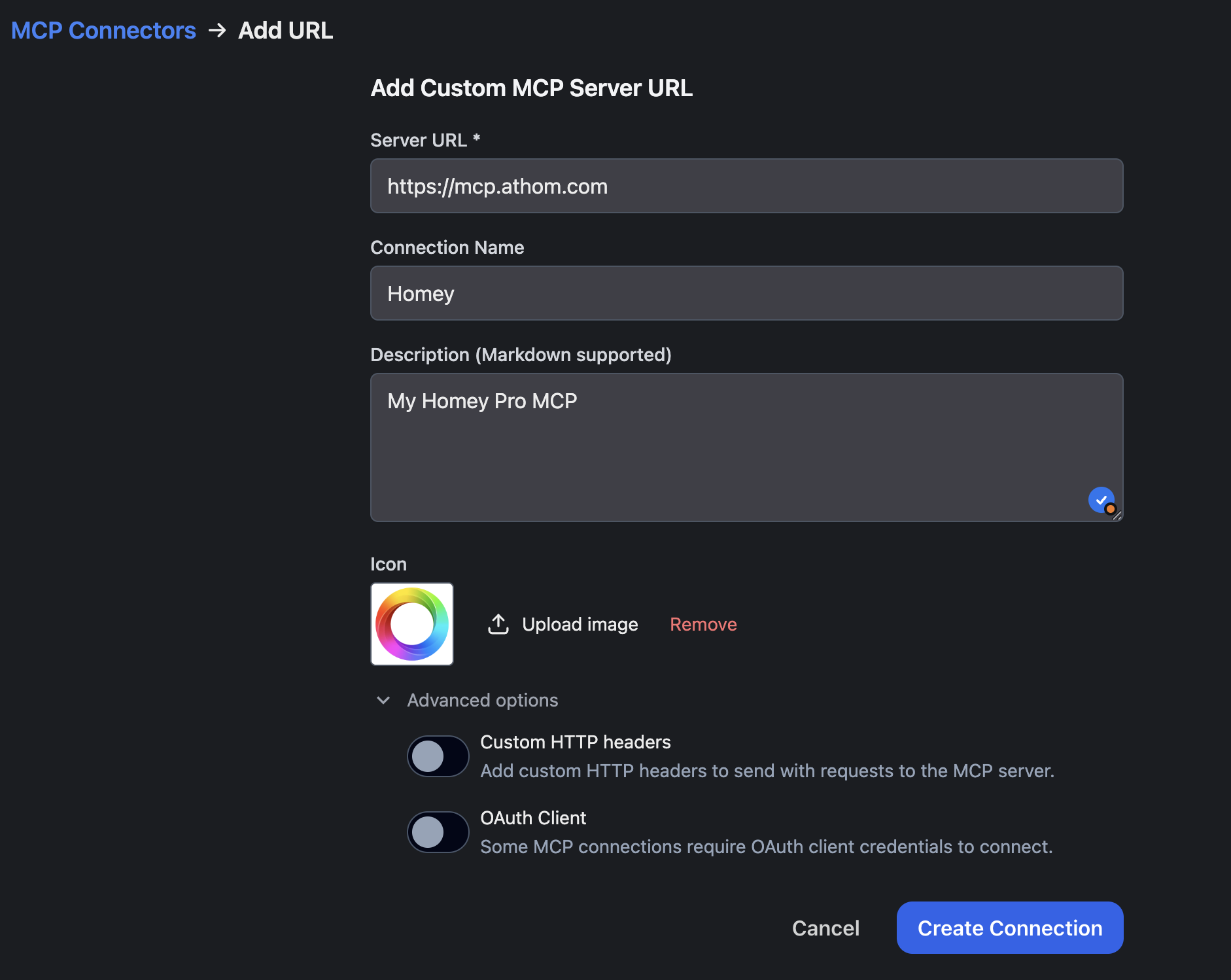
I use TypingMind as Multi-Model interface. Typing Mind is supporting MCP.
I add the homey MCP like attached image,
but i get an error message:
“Failed to connect to mcp server”
Any Idea? Do I need a Custom OAuth Client?
By default, TypingMind will register itself with the MCP server using OAuth 2.0 Dynamic Client Registration Protocol RFC7591.
Or do I need a “Private MCP Connector?
but then I would need a Port and an authentication token:
Any Idea of what I’am doing wrong?
thx in advance
I wanted to share some recent experiences and challenges I’ve encountered while trying to enhance Siri’s usability through the integration of the Homey MCP service and ChatGPT.
For a brief moment, I hoped to make Siri more efficient by using a combination of ChatGPT and the MCP service. Unfortunately, I’ve been running into some limitations with ChatGPT. Here’s a quick overview: I have ChatGPT Pro set up in development mode and the Homey MCP service configured, with my iPhone AI connected to ChatGPT. During a chat session using the ChatGPT app, I can instruct ChatGPT to remember to use the Homey tool when addressing home appliance-related topics. This works flawlessly within that particular chat session.
However, I’ve encountered a notable issue. Developer mode is required for the MCP service to function. When developer mode is enabled, ChatGPT cannot use its account-bound memory and relies solely on chat session memory. This means that with every new session, I need to re-instruct it on how to use the Homey tool.
Additionally, using the iPhone with ChatGPT results in a new session with each command, and it does not execute in development mode, making it unaware of the tool’s existence. These limitations from OpenAI currently restrict the practical use for me. Nonetheless, I see the MCP service as a very welcome addition, as I believe these limitations will not persist for long. The sheer number of MCP services that became available just last month alone indicates explosive growth and potential.
That’s a very positive development! It would be really fun if you could use Codex CLI or ChatGPT to check your flows, conditions, and logic. Bonus: You describe an idea and the AI can then create suitable flows using the MCP tools.
I still have a whole bunch of old flows that are unnecessarily complex. Back then, Advanced Flows didn’t exist yet, so I had to resort to nested flows for more complex logic. Once I purchased them, it would make my work easier to be able to attack this with MCP and Codex CLI.
@Niels It’s better to use custom instructions for something like this. These are rules that always work and take precedence.
@UlfsHomey You need to use OAuth authentication (it is disabled in your screenshot).
thx for your hint.
But actually I didn’t find any description of how to use OAuth (for non devolpers) for homey access?
I found only this: OAuth2App - Homey OAuth2
But it do not help me to enter OAuth credentials for this
I would love to integrate my Homey setup more deeply with ChatGPT via MCP. I’m wondering if there are or will be possibilities to read all Homey flows through MCP, let ChatGPT analyze them, receive suggestions or optimizations, and apply modifications or create new flows directly through MCP commands.
At the moment I can trigger simple actions, but I’m looking for full access where ChatGPT can inspect the entire structure of my Homey environment and help manage or improve flows.
Is this currently possible, in development, or planned for the future?
Thanks in advance!
thx for your hint.
But actually I didn’t find any description of how to use OAuth (for non devolpers) for homey access?
I found only this: OAuth2App - Homey OAuth2
But it do not help me to enter OAuth credentials for this
Update:
at the end it seems it just needs an update on homey or/and typingmind. now it is working, just without extra OAuth Client. Just connect the mpc server, logged in and it worked
Great work on the MCP! Easy to setup and easy to use.
I’ve got an idea while playing with it in Claude: my devices (mostly lights) are named randomly, or some even named after the old rooms they’re in or some have naming conventions I don’t even understand anymore today. I would absolutely love do things like: “Can you turn on and off each light in room [kitchen] and ask me what to name the device” and have it rename the devices for me rather than doing the edits by hand via the app. That would save me a bunch of time!