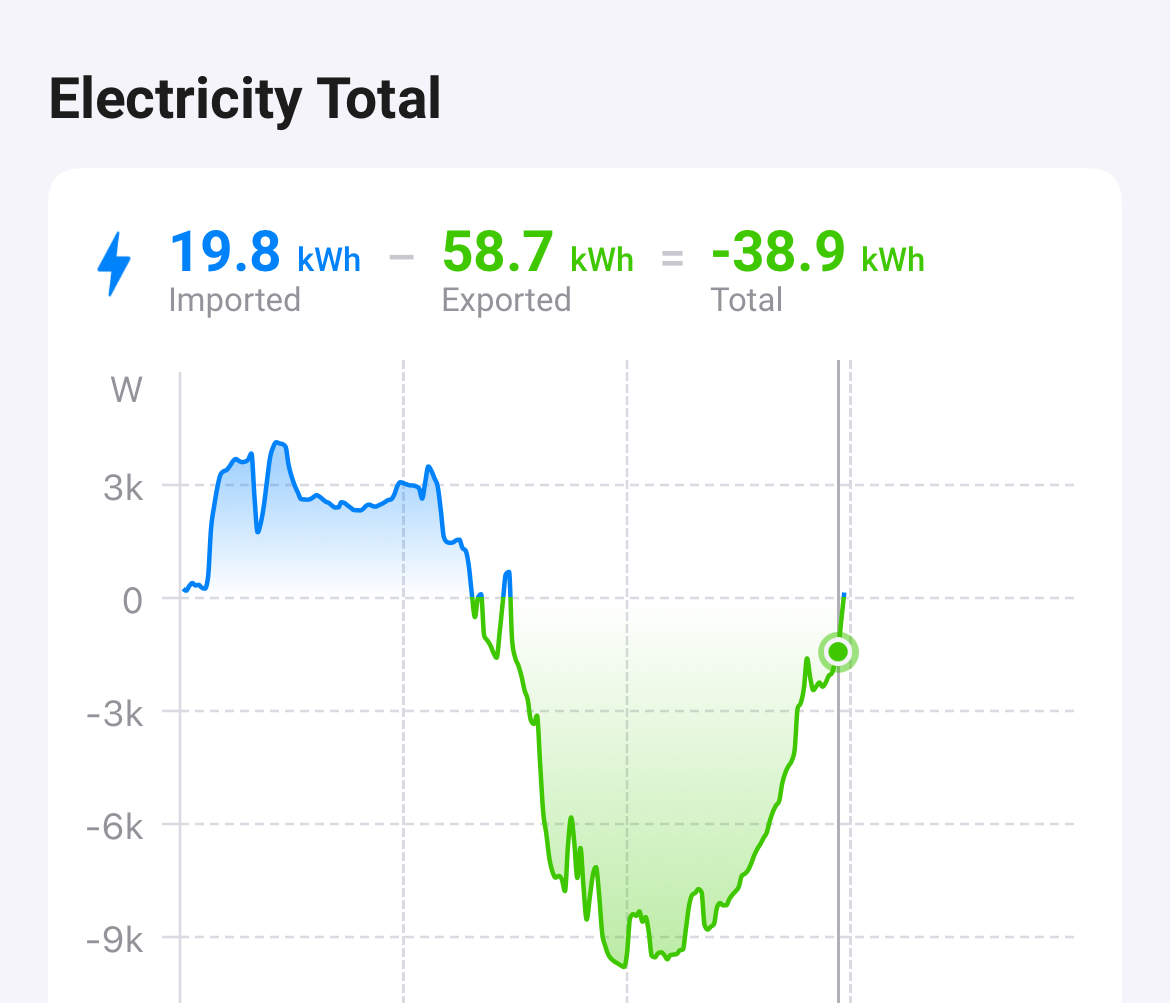
Grid and Total is the same. But in my opinion it doesn’t make really sense. The values and graphics are not intuitive for me.
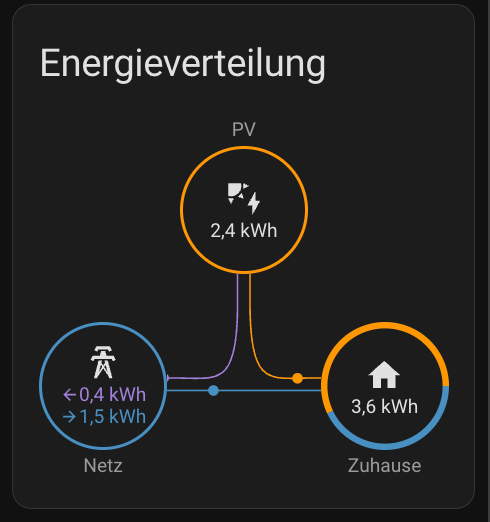
I like the Home Assistant Energy overview much more, but not the pixel look…
Yes Grid and Total are the same, and it doesn’t bother me, what bothers me is that he value isn’t always the same. It’s not that decimals aren’t displayed for Total, the value’s just aren’t correct sometimes.
Here’s an example where a decimal is present and displayed:
Since the last beta update the app freezes when you get to the energy tab. After restarting everything works again until you get to the energy tab again. More people experiencing this?
Sometimes after approx 20 secs or switching to another app and back the Energy tab loads again. And, indeed, after force closing the Homey app and restarting it.
My problems were that there is no app for my Wall Charger (NRGKick), but the NRGKick does have an API to access and control the device from Homey. In addition, I have a smart meter, also with no app, but I have created a device in my Home Assistant. The meter is propagated through MQTT to Homey. Problem with the meter is that it has not the EV-Wall charger device class, so it does not open the garage and show the car in the garage.
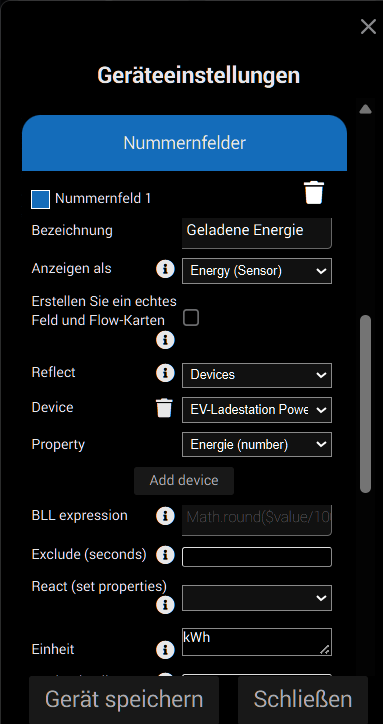
To get around this problem I have created a virtual device as a Device Class = Wall Plug in the app Device Capabilities. The device has one number field of type energy and is configured to reflect the smart meter and its value. As the device is configured as device class ‘Wall Plug’ there is the option to define the type of device plugged in, in this case ‘E-Auto-Ladegerät’ (eg. Wall Charger). Now the energy tab shows my EV-Wallbox and its values.
To get the correct numbers I excluded both the virtual device representing the NRGKick Wallbox (representing the net consumption) and the imported smart meter (from Home Assistant) from
energy. The only device representing the EV Wallbox is my virtual wall plug.
I am the developer of two home-battery apps. The are running same version, same capabilities but one is quite new, the other is years old. I’ve compared the app.json file, for differences - the are similar now.
Only the new device is showing like this in top grid in the Energy-tab
Hi @RonnyW , I am aware of this. I am the developer of the two different apps, one is showing correct and the other is not. I did compare the app.json for both apps, with no differences. I am recalling that device.json is compiled/included into the app.json on build.
I could be wrong, but I would expect the same behaviour when the settings in app.json are alike.