If you want to change variables in Dashboard a numpad is coming up and i get a , and that doesnt works since it needs a .
I have added it as an issue but i dont know if anyone have seen it
Android with Samsung numeric keyboard shows both , and .
You can try to install alternate keyboards?

Hint: copy a dot from somewhere, so you can paste it into the variable value field
But I agree on: it shouldn’t matter what we use here, Homey should be able to simply translate an entered , into . automatically.
With the latest update I’ve noticed that it takes an unusually long time to load the Dashboard. There even is a load indicator on my iPad Pro 2018 (so not particularly a slow device). I’ve got the iPad wall mounted with just the Homey App in Dashboard running. I wake it up with a Hue motion sensor that’s sending a push notification.
Is there any way to speed up the load time? Or do you plan to improve load speeds? In older versions, it was running quite fine.

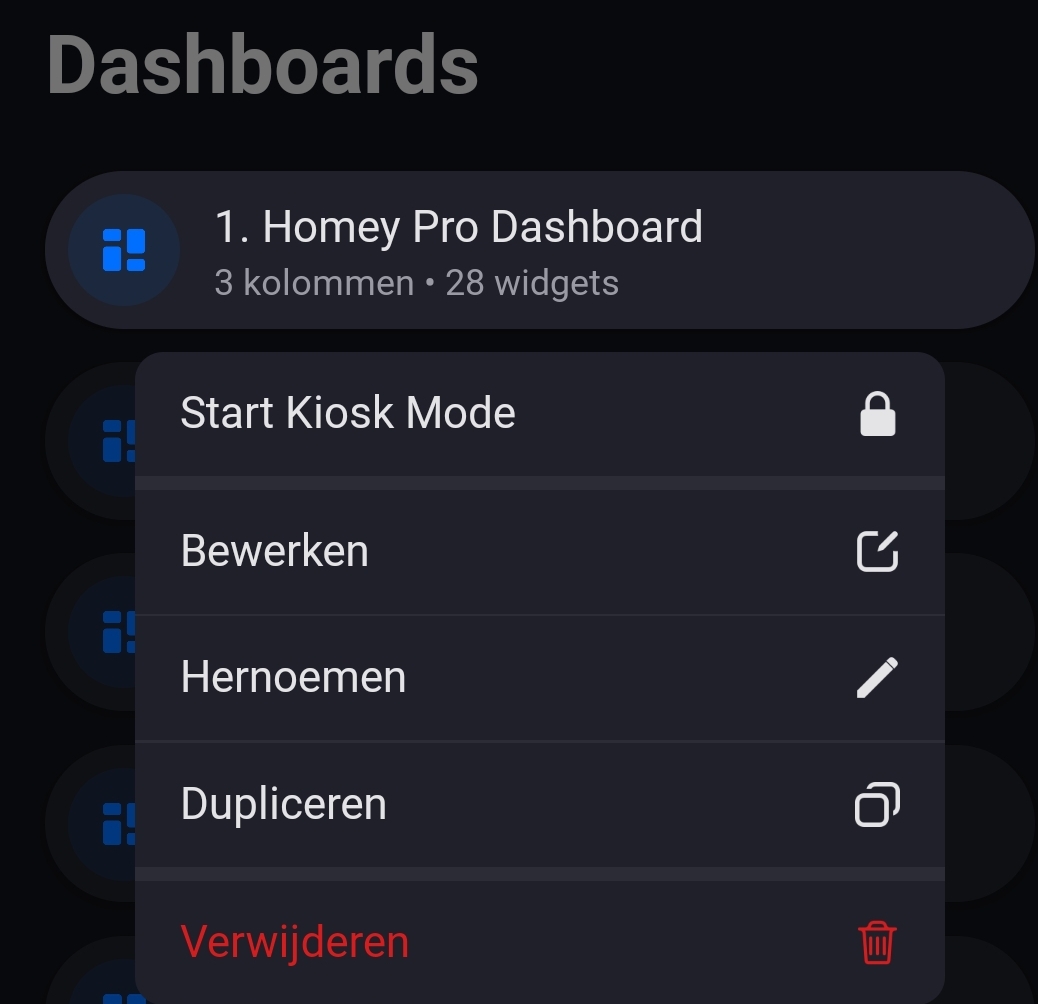
Homey says kiosk mode is live but i dont see it for android
There is no updated app for android for a while now. I know the beta version has it. But I’m not using beta

Its not showing that are new updates. Current 9.0.3


Based on the change log, there should also be a version 9.0.4 that includes kiosk mode. It does not mention that it is only for iOS. Is this version not available on Android?

No, still 9.0.3 today 14. Feb. 2025…Sorry in the moment 9.0.4 is coming in 
Waited for the dashboard tiles to put on the homescreen. With 9.0.4 this is possible. Awesome 
Hi,
the Homey podcast mentioned that you can now create a shortcut in your dashboard to another dashboard. But I still can’t figure out how to add a shortcut to my Dashboard to go to another Dashboard.
Homey Firmware version: 12.3.1.
App version: 9.0.3.1652
Does anyone have an idea where I can find it? They said it was no longer in beta, so I assumed it was now in the app.

I now suddenly see an update to the app appear in the Play Store. Checked an hour ago and there was no update, just checked again and there was an update.
Updated and now I see the shortcut.
Thanks for the quick response!!
Kiosk mode on android isnt doing anything
Maybe app uninstall and then install helps.
Let me start by saying that I find dashboards a very valuable addition. The kiosk mode is also great. This way I can set up Homey on my wife and children’s devices without them being overwhelmed by all the possibilities.
But, one big drawback is that the lock/release of the kiosk mode is linked to the device’s unlock options. This means that anyone who can unlock the device (iPhone/iPad code/face id/touch id) can also unlock the kiosk mode. That’s exactly what I don’t want because then my children can still access everything, since they can unlock their own devices.
Is there a way I can also use a ‘single’ code that is separate from the device lock? For example, a number code or something similar. Or are there other possibilities that I have not yet discovered?
Im using fully kiosk, maybe thats the issue? Not sure what suppose to happen when clicking on kiosk mode but nothing happens after clicking agree on. The dialog
Update
Without gully kiosk and uninstall and install again kiosk mode still doesnt do anything. On IOS it works and opens the selected dashboard but android doesnt. Tries on 2 different android devices
