I’ll explain, because I didn’t refer to a virtual device, but to an advanced virtual device of the Device Capabilities app.
You can turn a gate or lock into a light like this (no flows needed):

Add a button, and copy the settings but Device & Property
(these should be reflecting your lock)
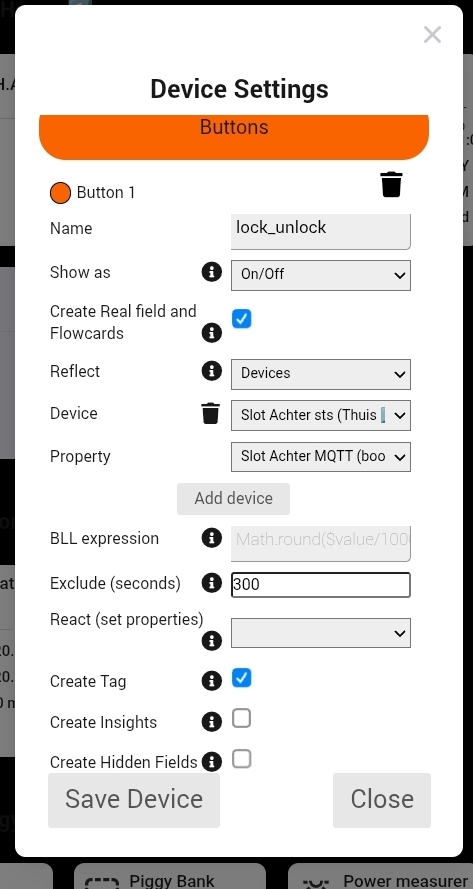
The trick is in the Reflect - Device - Property entries;
Here you select to read and command a device;
As device, select the lock
As property, select the boolean capability which operates the lock
demo:

