Hello community.
I am wondering if we can do anything about adding more sensors from Tuya devices.
I’m using the official Tuya app, v1.2.6.
I have a Rinnai Hot water heat pump.
In smart life, I can see more sensors compared to homey. In particular I would like to know if the HWHP compressor has turned on. There is a sensor for device turn on. But not the fan or compressor.
There is a card in a flow to get any value from json. But I am unable to edit the json query.
How do we get any value from th device?
You should choose the “Code” option and choose the endpoint. You can then use a Logic card in the AND-section to perform checks on the JSON query (e.g. tag Value equals …)
For a switch you need a Boolean (= 0 or 1) “When” card;
When you click into the [code] field,
the available switches of that device gets listed;
Pick one and test to see if you picked the right one:
In case it is a text trigger (like, some PIR sensors send the word PIR instead of true/false), just add a String (text) type “Then” card to see what’s gets listed
Or when you think it is a numeric trigger, just add a Number type “Then” card to see what’s gets listed
If you’re unsure what type to use, just try all 3 types…
The same principle applies to “Then” cards, for example when you want to turn on a Tuya device:
So I think my issue is that the value I want isn’t there. But I see it in SmartLife app.
From SmartLife, I want to know if the compressor turns on.
But in Homey I don’t see it. Using the “Status code, gets a new string’ value” card. It’s not there.
Is there a way I can get a custom value? It says any value from the API can be used, but the search doesn’t show the value I need.
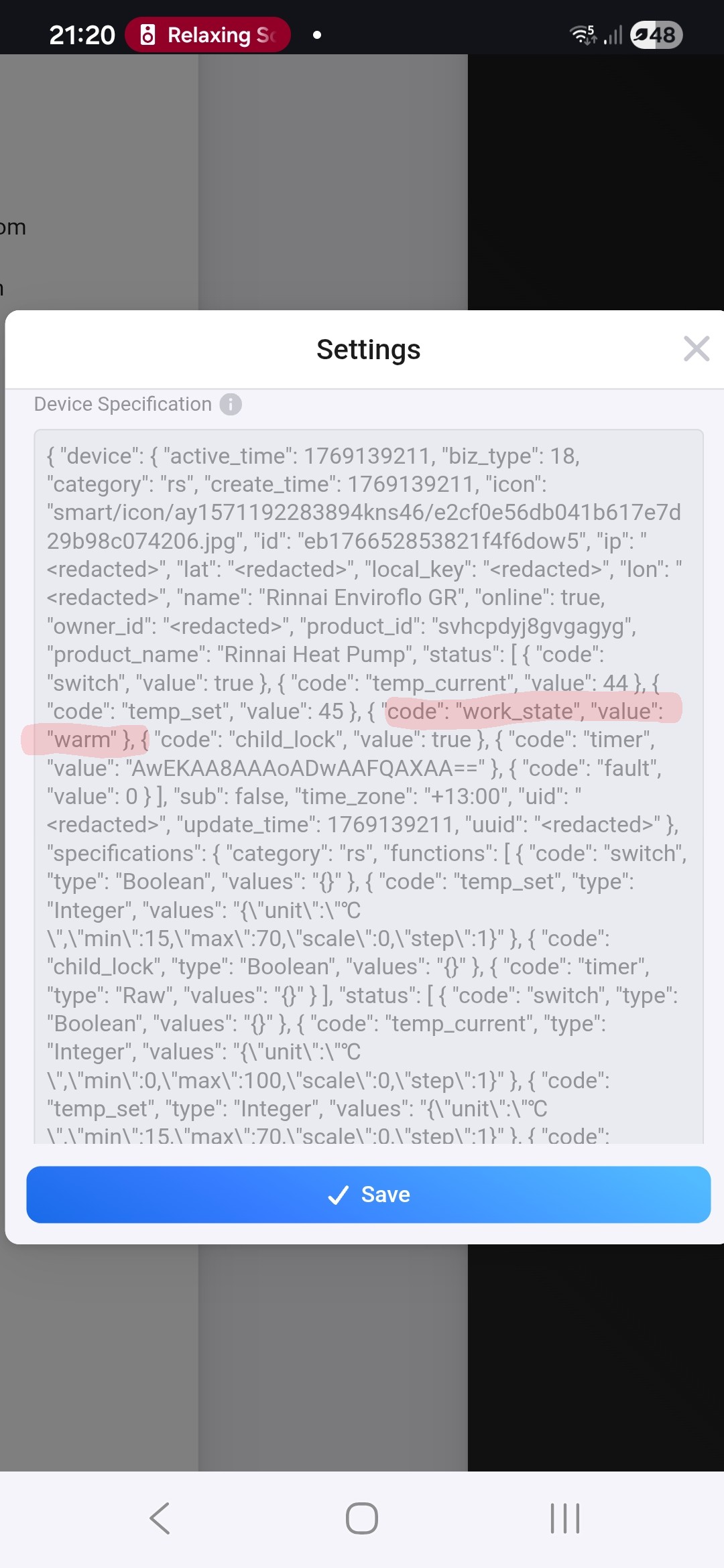
In the Web app, not mobile I can see a value that I can work with. Under device settings:
I will try a flow like this, just to see if the value is accurate. I’ll have to wait until the heat pump turns on.
Yea that did. Thanks all. I’ll use the logic flow cards for that value.