Flow Temporary Variables - Use this app to create multiple temporary variables in a flow

This app is similar to [APP][Pro] Temporary Variables (app store Temporary Variables).
Credits to Julian Suhl

Key difference: multiple variables and other features.

The new version 2.0.1 is published and in test, waiting for certification.

:warning: BREAKING CHANGES

There are breaking changes in version 2.0.0 and beyond.
My apologies to the users of this app, but there was no other way: I had to rename the cards and the tokens of the temporary variables in order to maintain consistent naming and sorting.
The new naming of the tokens is more compact and more recognizable.

Key Features

Temporary Variables

This app offers 10 action cards per type (Yes/No, Number and Text), using compact yet easily recognizable tokens (e.g. 【D】).

Using these variables makes it in some cases easier to distinguish between tokens that have same or similar names (e.g. Result or Value).
Example:


:green_square: New readable tokens
:red_square: Confusing tokens
:blue_square: Typed

Create Arrays

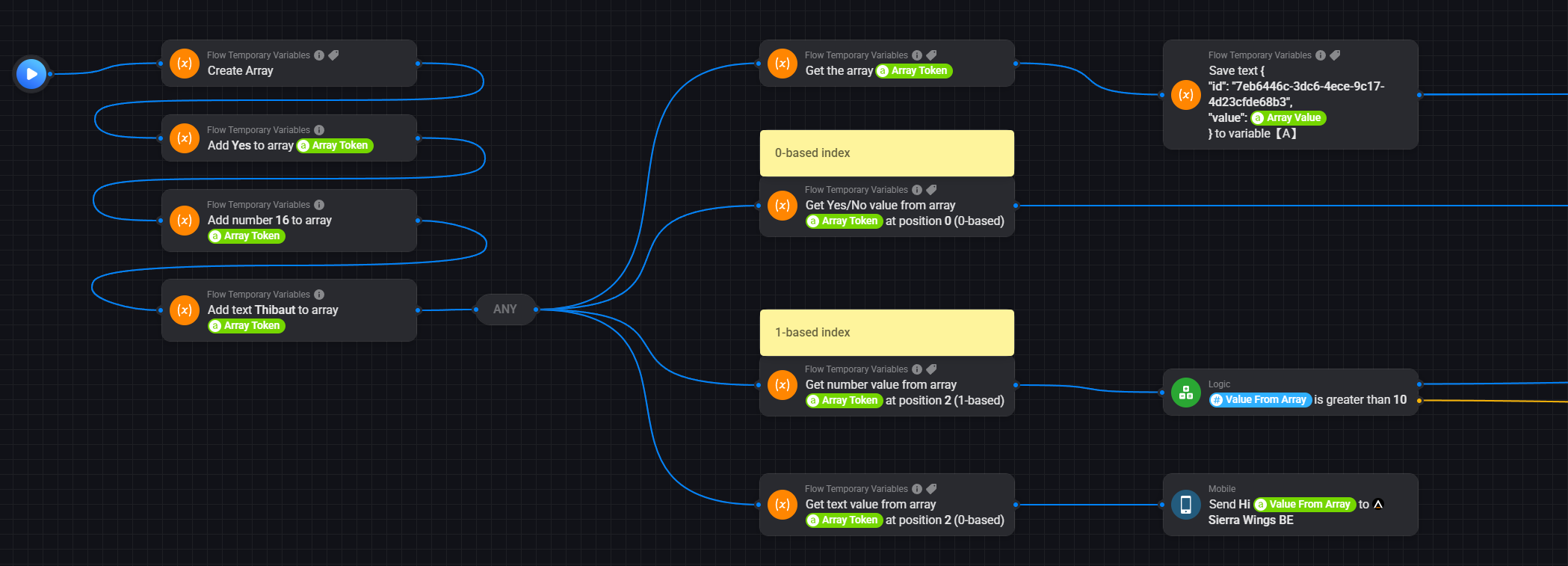
This app offers a number of cards that can build and retrieve arrays:

  • Create array
  • Add to array
  • Get complete array
  • Get value in array at specified position (using 0-based or 1-based index)

More array features will follow.

Random Numbers

This app provides two cards that generate a random number:

  • Generate a random number between two specified limits (with a given number of decimals)
  • Generate a random percentage
    Note that the Generate a random number card can do the same, but this card has been added for convenience.

What is the difference from this app [APP][Pro] Temporary Variables

You have multiple typed and named variables (10 per type). This makes it much easier to distinguish between tokens.

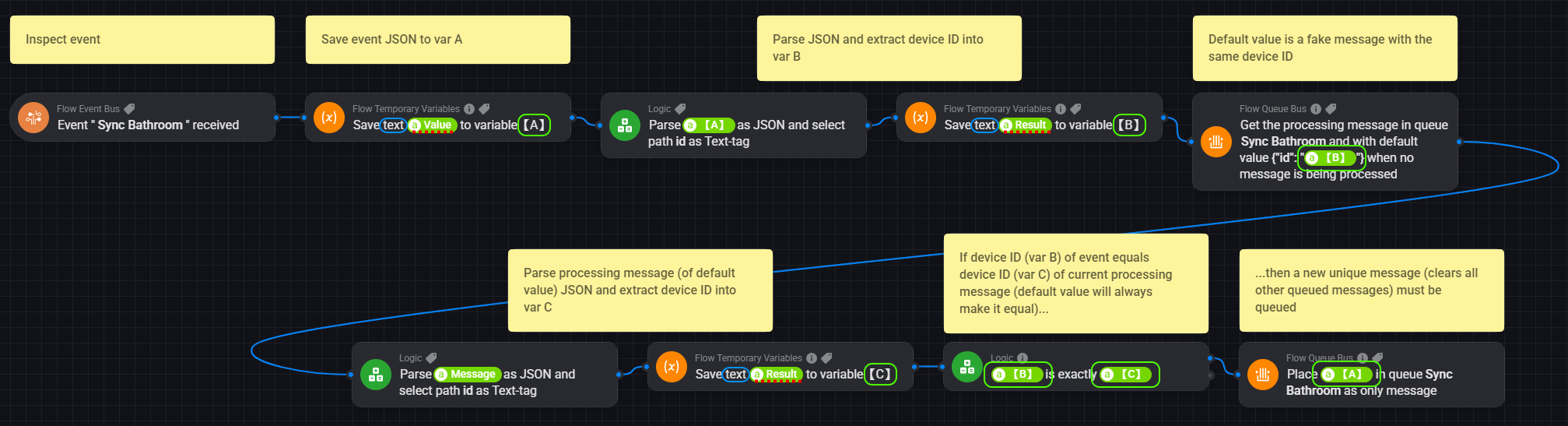
Real-life example:

I’m also planning to add a lot more functionality than the Temporary Variables app.

@Kai_Engvik

I’ve got a notification from you:

Hello, app will not install.

Homey (Early 2019) Versjon 12.2.0

Did you get your issue resolved?

Hi @Svensei38,

Can you please explain why the scenario below is not working?

Storing a simple boolean or number is not working, while executing the same thing with text it seems no problem :man_shrugging:.

Thx in advance,

Mark

Maybe you need to create three separate variables, as each data type is different.

1 Like

That’s what I did, all temp [A] vars are of the type I want to set.

This causes the same problem (it’s not even possible to set a text var on a boolean input):

What I meant was that you are storing three different values at the same time in Variable [A]. I have no experience with this app, but thought it might determine the variable type based on the first value it is set to.

That’s why I suggested to test with three different variables to check if it works. So Variable [A], [B] and [C]. One for the text value, one for the number value and one for the boolean value.

EDIT - There seem to be different flowcards for storing text, numbers and boolean values in a variable.

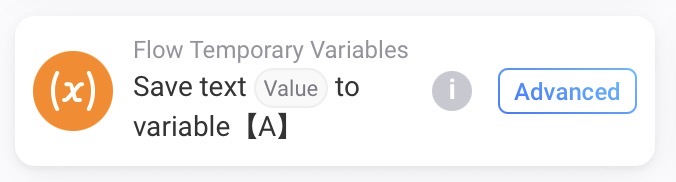
For text values you need to use this one:

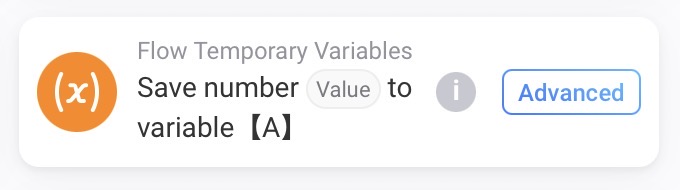
For numeric values you need to use this one:

For boolean (yes/no) values you need to use this one:

I already used the different flow type cards, also different variables did not work all tried before my post. Even if I just use one is flowcard is does not work, only the text flowcard is working. The app also gives the functionality of creating a list, that works perfect, but is overkill for just storing one temp var.

I found a other solution, by using a other temp var app, is only more difficult to see which temp var you use later on in your flow.

Thx, for your advise :slight_smile:

1 Like

@MarkS @SunBeech

There was a bug inside the application (in the name of the autogenerated droptoken).

I’ve submitted an update of the app (v2.0.2) that works as expected:

Once Athom approves the new version, you can update the app and the issue will be gone.

1 Like

New version is live.

Nice thx. This makes my flow much more clear.

1 Like