No, also a reboot was not fix it
Could you open the app settings page and select Diagnostics Log from the Show Options For. Enable the full diagnostics Log option and the restart the app. Once it has finished starting up, go back to the app setting page and tap on Send Log.
Done
i also send a log, did a reboot twice but didn’t help. you think this has to do with the RC1 update from homey it self?
OK, thanks for the logs, they were very helpful.
It seems the fix in Homey 12.0.1-RC1 for Homey 2023 so it now processes cpu_warn messages has caused the problem. Homey’s prior to 2023 gave 20 warnings before killing the app and Homey 2023 prior to RC1 did fire the cpu_warn message at all. So the app would take steps to reduce the load temporarily when the warnings got to the limit - 5. It turns out the fix not only now fires the cpu_warn message, but the limit has been reduced to 5. Therefore, the app was reducing the load immediately by shutting down the MQTT server so it would halt the processing of messages, assuming it was a rogue connection spamming the server.
It seems the start-up procedure can also cause a heavy load on the CPU while it configures everything, causing a cpu_warn.
I haven’t yet worked out why the server is not restarting after 30 seconds, but for now I have changed the cpu_warn routine to wait until limit - 1, so hopefully that will solve the immediate issue.
2 Likes
New test version to fix the 12.0.1-rc1 issue is now in test.
3 Likes
Many thanks again, for the speed of helping! It works now again
1 Like
Many thanks also from my side. It works now. Your response times are truly unbeatable.
1 Like
I am having a weird problem and can’t figure it out.
For an unknown reason Button+ is toggling the ’onoff’ capability of a virtual device without anyone pressing buttons on the device.
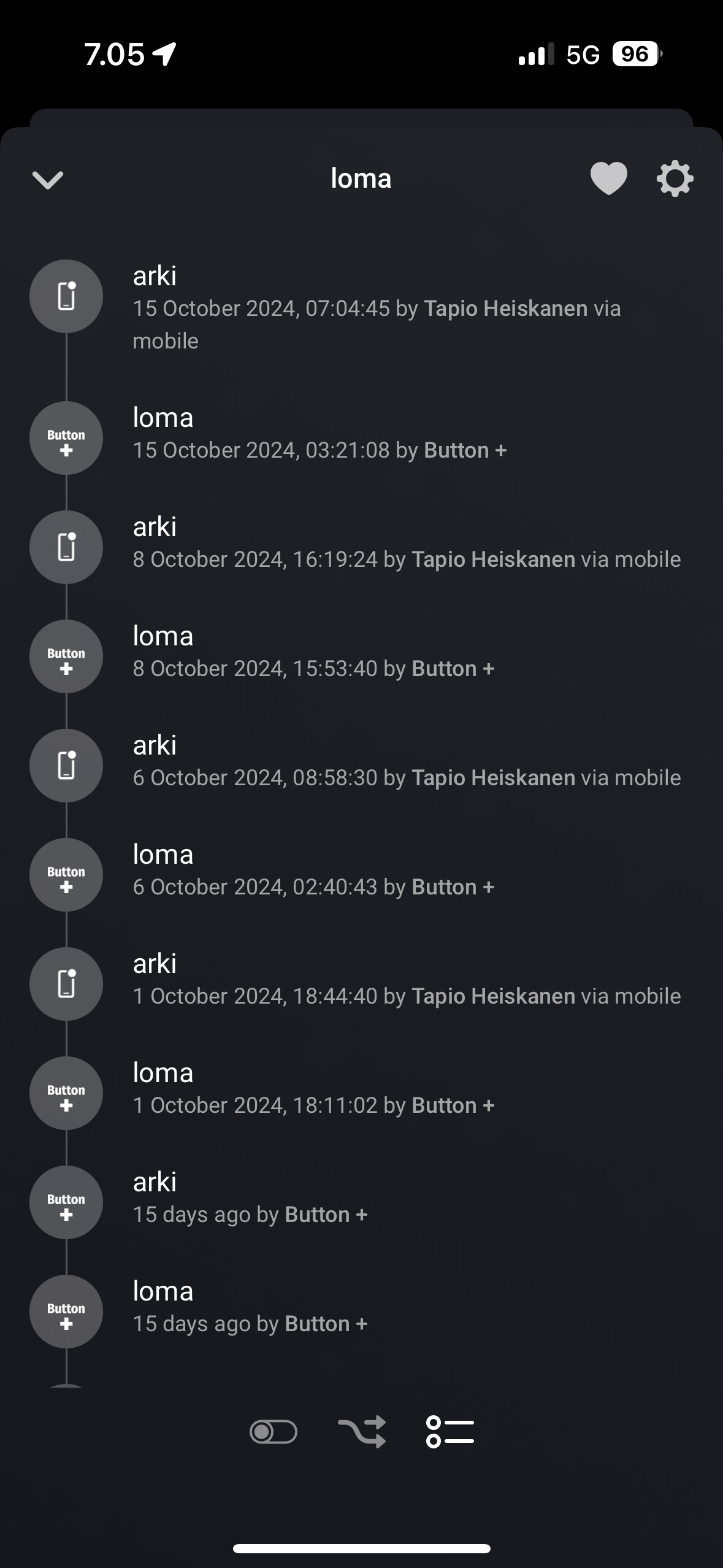
Here ’arki’ = ’off’ and ’loma’ = ’on’. The capability is bound to a right button on connector two.
Every now and tyen I have to manually toggle it back.
Homey Pro 23 at 12.1.0 and updates are set to manual.
Button+ 0.5.1 and update automatically.
Device firmware 1.13
The only thing I can suggest is to enable the Log and check that as soon as you notice it changes to see if it throws any light on the issue.
The only problem I am aware of is that older Homey’s stop responding to the the capability change notifications. They remain registered, but don’t work until the app is restarted.
1 Like
Turned on logginf and the app crashed in a few seconds. Found the issue though. The device was firing homey/longpress alternating beween left and right button on the bottom connector.
Seems there is a bit tolerance problems with hardware. I pulled gently on the modules to raise them slightly on their connectors and the message firing stopped.
I guess this could have been the root cause.
Ah, good you found something, so fingers crossed it is solved.
I guess if the Button + was spamming Homey, the extra load of logging all that caused a CPU usage error.
Hi, I just have installed the device. I am totally lost. There is the device in the Homey
There is no settings in the Homey app, I cannot change the button configurations (all the software and firmware versions are the latest). Do you have any videos or detailed description about the usage?
All the settings are in the app settings page where you define the configurations. The instructions are in the first post of this topic.
I am so sorry! I don’t know how I can not see the main settngs button in the app. Now everithing is fine! Thanks!
1 Like
He, first of all thanks for maintaining the Button+ app. I use it already for a long time with almost no issue!
I’ve only one scenario where I don’t understand why it not works.
The 2 cards here that should do the same thing. The second one would have my preference because I can select the button configuration from a dropdown.
The first card is triggered as expected, but the second card is never triggered. Could you explain why or is this a bug?

Just to keep everyone informed, the next Button + firmware will have some breaking changes for the Homey integration that I haven’t had time to check.
For now, please don’t update above firmware version 1.13.
I will do my best to catch up as soon as possible.
3 Likes
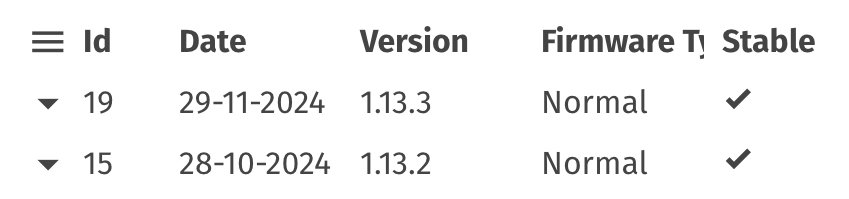
Sorry, I meant any of the 1.13.x version are fine, so 1.13.3 is OK.
The next firmware version will be 2.x.x which has had a lot of great work to make it integrate with Home Assistant.
Since my wife was diagnosed with bowl cancer I have been getting a bit behind on my apps and as this one has been working, I put it in the back of my mind. But, my wife is recovering well after surgery to remove it, so I should be able to find more time soon.
5 Likes
Thanks for the clearification @Adrian_Rockall.
Totally off-topic, bit I guess the mods forgive me for it:
I hope your wife gets well soon, and very nice to read that she is recovering well.
That always comes first, so we’ll see the updates whenever you have time. Take tour time.
3 Likes
