@Daan_Dagevos I see your logs. It crashes a lot.
@Daan_Dagevos @Willie27 @Peter_de_Witte @Raymond @HvN
I asked Athom for help. Hope they have any insights on this memory/cpu issue
Yeah, almost instantly, after every restart. It wasn’t that bad a few days ago. Fingers crossed for a solution.. Thanks for all your effort!
Wasn’t personal, appreciate your time and effort. Maybe I asked a bit wrong. Let me try again:
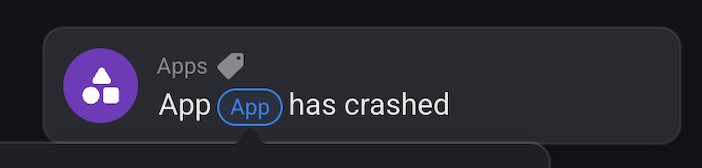
I know there is an app who checks when flows are broken. Is that available for apps as well, any of you guys know? If any of the installed apps is crashing, the monitoring app pushes a message on the timeline. When rebooting the Homey, I could check the timeline to see which app just crashed. Not sure if it would help in the future, but worth trying, just to speed up the time to find out which app is causing issues.
Now I disabled all apps, and 1 by 1 activating again until I activated WhatsApp and Homey went into red breathing again.
Btw, I’ve asked Athom, reply:
“Bedankt dat je contact op hebt genomen met support.
Wat vervelend te vernemen dat je een rode ring krijgt op jouw Homey.
Dit probleem is bij ons bekend en onze developer heeft hiervoor een oplossing in de ‘Experimental’ app. Zet hiervoor alsjeblieft de ‘Experimental updates’ aan. Dit kan je als volgt doen: Ga naar Developer Tools → Settings → Zet experimental updates aan. Update jouw Homey door in de Homey app naar 'Instellingen te gaan → Updates.
Werkt het nu beter?“
Was already turned on. Haven’t replied yet.

@Willie27 Sorry I also completely misunderstood
Also i think there should be a flowcard when you enable power user in the experiments section in the Homey app settings, Then you get this flowcard:
Might also be that this is a default flowcard.
I also checked in with Athom and I’ll try to revert the SDK of the WhatsApp to the previous stable version. That might brick some functionalities but worth a shot.
will post here when there’s a TEST version available
Probably unrelated, but today I suddenly had a red ring as well. For the first time ever since I had the Homey Pro 2023. Hope that didn’t occur due to all the Whatsapp crashes 
@Daan_Dagevos might be. You won’t be the first . Heard this multiple times already
New app update ( LIVE: 1.39.0):
Changelog:
NEW:
1: NoneFIXES:
1: FIX: rollback WhatsApp SDK to stable version. Prevent app crashing
 If you find any issues, send a diagnostic report
Note: Before sending a report make sure to reproduce the issue so the issue will be visible in the report
Via Homey Mobile app:
More - apps - WhatsApp - settings wheel right top - send diagnostic report (put your email in the input field to make it easier)
Via Homey Webapp:
Settings wheel bottom left - Select WhatsApp - Click on send diagnostic report
You can install this version by clicking the link above and press install (do not remove the app, only press install)
Don’t want to be part of a test version? Install the live version → WhatsApp | Homey
Yes, whatsapp is causing that.
After the update of 1.39.0 i have warning symbol on adding device page.
The old configuration from my whats app i cant repair, no option for repair.
Now i cant add a new device, warning symbol.
On version 1.38.7 was perfect for me hp19
Report from now
c035685b-2b23-49b0-87fe-fca2a4cc5040
Thank you
Same observation as Fatih Ti. Unable to repair the device since update 1.39.0, even after restarting the application (homay 19 also). The report is 6b015c90-1543-4e7e-b73b-0939e875e865
Thanks
New app update ( LIVE: 1.39.1):
Changelog:
NEW:
1: NoneFIXES:
1: FIX: SDK revert needed separate fixes for HP16 and HP19
If you find any issues, send a diagnostic report
More - apps - WhatsApp - settings wheel right top - send diagnostic report (put your email in the input field to make it easier)
Settings wheel bottom left - Select WhatsApp - Click on send diagnostic report
You can install this version by clicking the link above and press install (do not remove the app, only press install)
Work again. Thank you
Everything works. Thanks for the update.
Yessss, from last night messages comming in normaly. THX!
Hello,
For me it’s not working. I can’t repair it or I can’t add a new device. It won’t accept the code.
@Valentin_Ciopei yes that can be the case. That was fixed in previous versions but i had to go back to a older SDK to prevent the app crashing.
It’s either crashing or some features not working. Nevertheless can you send me a report?
Hello,
b5483e04-8605-4046-bbd7-d0cbe908f9fc
