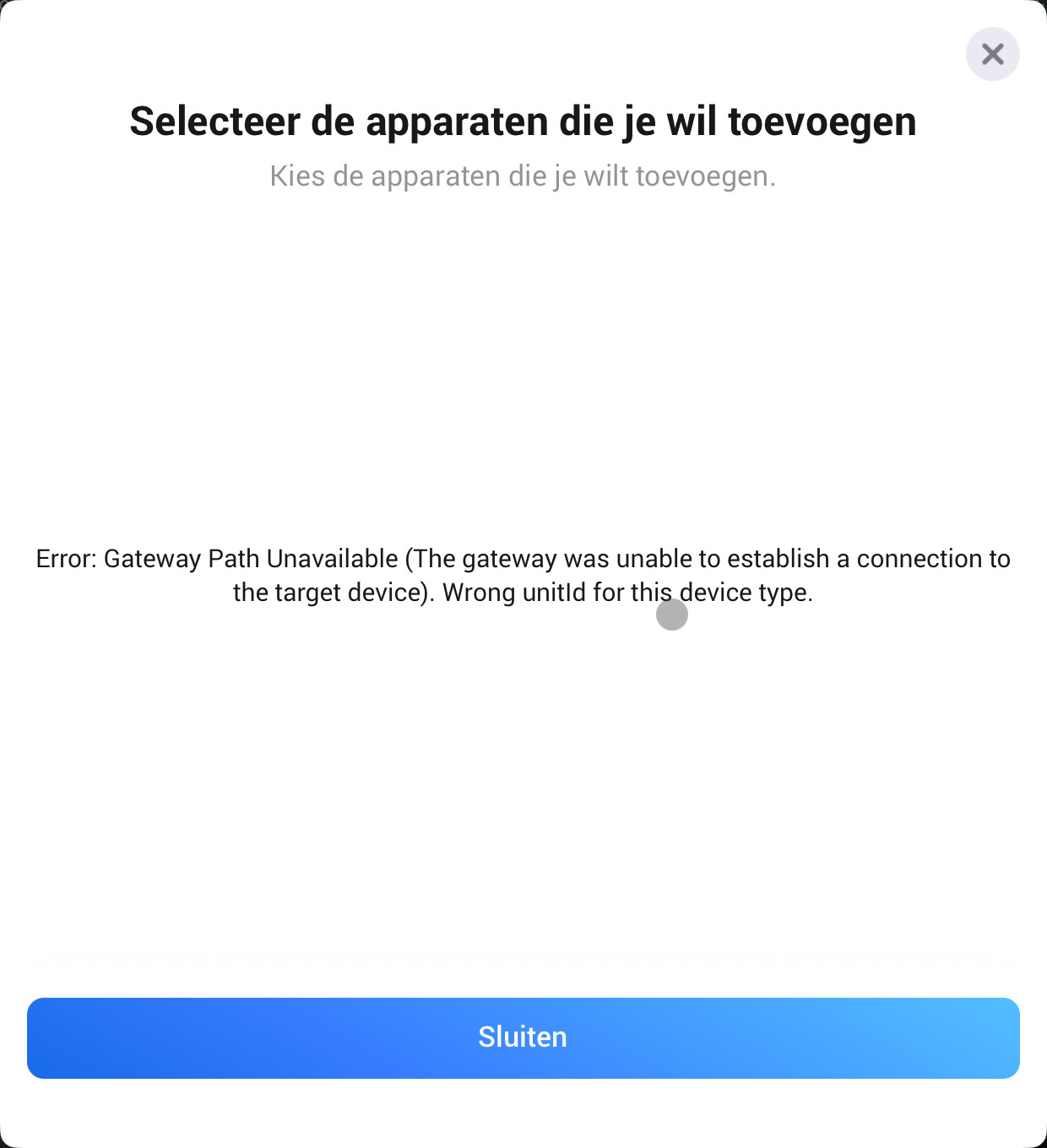
upgrading the firmware of the Victron solved the issue. But now I can’t see the level (%) of my battery anymore in Homey. I’m on Homey Pro (Early 2023) version 12.5.1 and running the Victron Energy app version 1.4.7
Ahoj Daniely vyřešil jsi nějak tento problém, tedy monitoring AC OUT samostatně za L1,L2 a L3 s možností vytvoření toku když na L1 je víc jak 3000w potom…. ???
The GX device does require a vebus, but what do you want to monitor in Homey? If it’s a solar charger, add a solar charger device. If it’s a battery, then add a battery device. If it’s a generator, then add a generator device. For energy measurement, add an Energy meter device. And so on. The GX device is the original device type that existed before all the other device types were introduced. If you want compatibility with Homey Energy, then the GX device adds no value; you need to use the dedicated device types.
I just got my Victron setup installed yesterday and got the Victron app for Homey Pro working for my Cerbo GX, Battery, etc in a few minutes. Really impressed! Thank you.
I have one thing I cannot get working: I’ve got two (2) EV chargers. I added the first one: works. I try to add the second one: does not find it. I triple checked IP addresses, port, Modbus unit ID etc. It does show up in MQTT, I just cannot ‘connect’ it in the Homey app via Modbus.
Any ideas? Or is 2+ charger not supported in the code (yet)?
.. and a usage question. The Victron devices show up in the Homey Energy tab summary bar and graphs, but the numbers/values don’t get update in the top graphic. Is there any configuration needed to get that working?
I don’t have a charger to test with, but I guess it might mean that registry 3800, product id, is the same on all chargers. I assumed it would be unique. I can change this device type to use the unitId as the id in Homey, then it should work with multiple chargers.
Unfortunately, for certain device types, such as the battery device, there is no registry to read from Victron that shows the lifetime charge and discharge energy, so this information will never be displayed in Homey.
For the solar and EV charger, we have meter_power, so it should be displayed correctly. For PV Inverter, we don’t even have the total yield, so if that is what you have, we can’t show it. We are limited by the information that Victron exposes.
I did some experimenting and still can’t figure out how to remove the limit either. The docs Modbus TCP registry sheet that Victron offers as documentation doesn’t contain any mention of disabling the limit. If someone knows how, we can add it
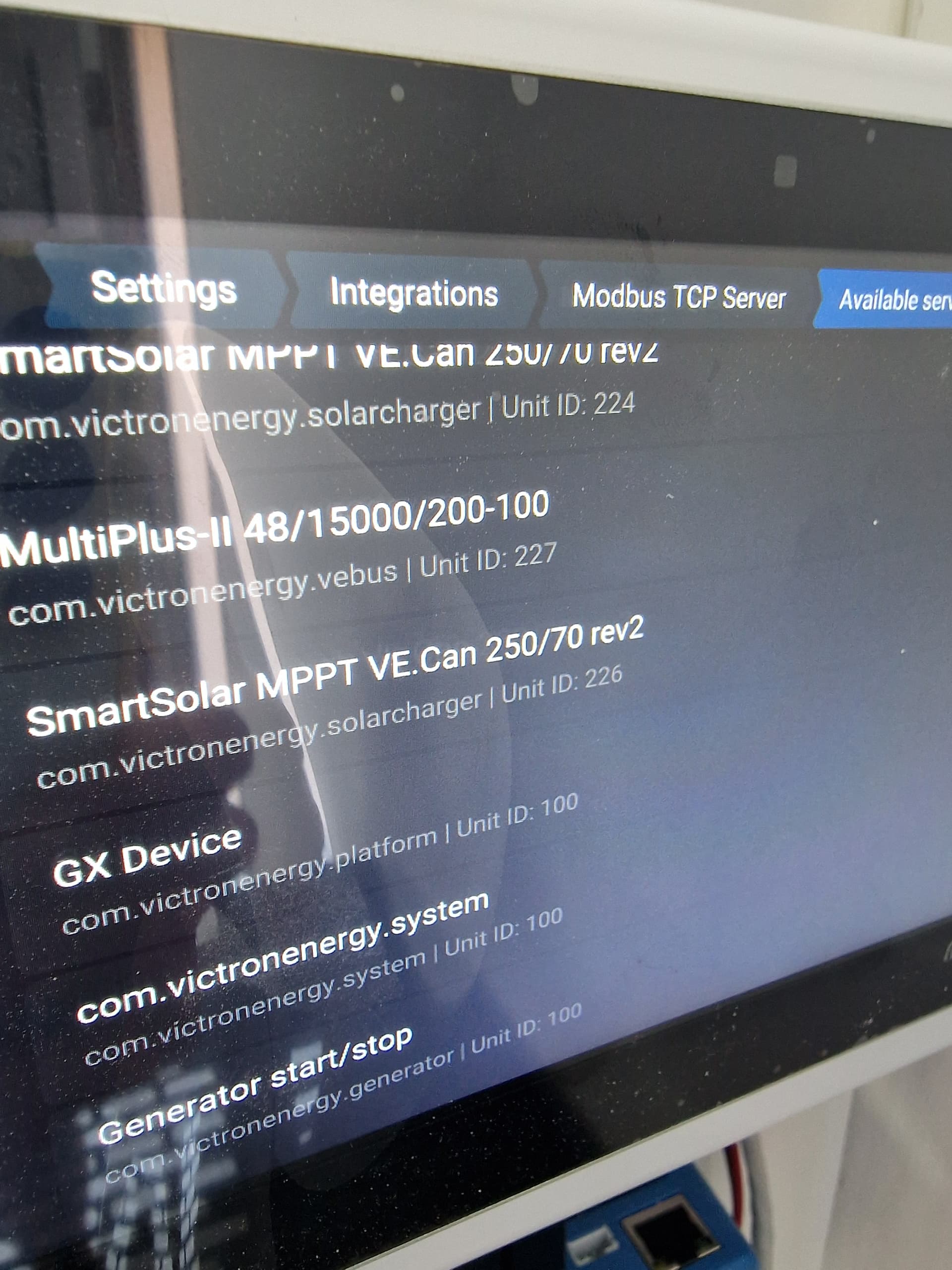
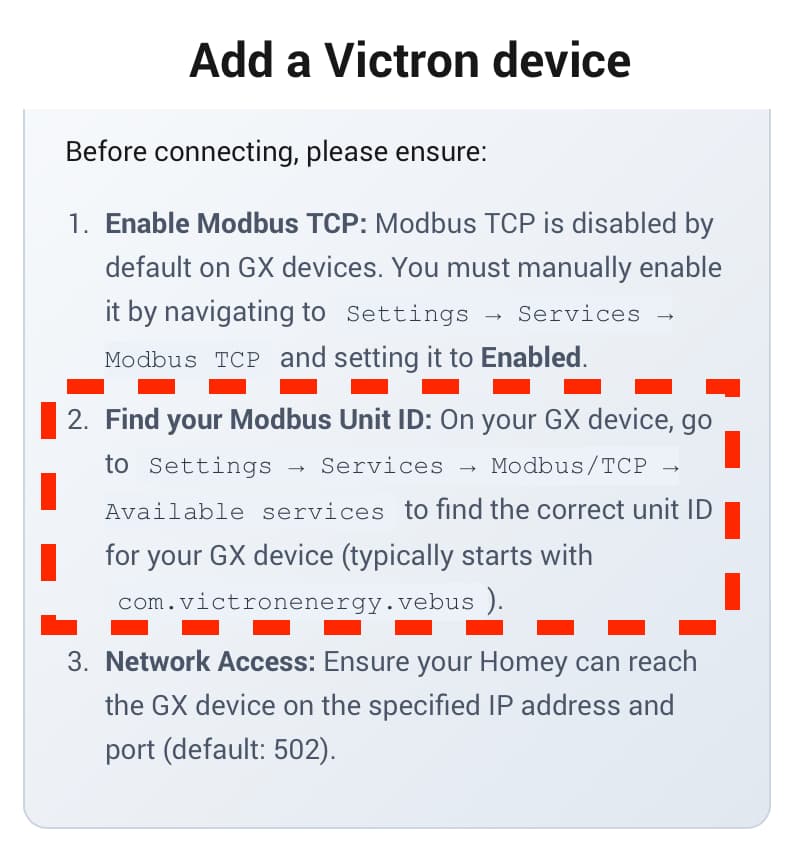
I have tried to clarify this in the instructions on adding a GX device in Homey, as outlined below. I can make them even more straightforward, if needed. You should enter the unitid for the Vebus, i.e., 227 from your screenshot, and not 100.
id 227 we tried severall times. We tried all ID’s just to check if we missed something.
But there is good news today. without doing something different we got 227 working this morning.
Beacuse I had 100 on another system I automaticly (after testing all, many timeouts and errors later) used 100 as normal. but the instructions are clear and we followed it at first. not handy to use it here on the forum!
would it be possible to read more values from Victron VRM Portal? Like Battery SOC or other values?
Background: i’m using Victron components in a camper and a globalink to connect to the portal. But i cant connect directly via IP to the victron devices, nor do i have a cerbo gx.
but as you already connect to the portal, maybe you could add other values?
Recently I migrated from Multiplus to Multi-RS. Since then, there is no vebus unit ID any more, hence not possible to integrate my Cerbo GX. I do have my multi’s available, Unit ID 100, 1, 2 but do not succeed to add devices. Any suggestions?
Can you tell me what you want to achieve with the GX device that you can’t do with the other devices?
I assume you know there are a lot of device types in the app, and as stated before, the GX device is not compatible with Homey Energy, you have to use the other devices that have a dedicated purpose, like Battery, Solar, Energy meter, etc.
Victron Cerbo GX + Homey: does it require a VE.Bus inverter to work at all?
I have a Victron system consisting of:
Cerbo GX
SmartSolar MPPT 250/100 (VE.Can)
SmartShunt 500A (VE.Direct)
Victron Phoenix Smart Inverter 12V / 3000VA (VE.Direct, not VE.Bus)
No VE.Bus devices (no MultiPlus, Quattro, ESS)
The system works perfectly within Victron’s own ecosystem:
GX / Remote Console
VRM Portal
MQTT (GX → LAN)
However, in Homey:
The Victron GX app does not expose usable devices or data
The Victron VRM app only exposes partial or unreliable data
My questions:
Is it an intentional limitation of the Homey Victron GX app that a Cerbo GX does not work without a VE.Bus inverter, even if the system contains VE.Direct devices (SmartShunt, SmartSolar, Phoenix Smart)?
Is this because the app expects a VE.Bus / ESS instance (an AC-based energy core) before it creates Homey devices?
Are DC-only / VE.Direct–based Victron systems (battery + solar + inverter, no VE.Bus) currently unsupported in Homey — or simply not implemented yet?
Given that all required data is available via VRM and the VRM API (SOC, battery voltage/current, solar data, alarms), would it be technically feasible to extend the Homey Victron app to support DC-only systems without VE.Bus hardware?
My goal in Homey is only monitoring and alerts:
Battery SOC
Battery voltage
Charge/discharge current
Basic alarms
No need to control VE.Bus inverters or ESS functionality.
Additional note:
While my primary goal is monitoring (SOC, battery voltage/current, alarms), having basic control capabilities via Homey would also be a clear advantage in the future.
For example, being able to adjust charge current limits or other non-ESS, DC-side parameters via GX/VRM would be very useful for off-grid systems.
I understand this may be outside the current scope, but I wanted to mention it as a potential future use case.
I cannot get a ev charger in homey. I fill in the correct IP and port. But it times out I know it is unit 40. What do I have to fill in in the setup at the bottom.