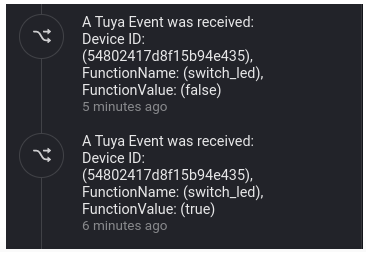
I got it from the first time. But, again, the question, where is this screenshot from? It appears to be from a device log, right? How did the Tuya Events land in that device log?
That’s the timeline from the web app;
as explained in the howto, you get this info to the timeline using a flow like this, but then you’ll have to replace the Signal Bot card with a ‘create a notification with…’ timeline notification card
In this case I used Signal for logging, while the timeline clears the oldesr notifications after a while.
Good day,
I’ve got some issues with this app.
It worked very good for a few months, but at this moment I don’t receive any data in my homey. I already renewed my IoT Core trail subscription (just to be sure). I restart my homey and I restart the app itself.
When I restart the app, my homey app on my telephone crashed (on two different mobiles). But I do get the current state of all the devices in, bit it doesn’t get any new input.
Restarting again and then data is updated. So it looks like the data stream only works once and then it’s down.
Any tips what I can try, or maybe a know issue?
That sounds like the Tuya IoT core isnt fully renewed (yet). Had this 2 weeks ago when IoT trial expired only on app start it gets all states and sensor values then it stops.
Tuya cloud api took little over 24 hours to be actually available again.
+1 on the temperature sensors. I actually bought 11 of them - and I wasn’t exactly sharp on the fact that while Tuya supports these sensors out of the box (pairing is a breeze) See Ali-Express for reference the Tuya Cloud Homey app doesn’t cater for this category of sensors. So for now I have the option to manage these separately in Smart Life - or to integrate via API and Homey Script. But as I am now working on a Volt Time Cloud script - that might take a while. Even better would be to encourage Tuya to build a native app for Homey (make sure to let Tuya know we want that integration - there is an easy link for that in the Homey App in the find app function
Hello! To add a Tuya-compatible zigbee device to the Homey Pro 2023 hub, do I need a separate zigbee hub or is the Homey Pro hub used directly? I mention that I created an API in Tuya that I associated with SmartLife, but I don’t understand how or where I can add the devices, in SmartLife or in the Homey application. Can you help me with a link to a video tutorial?
Ah, first pair your devices to the SmartLife app (I prefer to use the Tuya Smart app though).
Then you can add the supported devices to the Tuya Cloud @ Homey, if you configured the Tuya Cloud app right.
When you use a Tuya/Tuya based zigbee hub, you can use any Tuya zigbee device with Homey.
One big disadvantage (if you care): you’ll need internet & Tuya servers to use the local zigbee protocol this way
No problem when a device can’t be added (it probabably is not supported), because there’s 2 workarounds: tap-to-run scenes, and RAW commands.
This is also explained in post #1
I cannot get the Homey app to connect to the tuya cloud. I recreated the Tuya project because the original project was created before 2021. Furthermore, I can connect the smart life app to the tuya cloud and the devices are visible in the Tuya cloud.
When configuring the Tuya Cloud app on Homey, I get the error message Error: Error: Code: 2406; msg: skill id invalid.
Tried unlinking and linking the app. Link succeeded, when configuring the app on Homey, same error appears.
Thanks @Peter_Kawa , I did indeed read post #1 - but not as thoroughly as I should have - so I missed the part where raw commands could be used to read the temp sensors. Having a very hard time though getting the messages.
I can use the Homey Tuya Cloud app just fine - that works like a charm - adding devices etc.
I did configure the flow to spec (following your specific instructions)
But somehow - however I configure it - I’m not getting messages inbound that trigger the event ‘Tuya Cloud message received’ apparently.
Not actively complaining about that - because it could honestly be me starting up - and missing something (RTFM -like).
But any tips to point me to where I could actually confirm that Tuya Cloud ‘is’ in fact sending messages to my homey would be highly appreciated. In any case - thanks for your effort even in replying on my first post !
I will keep trying until I succeed ! and will report back if I got it to work
OK, I’ll walk you through it, maybe it helps you out:
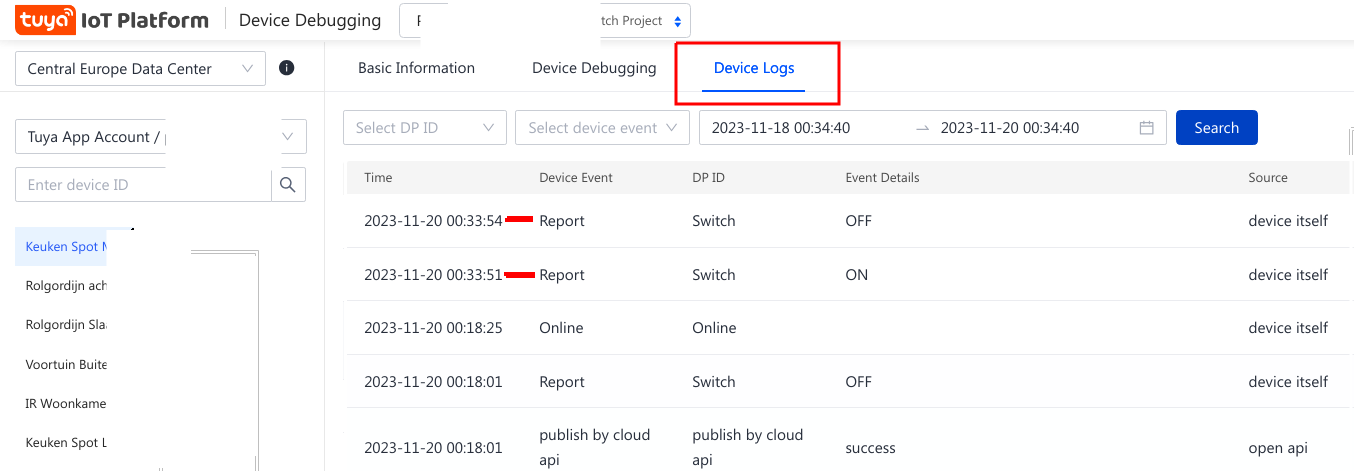
When I turn on a light, it is logged in the Device Debug section of https://eu.iot.tuya.com/cloud
Open project, and click on “Devices”, and then click on “Debug Device”
(it saves the logs at UTC time, hence the 1 hour difference with the iot Device Debugging Logs) and note, its logged in the same second as when I switched the light.
If I compare my info (above) with your layout (below) – nothing stands out. One thing I notice is that my source is listed as the account starts with gg- followed by a longer number – provided in the registration by Tuya – where I noticed the first letter of your ‘source’ is ‘pe’ – something. Don’t know if this is relevant to receiving the message or not
I can’t really interact with the temperature sensor as it does not have any switch to toggle. But for all intents and purposes – I can see the sensors are talking to us. In the debug view – see below.
.
So – then the flow part – it’s there – seems identical right ?
So – what happens is – this does not result in any message in the log – I even tried actively triggering a simpler test – with a smart plug on/off on/off – nothing.
The only thing shown here are results from an other - not related flow (nachtlamp mode) - that has no relevance to our test.
No entry from any of the devices – where I was expecting a lot of messages by now – or should I not expect a notice for every status change ?
So – I’m thinking the messages from Tuya Cloud either do not get sent – or they aren’t processed correctly. And I can not figure out how to analyze this traffic flow – where is the missing link ?
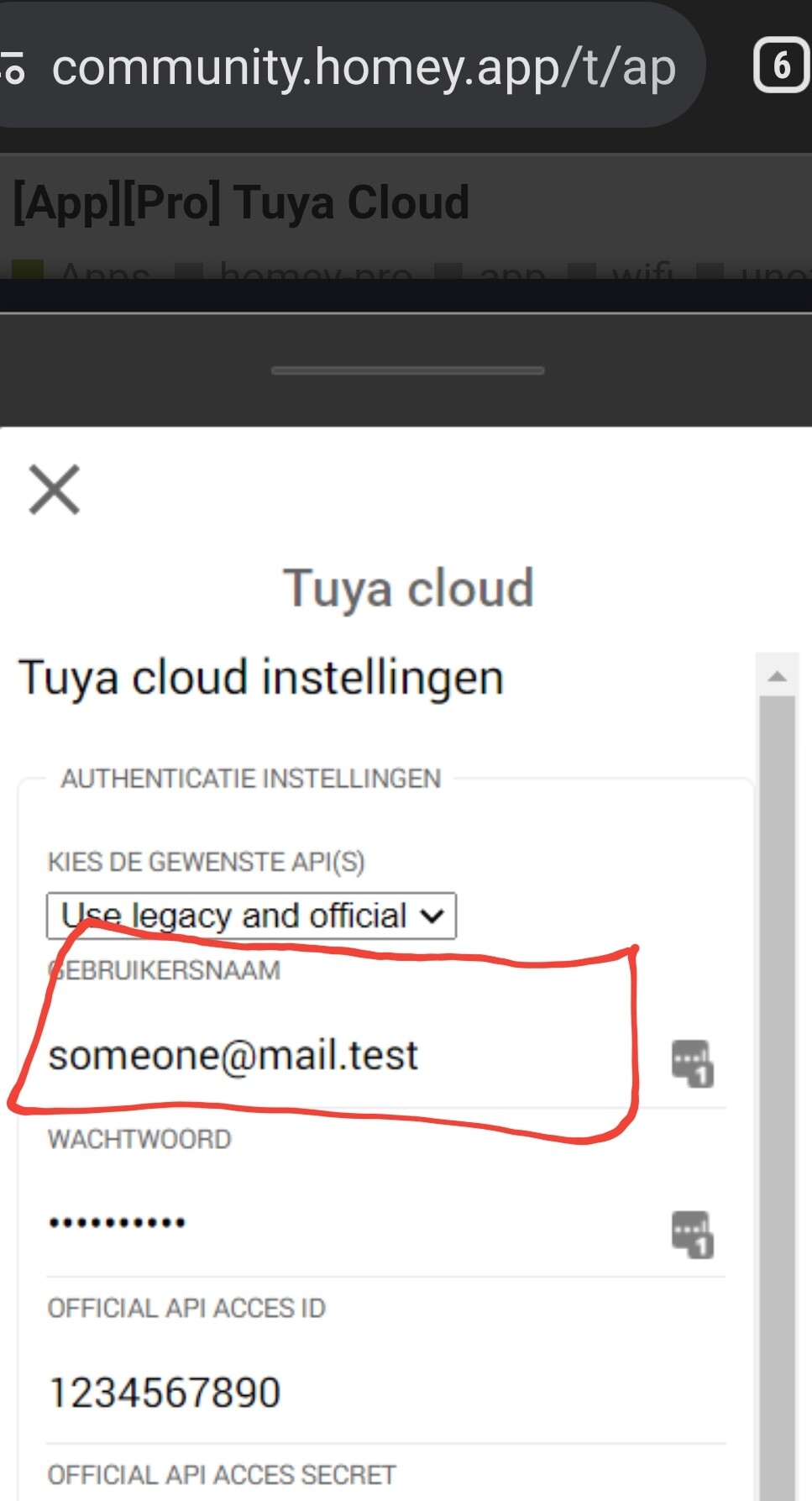
What is the gg[longer number]? Is that the username from theTuya smartphone app login?
I think you should use the email address you registered when signing up for your Tuya smartphone app.
.
Yup. That’s perfect.
This might sound stupid, but are you sure the flow is enabled? Happened to me a few times
Im switching from Hoobs/Homebridge to Homey and managed to migrate most devices successfully. However, three devices who are recognized in Tuya Web Bridge on Hoobs and are also linked in IoT cloud project, do not show up in Homey. Two of them are floor heating thermostats and the other one is an air purifier. Regarding the thermostats, I have three and one is recognized by Homey so device type shouldn’t be an issue.
Any thoughts on this?
 )
)