Here exact the same.problem i have do understand with the 6 months but nothing works is there.somebody the.can help
Is working all device on website tuya but in de homey app when I want to install device hé say this every time Who can help me please
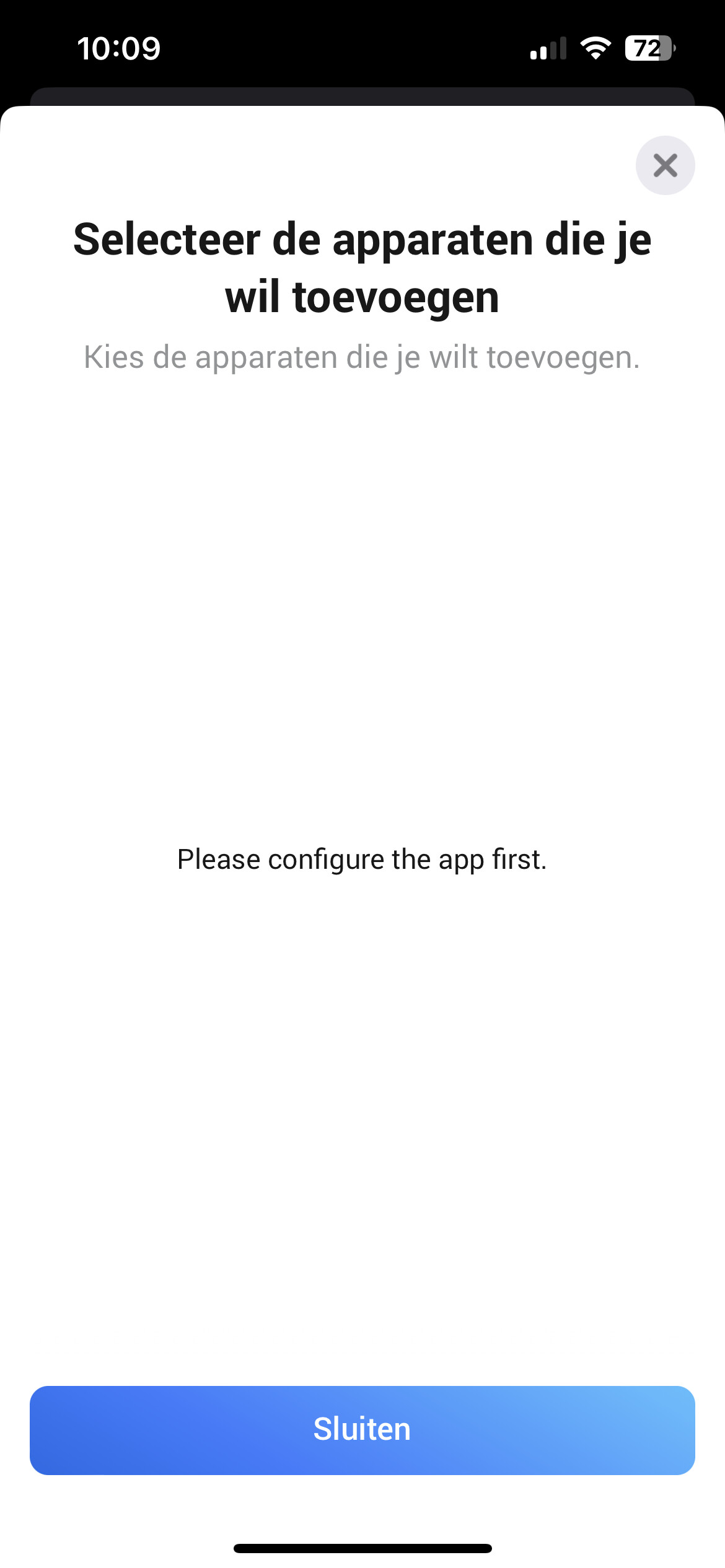
Here the same problem. Older products work perfect. But I can’t add a new product (heater) to Homey. It appears in Tuya-app and in the Tuya-cloud but in Homey i have to configurate the app first.
I have the same problem. The devices give “missing capability listener on/off” error. I tried:
Nothing works. When i try to reconfigure settings and press save, it gives a “error” popup. And I need to reconfigure app when I try to add device.
The only thing that happened in between is switching from network provider with new modem and then this problem occured. Like something is blocking the connection.
I don’t know what to do anymore. I am using HA for Tuya Cloud at the moment.
Most probably your internet IP address changed because of the new provider.
.
I’m sorry to say, but all that won’t help with Tuya Cloud app issues.
It has to be configured just right. The devil is in the details.
First make sure you’ve deleted all of your Tuya Cloud devices @ Homey, so nothing uses the old driver anylonger.
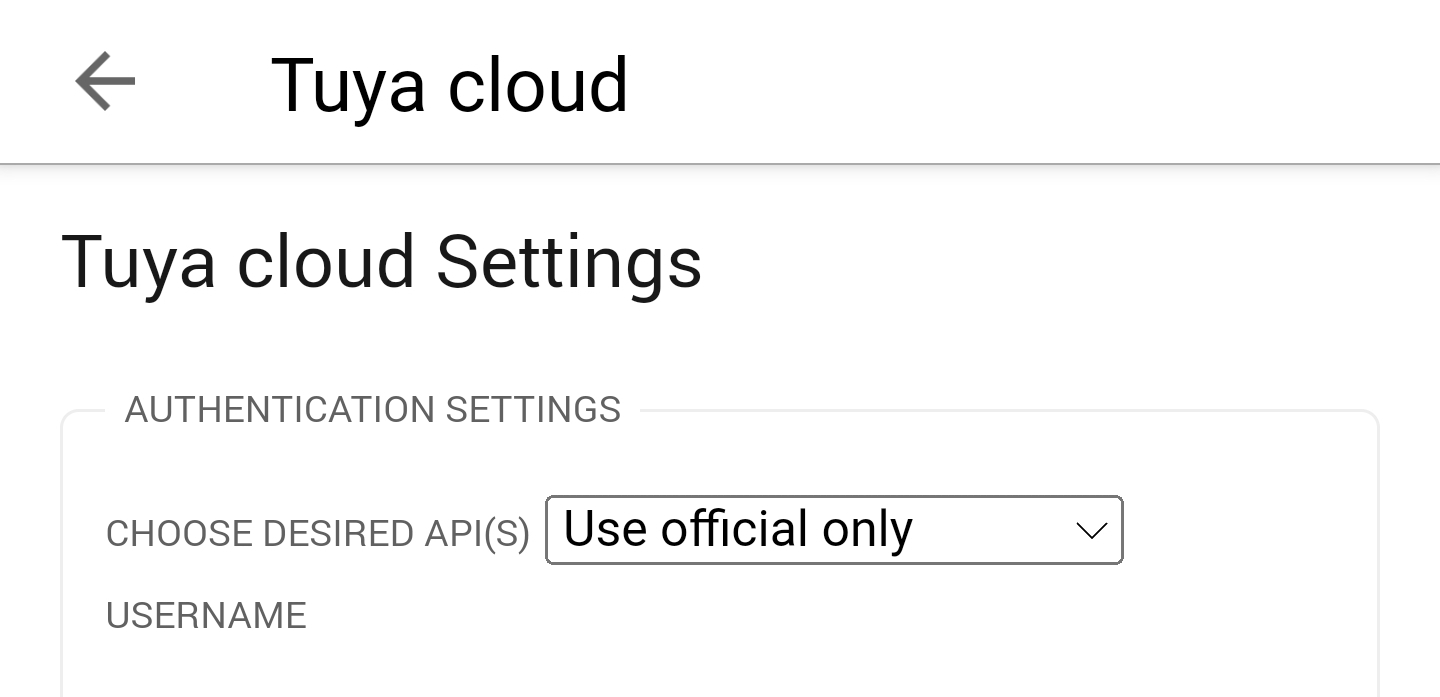
Then select “use official API only” on top of the app config.
Now add all your Tuya Cloud devices to Homey again.
Note, there’s a great script to fix all flows involved.
Also make sure your “iot trial period” is not expired , goto iot.tuya.com to check.
Also, I’ve posted a YT instruction vid several times, just search for “youtube @Peter_Kawa” in this topic.
Hi Peter,
I did that i few months ago, but now it looks like everything is reset to the old situation. But it is just simply delete all Tuya-devices in Homey (also the app or not?) and add them again?
App doesn’t need to be removed / reinstalled.
Delete all Tuya devices in Homey, and
Restarting the app after each config change can’t hurt.
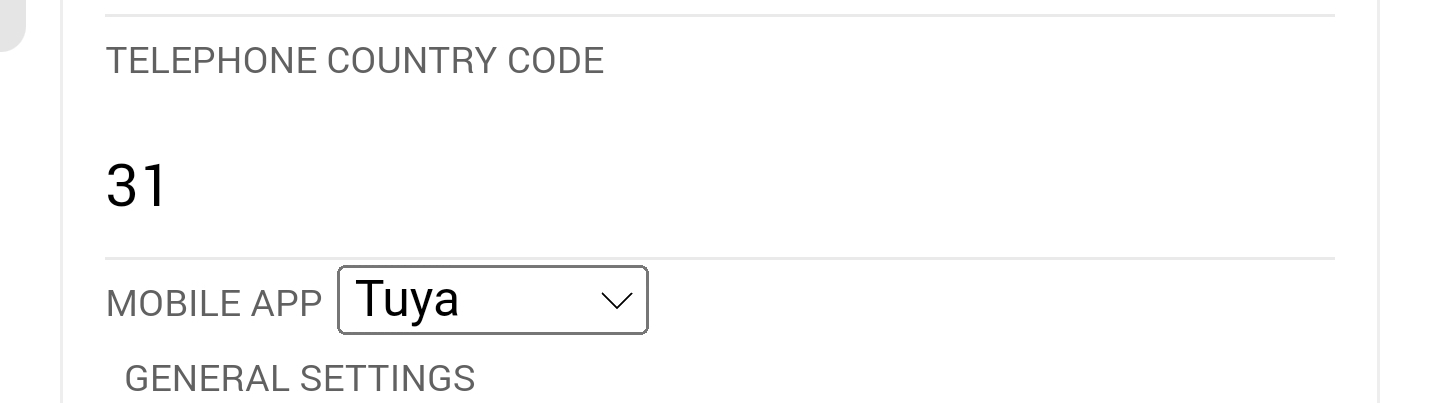
Also make sure to enter the Telephone Country Code in the right format, 31 for NL.
And select which phone app you use, Tuya Smart, or Smart Life:
If you still get “configure app first” errors, hit the save or reload scenes button in app settings.
It should return an error ID.
Then search this topic for that ID to find the culprit.
I mentioned it myself that the modem switched so aswell the IP ofcourse. I had to change the white list IP. My bad dumb mistake.
Thanks for your advice @Peter_Kawa !
Also for mentioning. When you try to configure settings through mobile app it just says “Error”. But when reconfiguring through web app it says "Error, IP (xx.xxx.xxx.xx) not whitelisted. If i just tried that earlier… 
Ah, glad to see that was the culprit. But it’s not dumb.
How many times I locked myself out of a server, by applying/removing the wrong firewall rule 

Oh that’s great info, I didn’t know that! Thanx!
It’s very odd there’s that much of a difference though.
Hi,
After some homey updates, all my tuya devices lost connection with homey. I have reset the tuya cloud development link and deleted and installed tuya cloud again. But it seems no matter what I do, I cannot connect devices again.
This message “Please configure the app first” when “Add device” - “Tuya Cloud”… It will not go away.
And I have configured the app several times.
Here I even tried to set the regional number to sweden to check if it matters.
Can someone help me with this?
I can see that there is other posts related to this problem but in other language than I know. So that will not help me much.
Thankful for any help with this problem. It is driving my wife crazy, since we have light switches that is connected to homey in order to operate the tuya lights. And now it is not working anymore.
I just had the same problem. Renew your free trail subscription for the tuya iot cloud. It last for one year then you have to reactivate it. You can only do it for 6 months at a time.
It should work according to this fix by Ronny
The scale factor seems to be dependent on the amount of decimals defined by the device manufacturer
So, maybe your airco device uses a still undefined amount of decimals, and you could ask Ronny if he can take a look
Hi Ronny,
Seems mine is not working correctly for my airco. Any idea what I should do?
I don’t think that this app is still maintained. We should wait for the “official” Athom version.
Hi, what information would you need to add a inverter pool heat pump, i have it working in Tuya cloud, but as the device is not listed in your app i can not use it in homey…
Hi Tim,
When you have read post #1 of this topic, you now know:

When you can’t get it to work anyway, just ask.
Hi @Peter_Kawa
I just received my 8 station smart sprinkler / irrigation controller from Ali 
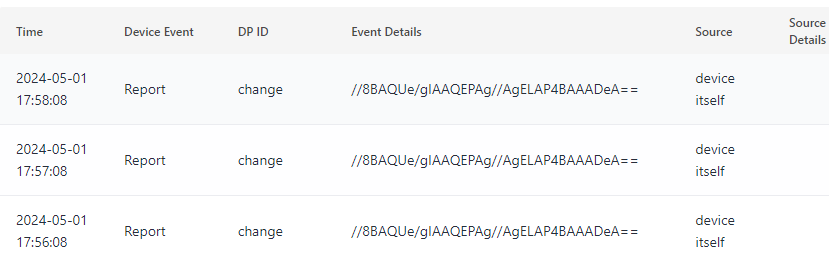
With Tuya cloud I can execute scenes eg. to open valve 1, but I cannot detect RAW events from this device (I get events from others).

Is there still an option to add this new (class) of device to the Tuya Cloud app so I get events?
What is needed to do that?
Central Europe Datacenter

Device log

These are the instructions in:
Hi Rrrr,
First try enabling DP instruction, the RAW events should be sent in theory.
My knowledge on how to add device types to this app is zero.
Take a look at the github commits to start with:
https://github.com/jurgenheine/com.tuya.cloud
You’ll need to know the ‘product category’
{
            "type": "socket",
            "category": ['cz', 'pc']
        },
Your device has this one
Technically the 8-station sprinkler controller is comparable to an 8-gang relais (also called switch) , maybe that simplifies things, you could use a 2-gang relais driver code as template / starting point.
It’s possible when you write the code (or ask someone to write it) and test it when you merged it with the downloaded app code.
When you install it by CLI, you can execute homey app run from within the app directory.
This way it returns all errors at your console.
When all’s set, install the app by homey app install
Great, this worked and I now receive RAW events. Thank you.
The rest is way too much for my skill set.
I wish I could test the state of the device valve.