I’ll share tomorrow but it looks to be pulling as you expected
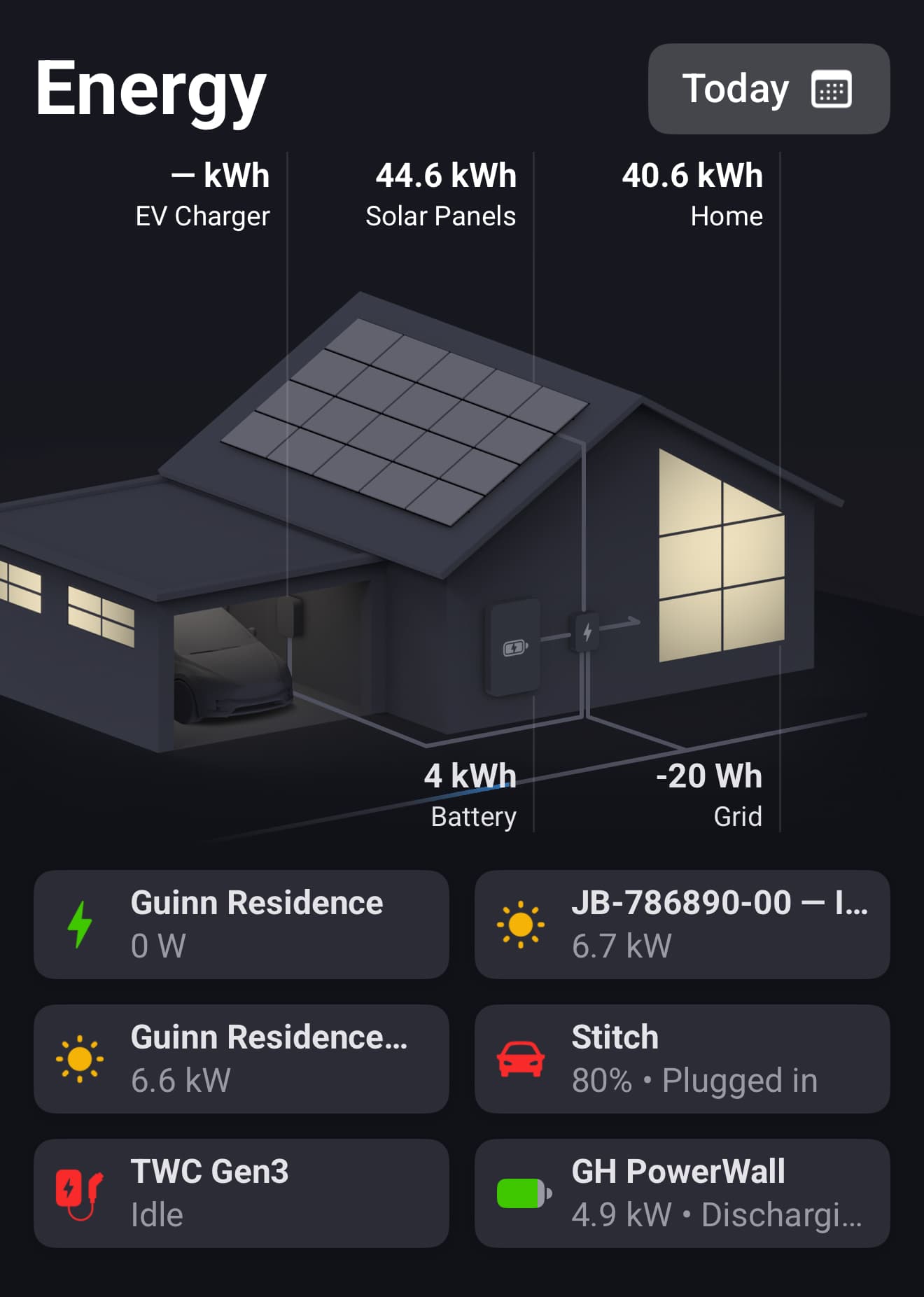
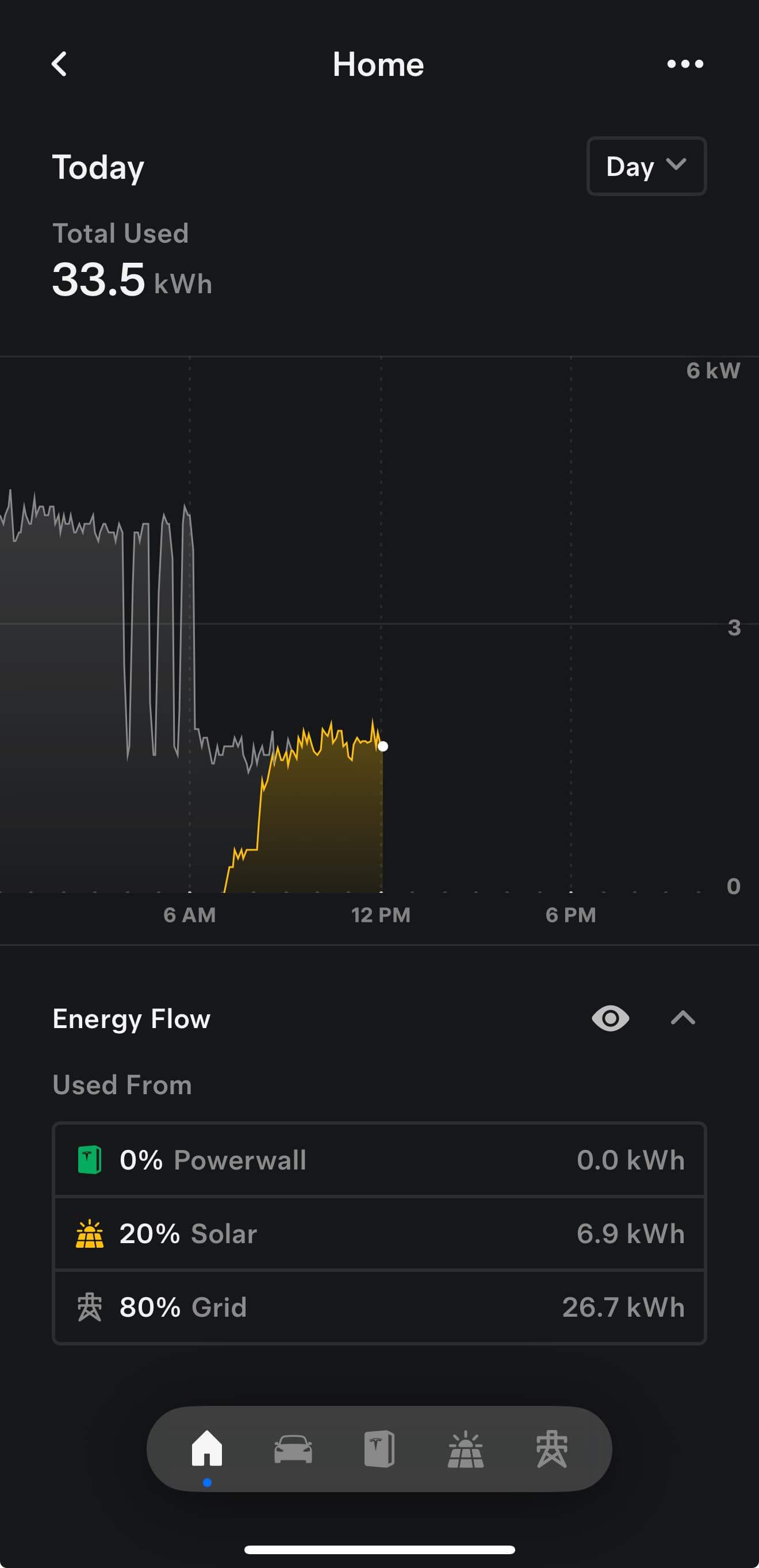
New test version 3.1.4:
- Fixed some today’s meter values.
Thanks for adding the option to connect my Tesla Powerwall to the app, great new functionality!
I just added my Powerwall and it all seems to be working fine. A few questions 
- Will it be possible in a future update to send commands to the Powerwall? For example, I would like to update the energy prices daily. You now can update the prices manually in the Tesla app but this is quite some work. I have dynamic (hourly) electricity prices, it would be great if I could write these to the Powerwall once a day. It can then automatically decide when to charge and discharge.
- Sofar, I have been using the official Tesla Energy app to read data from the Powerwall. This app has not been updated for 2 years so great that there is an alternative now. The Tesla Energy app is still working though, it directly gets its data from the Powerwall by logging in locally (IP-address, credentials). Are you planning to add the option to read data directly to your app (a bit like the BLE option to read data from the Tesla cars)?
There are some commands, also for price/tarrif periods ( time_of_use_settings).
But it looks quite complex. Example:
https://digitalassets-energy.tesla.com/raw/upload/app/fleet-api/example-tariff/PGE-EV2-A.json
I have no idea how to pass just a price.
No, this app only supports FLeetAPI. The car/BLE is just a workaround for the API price (and via BLE the same signarute/encryption is used, so it’s equal except the send process.
But everything else will depend on FLeetAPI.
And I got the request to add EnergySite because Teslas new firmware prevents local access.
I checked the details how to send this data. It’s quite complex.
You don’t have just a price to send.
- You have to fill categories (on peak, partial peak, off peak) with the price for winter/summer.
- Then set time frames for the categories (hours from..to), different for summer/winter.
- Then set begin/end of summer/winter (date/month from…date/month to)
Than means, you will need a list of all daily prices.
In addition you need the categories with price from..to like:
- PARTIAL_PEAK 0.4138
- ON_PEAK 0.4305
- OFF_PEAK 0.2451
This way you have to set a category for every hour.
Then you can set this one-day setting as all-year-setting.
Problem: Where do you get the daily price list from? And where the category - because that will change from day to day based on daily price range.

Hi Ronny, thanks for taking the time to investigate the (im)possibilities for setting energy prices per hour in the Powerwall! You have given it more thought than I have; I understand the complexity now.
My thought was to be able to benefit from the times that the electricity prices are negative or very low to force the Powerwall to charge completely so I can use that power to charge my Tesla M3 when the car is home and prices are higher.
I use the Power By The Hour app to get the electricity prices every day; I did not investigate it yet but I guess there must be some way to get the prices per hour (or the average prices for a certain number of hours) into a variable and use these values to write the prices to the Powerwall.
Giving it more thought now, I think setting the prices per hour in the Powerwall becomes too complicated. Perhaps it would be better to define four of five periods at most and calculate the average prices per period.
Still, very complicated. Perhaps I should check first if there really is a way to get the prices per hour into a variable. I’ll do it over the weekend!

Maybe because of 2fa?
Please check your app settings in developet account. It seems you did not copy/past the URLs correctly.
Thank you! This was the solution.
Hi Ronny, I have been trying to find a way to retrieve the hourly electricity prices for tomorrow (24) to be able to store them in variables and eventually use them to update the price schedule in the Tesla Powerwall.
But I have not been able to find an app that gets the prices per hour for tomorrow or even today. For example, Power By The Hour only has the prices per hour for the next 8 hours. So I think I have to give up on my idea to update the Powerwall pricing schedule with Homey
chat gpt says there are hard limits to the api commands en other options.
It says you can only start / stop charging 5 times per day, and adjust the ampere of charging 50 times per day as a hard limit set by Tesla. Is this true? Also with a paid developer account with credit card details?
Sincerely
Bart
No, there are not such limits - that’s long ago
You have your 10€/$ credit/month and you can do what you want until it’s used. Data reading, commands and wake commands are different weighted. You can see it on developer page.
Hi, I’ve got to the point of authorising the app in the HP and I’m receiving the following error. Any help would be appreciated. Thx
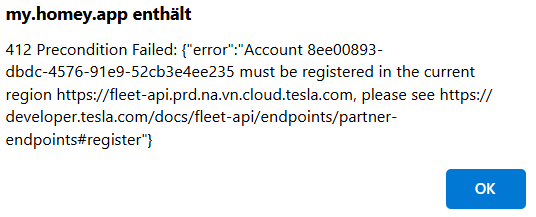
412 Precondition Failed: {“error”:“Account 497dc283-eb22-4c92-a67a-2071cbcc5daa must be registered in the current region https://fleet-api.prd.na.vn.cloud.tesla.com, please see https://developer.tesla.com/docs/fleet-api/endpoints/partner-endpoints#register”}
Is this a private car or leasing?
It seems that the car is located in NA region (north america), but the personal account in another region.
Perhaps this can help:
Thanks for the quick response. Its actually just for a Powerwall 3, no car, and I’m located in Australia. I will work through the linked post and see how I go, thanks.
Hi Ronny I have your great app installed and it is working with the car (developer account using fleet api ) Then I have added Battery to be able to turn charging on and off. Unfortunately this is not working and I get the error message: „Session info hmac failed“ I did delete and reinstall the app and register new in the car but no success. Any Idea what to do?
Hi, that’s a situation where the app key and car key are not in sync.
It happens if the key is alreday added to the car and then a pair/repair is done changing the client_id or secret. Then a new app key is generated.
Please follow this post and remove/add the car key again.
Did you already get it to work?