@Jacco_van_Eck
Here is a step by step example.
Open this page in your browser.
https://accounts.tesla.com/en_us/account-settings/personal-information
If it’s showing a 404 error, just click on the icon in top right corner and open account settings.


Then edit:
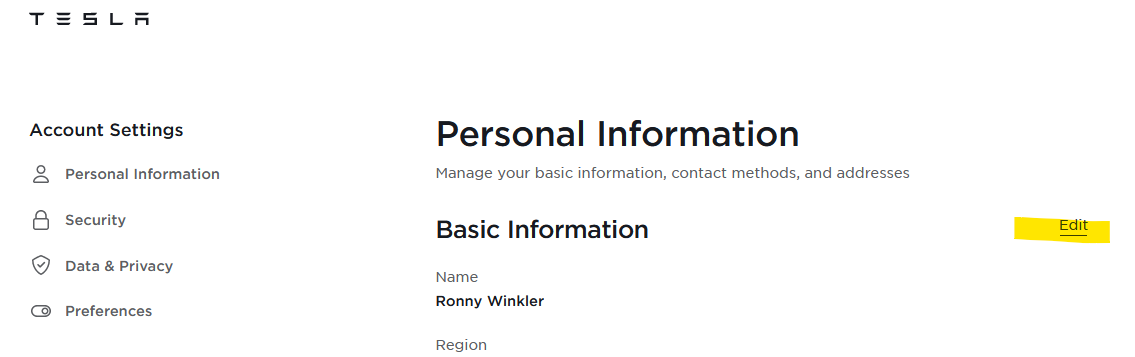
I think this is nor matching the owner region.

Hit STRG+Shift+K
Open the tree:
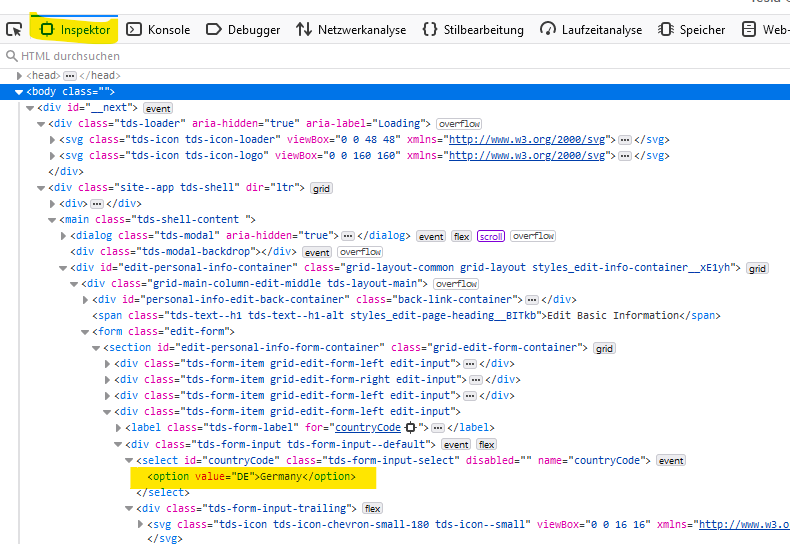
Right click. Then select “copy”. Then select “insert” and “after”

Double click on the values and change them to your needs (I don’t know the correct country code:-))
Delete the disabled="" part, too

Make both for Country and Language.
Then select the new added value.

Then store the settings.
But: You need to know the correct region/country of the owner/leasing company…
And I can understand if you don’t want to do such experiments 
