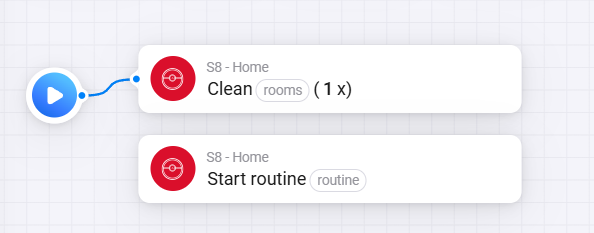
Could I ask for your advice? My Roborock S8 used to work fine with your app, but now I can only see it in Homey with up to date battery info — however no commands (clean, dock, empty) work, either from device tile or flows. Basically from Android app it works fine, from Homey, no command works (but I can see it in devices as well as when creating flows - but no action is executed at the end).
I’ve tried:
Re-pairing in Homey
Restarting & reinstalling the Homey app
Removing & re-adding the vacuum in the Android Roborock app
Perfect news. The newer devices such as Saros 10, but I also think some older devices with firmware updates have another way of communicating directly with the robot.
I am working together with @Erikvl87 to try to figure out how it works and get it back working. We made some progress, but we are not there yet.
Stay tuned, we will get it back to work, but it requires time.
unfortunately I think I celebrated too soon (not allowing local connection helped, but just for a little while), yesterday it worked all fine and now it is back to no command from Homey working. Let me explain the situation.
The weird thing is that yesterday, flow card for a room cleaning and flow card for Routine cleaning worked fine - when I click the oval “button” to fill in name of the routine or the room a list that is same as the list of rooms in Roborock Android app appeared, as it should.
This morning the list did not appear, however if I typed exactly the right name of the room (for example “Kitchen“) it started “Selective room cleaning“ just fine. But for the routines it did not work.
However now in the evenening it does not work anymore even for the Room cleaning. I even tried to “Empty the dustbin“ since it worked yesterday, but that does not work as well.
So all and all I am back to no comand from Homey working. I tried toggleing The local connection on/off and repairing the device and reinstalling the Homey app - nothing seems to make a difference.
Is this behaviour part of the issue that you said you are solving with @Erikvl87 or do you think this is a different problem?
The cloud connectivity is known to be unreliable, that’s my experience. I’ve done some improvements with v2.5.1 (available as test version) to keep it more stable.
You can try with that version, no garantuees however …
The item I’m working on, together with @Erikvl87, should bring major improvements here since once we get that working we’ll be able to use local connectivity again for newer devices. We made progress, but we are certainly not there yet.
Hi @KennyMoens - thanks a lot, seems like its working with v2.5.1 (routines and room cleaning seem to work well) - will test it out thoroughly and let you know how it works
Hi @KennyMoens I can now see the Roborock Q7 M5+ using both the “stable” and “test” app versions, but still no controls are available. I’m just wondering if you have any progress or solution or if there’s anything I can do on my end to alleviate the issue.
I’m currently focussing on getting the new L01 protocol (i.e. local communication) of newer devices working. We made some progress there, but not fully yet.
The main blocking point which we didn’t figure out yet, is the encryption method used for the messages. The structure of the messages is identical to the older robots though, so as soon as we figure out the encryption we should be able to get this rolled out quickly.
The other part, i.e. the B01 protocol which is used for the cloud communication of newer devices, we know the encryption of it, but they changed the protocol completely with these devices. We don’t have much progress on that level. Since it will require quite some reverse engineering to get it properly running.
Hello everyone,
How does the local connection work? How can I tell if the Roborock is being controlled locally or via the internet?
I can see that I don’t have an IP address stored. Is this an indication that it’s being controlled via the internet?
I would like to control it primarily locally.
I would appreciate any help.
You cannot directly see it. The app uses local connectivity by default unless it is disabled. It uses the cloud to detect your robot it’s ip address and for the map messages (which are not supported on the local connectivity).
Based on the work from the guys who develop the Python Roborock library, I found something that might help for the B01 protocol for your robots.
I did an initial implementation - which will not work - in v2.7.0 which is available for test now. You can install it from Roborock Cloud | Homey
Can you guys try this one, ensure your robot is added in Homey, restart the application and submit me a diagnostics report.
I don’t know the structure of the response yet, but I suspect that with this diagnostics I can figure it out and at least start by implementing the status info.
Sadly it does not giv eme the expected results. Could you restart the app and submit a diagnostics report after it is running for 30 seconds - 1 minute. Please keep the Roborock app on Android closed and don’t trigger anything.
The modern robots are not supported at this moment.
I am working together with @Erikvl87 to get the local connectivity working again, which is making good progress.
For the cloud connectivity we are checking the new protocol without luck until now. I am also monitoring what occurs on the home assistant front there, but they don’t have it working yet too.
We will get there, but it takes time as we need to reverse engineer everything… sadly roborock does not publish the apis…
Minor issue
Roborock device un-pausing does not resume previous cleaning action.
Steps to reproduce:
Open the device. Click on full clean all roms.
Then click pause actions (button is highlighted), and cleaning program is paused.
Finally click un-pause (button is not highlighted). Cleaning is not resumed.
Diagnostic report: 4662188e-fdfb-422f-920a-127d60444f6c
Using the test version **v2.7.0
**
Device: Roborock S6 MaxV
Firmware: 02.62.46