I would say, start by entering the tax% for energy in Germany (In NL it is the sales tax for luxury goods, 21%  ). Then compare the price you have from tibber with the numer given by PBTH. Enter the difference as fixed markup in PBTH.
Tax in Germany 0.0205€ per kWh. Entered in the app but price till to low. There are a lot of more fees and taxes…
I have same problem. Active tarif is not updated. I have also checked that setting below are correct.
- ‘Use Watt as source’ is off (default)
- ‘Has daily reset’ is off (default)
- ‘Update interval’ is 0 (default)
Yes, that is a bug in the ‘send tariff’ part. You need to make a flow to update. (Till I fixed the bug in next version)
I noticed  . I cannot help you with that. You need to figure that out for your own situation. The link I posted has an email address. Tibber should be able to tell you.
All you need to know for PBTH is that you have two components to calculate the total price per kWh:
- a percentage with which the net market price is increased
- a fixed amount (€) that is added on top after the % increase
Yes already noticed! Thank you for your help and this great app!!!
v4.1.1 is available for testing.
- Fixed Send Tariff from Day-ahead pricing device.
Have installed version 4.1.1 and can confirm that ‘Active tarif’ now gets updated.
And yet another version 4.1.2 is ready:
- DAP spread rate limited price fetch.
- DAP auto retry on price fetch failure.
- DAP buffer price info when API offline.
- Update to homey-api@1.5.11.
This update increases stability mostly for the Day ahead pricing driver in case the server is down.
It also spreads the fetching of price data over a period of 15 minutes after every hour. This is needed because I have integrated my own API key that allows for a maximum of 400 requests per minute. And now that more people are starting to use the pricing driver the limit might be reached.
Installed 4.1.2, so far it’s working and stable. Thanks!

Pls send a diagnostic report
I think I found out why. I need to add the device setting for Gas and Water to enable update via flow. Will incorporate that in a next release. Thx for reporting!
edit: should be fixed in v4.1.3 Power by the Hour App for Homey | Homey
Great, that works!
The current gas price from the API is 0.96401.
The current price in the Frank app is 1.506 (incl. btw and margin)
The current bare price in the Frank app is 1.205 (excl. btw and margin)
Energy tax is 0,43950 and ODE 0.10466
So I thought, this is the formula (0.964+0.43960+0.10)*1.21=1.819356
But that doesn’t match the Frank app prices, also not without tax and ODE. 
Anyway, this is my homeyScript so far. Maybe useful for someone. It creates a tag ‘Gas price today’. I created a flow which executes this script every day at 06:00 and updates the gas price with the tag. It’s 06:00 because that is the time that a new price is set in the API.
let today = new Date();
let dd = String(today.getDate()).padStart(2, '0');
let mm = String(today.getMonth() + 1).padStart(2, '0'); //January is 0!
let yyyy = today.getFullYear();

today = yyyy + '-' + mm + '-' + dd;


const startDate = today;
const endDate = today;

const query = `query MarketPrices {
	marketPricesGas(startDate: "${startDate}", endDate: "${endDate}") {
  	marketPrice
  }
}`;

async function getMarketPrices() {
  const marketPrices = await fetch(`https://graphcdn.frankenergie.nl`, {
    method: "POST",
    body: JSON.stringify({ query: query }),
    headers: {
      "content-type":"application/json"
    }
  }).then((response) => response.json());
  let gasPriceApi = marketPrices["data"]["marketPricesGas"][0]["marketPrice"];
  let gasPriceToday = (gasPriceApi + 0.43960 + 0.10) * 1.21 // (bare price + energy tax + ODE) * BTW
  await tag('Gas price today', gasPriceToday)
}

getMarketPrices();
Hi,
first off, only just recently bought a P1 and seeing what the possibilities this great app has in the meantime, chapeau we say in Belgium 
Anyway… went through this whole topic and searched with few keywords and besides some posts I did not find a clear solution…
Setup : all latest versions of Homey and Homewizard P1 Dongle.
T1 and T2 measurements are coming in just fine through the dongle device in Homey (also as tag).
Installed power by the hour app.
Thing is that I do not know if it is possible to have day (T1) and night (T2) power measurements via this app. For now, I only see the T1 measurement and not the T2 in the app.
Is it possible or do I need to add it with virtual device or something else.
If I overlooked or made some thinking error, please forgive me…
Thanks already !
Im surprised you get to see T1 in PBTH. The homewizard app uses different naming conventions from what PBTH is supporting at the moment.
There are a few solutions for you
- I implement the naming that the homewizard app is using. This would be the best way in my view, but takes time for me to implement.
- You use the GROUP app to combine the values yourself
- You use Watts as input (switch that on in the PBTH device setting). This would be the easiest solution
The energie reading in PBTH is the same as in the Energylink called
“geaggregeerde meterstand”. That is the combination of T1 and T2 and, if you have, the solarpanels.
if I am correct.
Each day I get a calculation in my time line from start geaggregeerde meterstand - end geaggregeerde meterstand.
And sometimes the calculation is -10kWh. A good sunny day.
Now I am confused 
There are many drivers in the Homewizzard app. But I think the driver @Steven_Petein is referring to is the Energy (P1 dongle). That driver has a number of energy capabilities:
I see the T1 and T2 ones. Those can not be used at the moment by PBTH. But I also see “meter_power”. And that is the default used by PBTH as aggregated kWh meter. But why is this meter not giving the aggregated T1 and T2 meters?
@Jeroen_Tebbens can you shed a light on this?


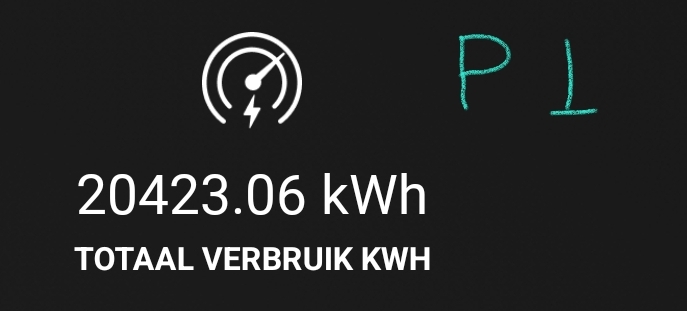
That “default” meter_power is used as aggregate with deduction of solar production like this.
Code snippet of driver.
  // aggregated meter for Power by the hour support
  if (!this.hasCapability('meter_power')) {
      await this.addCapability('meter_power').catch(this.error);
  }
  // update calculated value which is sum of import deducted by the sum of the export this overall kwh number is used for Power by the hour app
  if (this.getCapabilityValue('meter_power') != ((data.total_power_import_t1_kwh+data.total_power_import_t2_kwh)-(data.total_power_export_t1_kwh+data.total_power_export_t2_kwh)))
    this.setCapabilityValue('meter_power', ((data.total_power_import_t1_kwh+data.total_power_import_t2_kwh)-(data.total_power_export_t1_kwh+data.total_power_export_t2_kwh))).catch(this.error);