Still haven’t been able to get this running since May, have tried many times with my PS4, always encounter timeout 10000ms…
I don’t have a Playstation 4 to test. Could you send a diagnostics report when you get the error?
Timeout 10000ms Error · Issue #2 · emi662002/PlayStationNetwork-issues · GitHub @Oyvind_Fosse please check my reply after the provided logs.
Hi Emiliano, not sure what I’m soing wrong, but I can’t get PSN device to work. It is grayed out all the time (no red icon though). I have followed the steps to connect with the token on another device and on my phone, copied the token and no luck. Fun fact: the tokens from two devices browsers (a tablet and a smartphone) are different.
The diagnostic report code is
342afe24-12e0-4be2-ad47-3715cce0dbd8
I see indeed an error but I’m not sure what it is are you only copying the token and not the rest of the text?
Yep, only the token, copy/paste, I have even counted the characters (because they are masked), it’s 64. But I’m not sure why the token is different between the tablet and the phone? I thought it should be the same and only change after two months or so.
The token is new each time you authenticate. But it should work. Did you try to delete the device and add it again?
Yes, I did delete it. Tried with a bunch of tokens from different browsers.
Someone should make a video on how to do these steps. I don’t understand.
Hey Emiliano, any luck with my issue? Or things I can test out?
P.S. Happy New Year 
Très bonne idée, moi aussi je n’arrive pas.
I keep getting a Network failed error, when trying to add my ps4, can you help me out please??
Here are the code for the Diagnostics rapport : 84ec25a8-4482-4799-80a3-4f5cefff5c7b
I see this in the logs. unfortunately I don’t own a ps4 to test. This has been reported before but users don’t get the second screen to work. YUou could try to pair again and then when pairing go to second screen as the logs show:
Registering with device via Second Screen.
Open the PS4 Second Screen app and attempt to connect to the device named:
PlayActor
Registering with device via Second Screen.
Open the PS4 Second Screen app and attempt to connect to the device named:
PlayActor
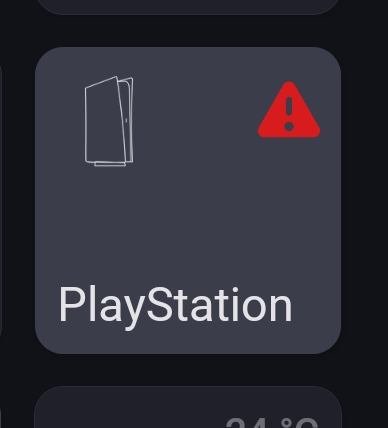
It won’t even save the settings…
So finally managed to connect my PS5 to Homey.
Ill enter the steps:
1)Download the PlayStation app and install the PS5(in homey).
2)Turn on the PS5, go to the top right corner where you see your name + icon and click on it, Than click on profile.
Below your name you will see the profile, Copy it.
3)Open your router\modem and under devices get the PS5 IP.
4)Navigate to the site https://flipscreen.games, past the userId (that you got in step 2), and copy the accoutId (first field).
5)Go to the PS5 under System → Remote play → Pair device and copy the number -you have 4 - 5 mins time out(count down), So if it is over and you did not complete perform this step again.
*I also Open System->Enable Remote Play and enable my user(not sure it is needed).
6)In homey click on the PS5 go the settings fill the info IP , AccountId, Pin.
Enjoy 

I also have som issues with connection my PS4.
I made sure that my PS4 is on the same network as the Homey and has a fixed IP.
Added my ID from https://psn.flipscreen.games/
Added the remote play pin. I’m guessing the pin should be entered without the space between the numbers (4+4)?
Then I get a timeout error. Tried again some days later, but still the same error.
How many times do you get this timeout before it works?
The is must be the number. Not the username
I dont own a PS4 to test but what you describe should eventually work
