Is there a problem with the app? I see the little pause ( || ) next to the app. Someone else also problems?
I just can’t get this app to work anymore.
I fill in the IP adres… I think I fill in the correct port.
Add other settings, press save, it says saved, close the settigns and open it… and it is back to no settings filled in.
something changed cause I used this app since I have a homey which is long…
Nothing has changed for over a year.
So don’t know why this is not working.
Please remove the Only App, restart homey, install the app again and try again.
1 Like
Hi, thanks for your app Mickel. Works fine for me.
I have a question: I own 2 receivers: 1 Onkyo-TX-RZ740 and 1 Onkyo-TX-RZ3100ine in 2 differents places of my house. How can I see both of them? I can configure only 1 in the settings…
Thanks for your answer
You can’t only 1 receiver is supported.
But there is a workaround by downloading the source from my GitHub, change some stuff and install it by homey CLI.
Read in previous posts please.
If you need access to my GitHub Onkyo repo please send me a PM
Hello!
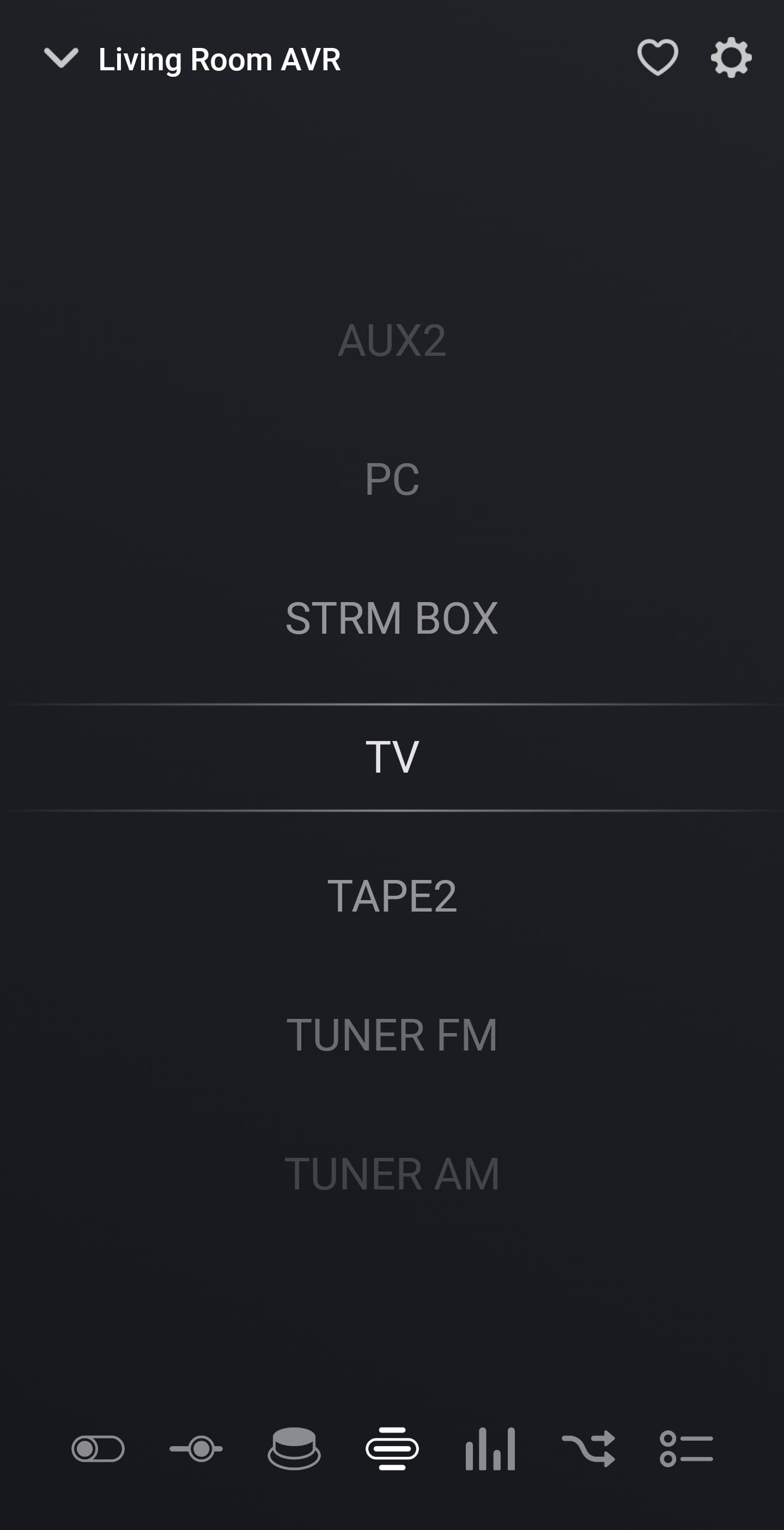
Using this app with an Onkyo TXNR6050, connected to a Hisense TV with eARC. I’m trying to create a flow with custom command but when I use main.selector=tv it changes the input to GAME instead. In the inputs list on the device page in the homey app, it has GAME/TV as well as TV, and the one that’s just TV works properly.
I tried a bunch of the selectors from the eISCP yml on GitHub and none of them let me pick TV, all went to GAME.
Any ideas?
1 Like
Hey @Mickel_Luiten,
I wanted to automate a bit more with my Onkyo Receiver.
E.g. I would love to turn it on in a specific zone, activate the NET and then automatically switch to to a certain station on TuneIn. Other similar flows would also be interesting for me.
This is currently not possible, but as I develop a Homey app myself, my first reaction was to have a look a the code and see if I can fit it in. If I can I would then obviously make a merge request to donate it again towards everyone.
However I seems the link to the source code is dead at this moment. Is the app dead too? Or is the source code moved to another repository?
Thanks!
The first to can be for sure be controlled by the custom command or raw flow.
Switching to a certain station i’am m not sure.
If you send me a PM with you email address i can send you the custom command document and RAW command.
You can see the custom command or raw command on a tag.
So create a flow that display the tag en change something with your remote, the correct command will be shown.
App is not dead there is only no active development on it.
source code is on github but private
Hey Mickel,
I manged to get it working, but wanted to make it more flexible.
In a normal flow it works, but as there are several commands I should send, I wanted to create a parameterized flow which takes the tag as the eiscp command.
That one does not seem to work, if I use a raw text instead of the tag it does work for the same flow.
Any ideas?
Hi Kenny,
Can you maybe share the flow on how you got it working?
I’ve tried some stuff with sending raw commands, but was not able to activate a tuneIn configured radio station for example.
Thanks in advance.
Hey,
For sure !
Prerequisites
You have to add the channel you want to listen to inside a flow to your TuneIn presets. Otherwise the flow will be much more complex and error prone.
Flows
I basically created two helper flows which I trigger from another flow.
The first flow trigger the receiver to power on, switch to the network and put the volume to 20:
https://homey.app/f/z8yWWg/
The second flow configures TuneIn to listen to the correct station:
https://homey.app/nl-be/flow/bDJWWg/
This one works as follows:
- Select the TuneIn network source
- Pick the first menu entry after 2 seconds (NLSIxxxxx selects the x-th menu entry, must be 5 digits) - this corresponds to the ‘My Presets’
- Pick the first menu entry after 3 seconds - this corresponds to my first preset
- Send the NTCSELECT command to start listening after 4 seconds
Finally I have a third flow which triggers the first one and then the second one.
The time delay was critical in my case to get it working, what I also found useful when testing the flow is to have the Onkyo app active on my Android phone. Each time Homey triggers a raw command, you’ll see the response of it in the Android app automatically.
Hope this helps other people :-).
Kind regards,
2 Likes
Thanks Kenny,
I am definitely on the right track now.
Already got an advanced flow working with starting a few radio stations.
I’ve shortend the workflow a bit with using the My favorites option.
In order to get a radio to the my favorites options you first need to add it to my presets in TuneIn, and from there you can add it to your my favorites.

The NSV010 is for selecting the my favorites and the NLSI0000# can be used to select your favorite, so if you want to listen to favorites number 3 use NLSI00003
1 Like
Hi,
I’ve got another question regarding the onkyo receiver /app.
with the eiscp commands I can control anything I want on the Onkyo, but is there also a possibility to read values?
On the github page I see alot of QSTN commands for querying the status, but is it possible to get those values inside a variable?
Github
Thanks in advance.
If I have it correct (long time ago) there is a tag with the last received command…
Hi.
I have a small problem. The app works fine, i can control my TX-NR676E without any issues. Or… I´ve created i selection of Flows to control Volume, Source and on/off and Mute, however, when i start any of the Flows, it starts ruuning them all, and i dont know why… Any ideas?
Great app by the way, thanks for all your work 
Did you ever get a solution? Having the same problem
