thanks, it seems to have worked, I added an additional IP via Protection > Allow list.
 .
.
Any news about adding more than an UPS?
I am running in the following issue since the last app update: initially the app works and the UPS device shows the data of the UPS connected to my Synology NAS. After some time however the device tile shows a red exclamation mark and the following error:

I already reinstalled the app and am now logging in with my NAS’s administrator credentials. In the prior version of the app no credentials were required.
Any idea what is causing this issue and how to resolve?
I’ve always had to provide a username and password for Synology.
I’m not sure how they can be set on Synology side, but I did come across the following:
The article above suggest:
- Username: monuser
- Password: secret
For me this works to make the connection
Thanks. I wasn’t aware that Synology uses a default monitoring account for UPS devices  .
.
I’ll give it a try and hope the connection stays alive.
Hope it works for you.
Out of curiosity, were you seeing all of the NUT/UPS parameters in Homey, or only some?
My APC Smart-UPS 1000 is only showing Battery %, Battery mode alarm, Status and Battery runtime.
I’m not seeing voltage or power related parameters. I can view these on the display on the UPS, but maybe Synology is not reading them.

In my case it shows also some of the other values, but not all.
I have a CyberPower VP700ELCD UPS.
This is what I see in case the UPS is powered:

And this when it is unpowered / running on battery:
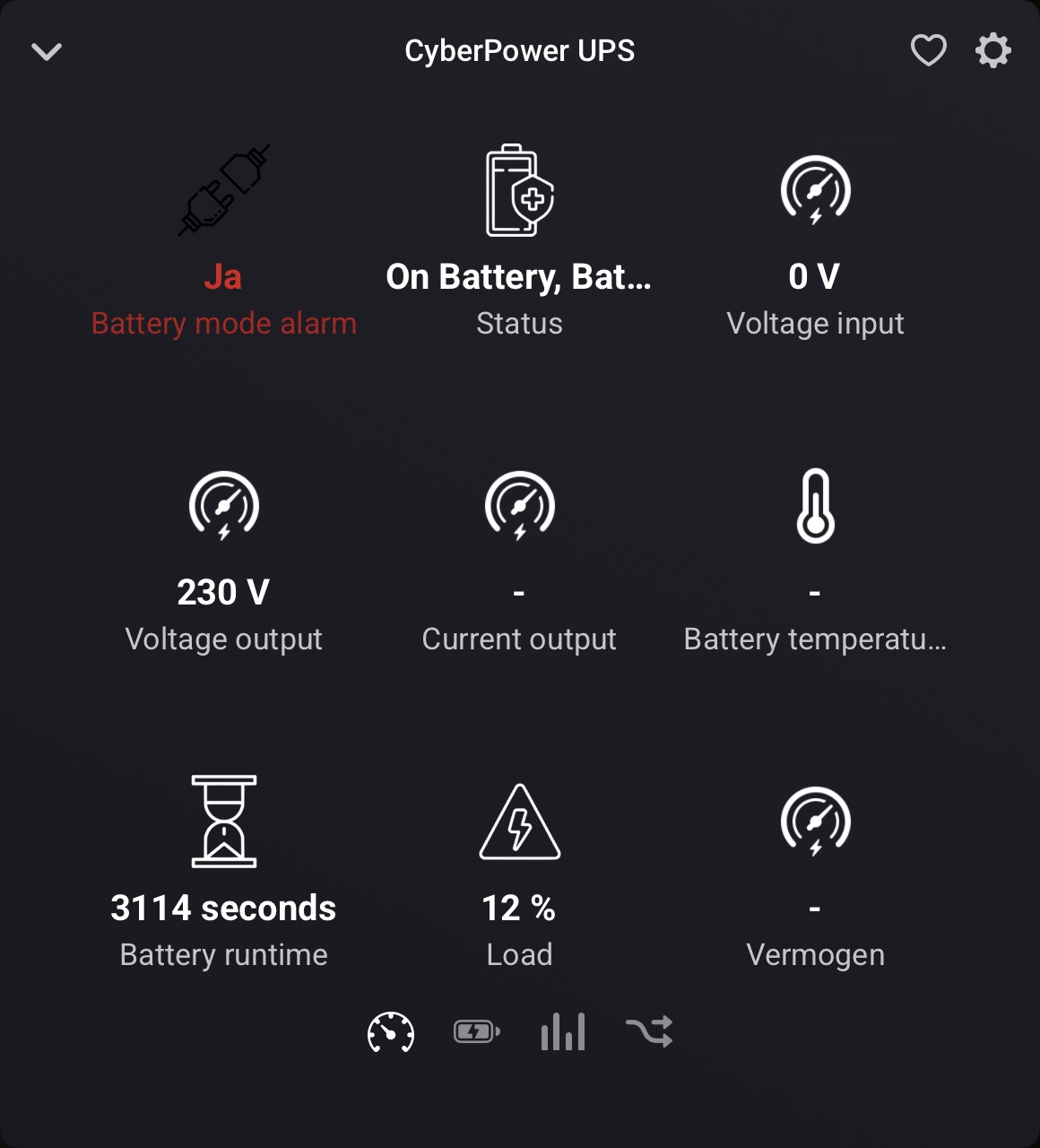
You have also slightly different capabilities: both a Current Input and Output, and a Voltage Output. I have only Current Output, and both Voltage Input and Output  .
.
I use one APC UPS connected to my Synology NAS and lost comms with it a few days ago (since a recent update) which was solved by entering the usermon details as mentioned earlier.
Because this issue was fixed I implemented a Raspberry Pi NUT server for a second APC UPC in another place in my house.
I was able to add this to Homey as well and both NUT servers were monitored succesful but only for a short time, then I lost comms with the Pi.
After reloading the NUT app on my Homey I saw both NUT servers again but again for only a short time and then I lost comms with the Synology.
Every time I reload the Homey app I encounter the same issue, one of the NUT servers is disconnected.
I randomly get Connection failed: undefined on my nut devices.
Nut server seems working correctly and other nut clients are not having any problems. It seems a but and i sent you a report. Can you please check? Thanks
I have had one Synology NAS connected to a UPS and running NUT on the NAS. It has been working fine and i see all UPS values in Homey in the app.
Now I have added a second UPS connected to another Synology NAS on the same network but when I try to add that UPS it’s not possible, it seems like it is found on the network with correct IP-address but when i try to add it it says “No new units found”.
I can se the values of both UPS in the Synology interface and I have added the IP-address of the Homey as an allowed IP-address.
I can also change the IP-address of the existing device in Homey and then get values from that corresponding NUT-server into Homey.
Is it only possible to add one device with this app?
