That’s a situation where flow processing can be parallel and then you don’t know which part (read, change bit, write) is processed in what order for the parallel lines. So one part can overwrite the other if between reading and writing another flow part already changed the calue in the background.
well, that took a minute…. but after going through your guide on the fronius helped me out..
Got my old Swegon Compact AHU on the system, now im just going to figure out if homey lets me setup a AHU Diagram with the sensor values, and of course letting the AHU information tell homey how much energy it uses.
Not ideal but I could’n find a “A light has turned on in room x” trigger card. So I tried it like this, but on the receiving end I see some bits jumping on and off, even if the lamps are not switching on and off…
So I was thinking maybe I use a bit for each lamp, than I can simply use the trigger of the lamps itself (also saves unnecessary writing). But in that case I think we’re facing the “parallel issue” if 20+ lamps are switched on at the same time on the ground floor.
What exactly is not working? If it’s about app store and install itself, it would be better to reach out to Athom support. If not, give some more details, please.
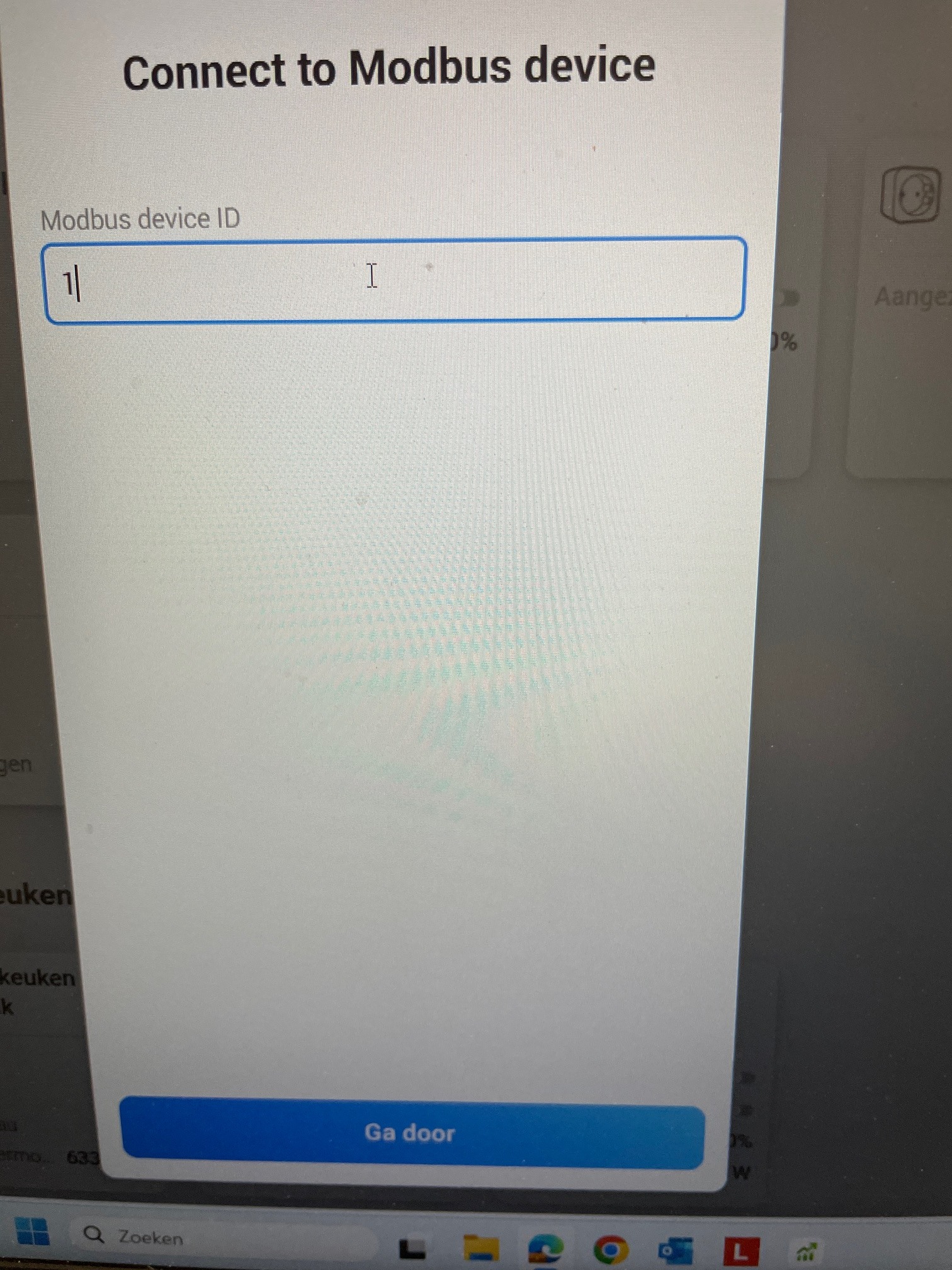
The first time I managed to enter the IP address of PLC Wago and give it the ID 1! but I didn’t get into the flow and after a while I deleted the app. Now after a while I tried again, pressed Modbus slave and I was no longer able to enter the IP address, I only got the ID screen. When I filled this out I received the message: no new device found but there is more to it?
This way, you set the Modbus ID of your slave device. In then next screen you can select the master. In your case, you don’t have a master yet. A slave is using the master device an its settings/IP.
Rtfm I would normally say … no, just start with the first post of this thread
You normally only need the “normal” device. The Slave is onyl used if you have a second Modbus controller behind your ModbusTCP dongle (with a second ID). So if you only have one Modbus device ID, only use the standard device. That’s specific for Modbus and its device addressing through one dongle.
The device only holds the settings and logic to connect top your Modbus device.
Reding/Writing registers is done via flow cards. In your flow, you can select a THEN card (flow action) from your device. Make sure you use the correct type. For reading number values (standard use case), you can use the “Read holding register” card.
Insert the register number to read.
For registers, double check the manufactures manual if your Modbus device (or docuemntation) is using register or address. At the end it’s just an offest of 1. Address starts counting at 0, registers at 1 (for better readable numbers).
Use Advanced flows!
Standard flow can only start different action in parallel and you can’t use the result.
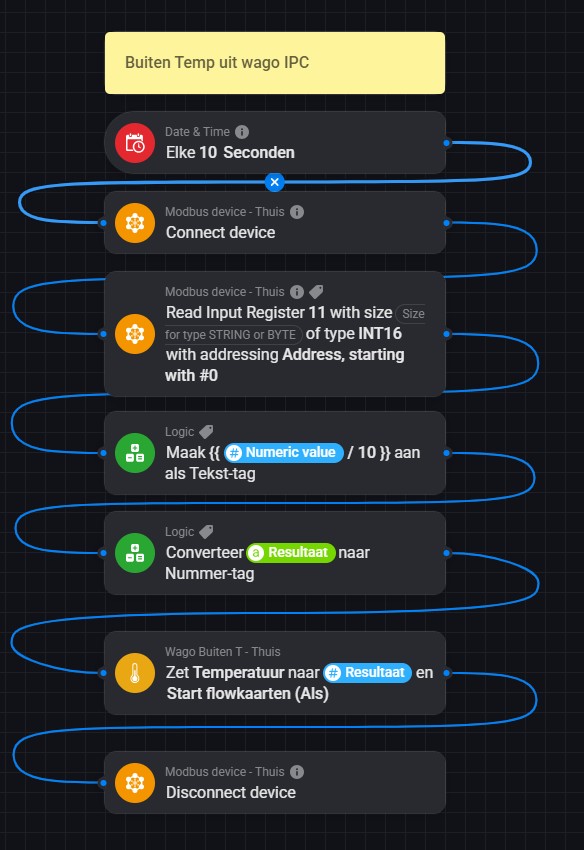
In AdvancedFlow, you can use a THEN card, the connect another card in a line and use the tag from previous card.
Take a look at the examples to get a feeling how to use, or use the Fronius example from my Blog.
This app is not a simple solution like a ligth or switch device covering all technical details behind a device. It allows to use all possibilities of Modbus. But that’s also where it makes it complex using flow cards and the card settings.
I did a migration from Homey Pro early 2019 to Homey Pro 2026. In my old homey i send data to modbus holding registers with a flow card. (write holding registers) that worked fine. In my new homey this flow stil works, but when i want to add another flow to send a value i cant choose the action “write holding register” anymore ?? only 3 options available as action ??
How can i fix this without deleting all working modbus flowcards ?


 but there is more to it?