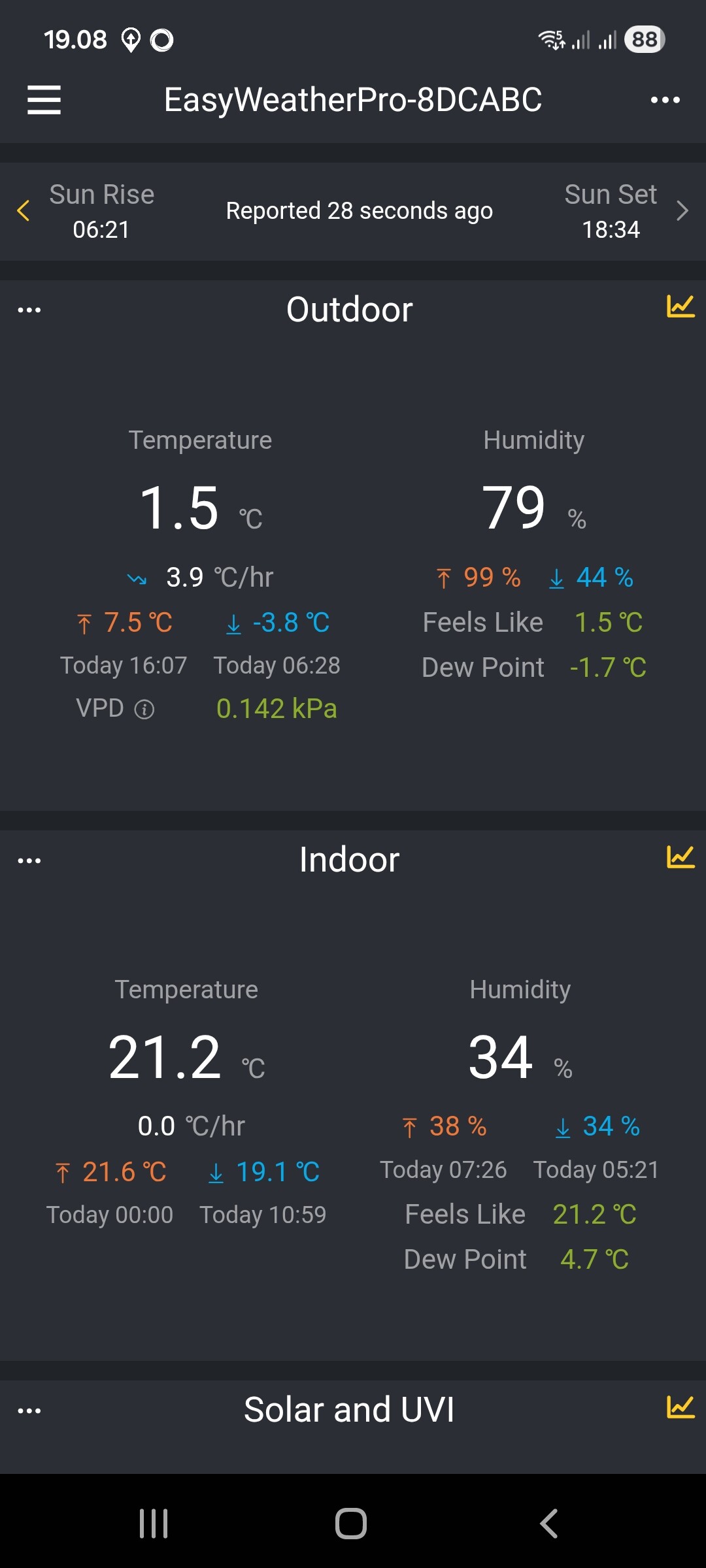
Temp and hum values can be seen on the LCD screen and Ecowitt phone app.

I think I have tried all the categories without any luck. The sensor category doesn’t find anything anymore. The temperature Meter category does find Temperature of my gateway GS1200A.
Can you open the app settings page and select the Detected tab and tap on Send Log. I will check to see what is reporting so I can either advise you or add support if it’s not already there.
Done
Looking at the log I can see:
- tempinf which is supported by the Gateway driver,
- tempf which is supported by the Temperature & Humidity Meter driver
- temp1f which is supported by the Temperature Meter driver
They are the only temperatures being reported.
Thanks for the info. Those three temperature values are not Indoor values. The Indoor temperature is about 70F / 21C.
Is it possible that you could add the Indoor temperature and humidity values?
Unfortunately no, as the information is not being sent to Homey.
Ok. Thanks for your help. 
Hi Adrian,
I have an HP1000SEpro which transmitted rainfall data to Homey until August, then it stopped (see screenshot). All other data (like temperature, wind, etc.) works. I’d appreciate any help in figuring out why it stopped working.
br Manni


Could you open the app settings page and Send the the Detected log.
I think if all the other data is updating, then it feels like it’s an issue with the weather station. Can you see the rain information in any other apps?

The log shows standard rain data and piezo rain data. It seems all the piezo rain information is 0, even yearly data.
When you added the station, was it a WS80?
Are you sure the data you see in the WS View app is from the same sensor and the piezo sensor is working?
Hi Adrian,
It’s an HP1000SE PRO, exactly like this one:
I haven’t changed anything since the station was installed, except for firmware updates and adding moisture sensors.
I ve only this one IP 192.168.0.109 , and I cant add any other

Hmm, I wonder why it’s reporting piezo information. I think the app will favour those parameters when you add a weather station.
Could you try adding the Rain Sensor device to Homey to see if that reports the correct data?
I see that a piezo Sensor is optional, so maybe a firmware update introduced those parameters.
I never had a separate rain gauge; it was always integrated into the weather station. Homey can’t find the rain sensor when I search for it.
Would deleting the station and adding it again help?
BR Manni
Wait for now as I’m looking at adding an option to ignore the piezo data. I will let you know when it’s ready.
OK, I have published a new test version (0.0.21) that you can install from the app store by adding test to the end of the app URL.
Once this is installed, open the advanced setting in the weather station device and set the Ignore Piezo to Yes.

Hi
Thank you!
I think that was it for the first step. The device now has data (weekly and yearly). However, I noticed that no data is yet available in the analysis. Are they still coming or are they lost?


The data that’s missing won’t be available as Homey logs that as capabilities are updated. You should start to see new data as it comes in.
