I have two Homeys, each controlling Mill wifi sockets, one running version 2.3.9, the other 2.4.3. They are both unstable and regularly stop working. Normally this is solved by restarting the app. Today one of the units was out of operation for a few hours and restart of the app had no effect. For some reason it started working again by itself. It could be that there was a problem on the server side.
One strange observation is that the operation mode from time to time is changed from “Comfort” to “Program” mode by itself. In Program mode the unit can not be controlled from Homey.
I have a strange issue with my Mill gen 2 heater. I have tried to add it in my iPhone mill app after the upgrade of the app, but it does not appear.
I have reset it several times but still no luck, I can see that it is added in my router so it does connect to the wifi.
If I run the “check migration status” found in this thread it shows “migration ongoing”.
But the strangest part to my is that I can actually add a device in Homey, with the correct name, but with no apparent connection to the actual heater.
The only thing I can think of is that I have messed something up resetting it so many times trying to add it to Mill😏
Any ideas?
Let the heater be online ( wifi connected) migration can take some time ( 24 hours approx) don,t mess with homey before the migration is done.
Has been on now for a few days, still no luck… will it be removed from the migration if I reset again?
https://crdx.us/millMigration
What is status after you click this link?
Should be like this

If not I will try to reset once again
I will try one more time with the reset, it says “one device being migrated”…
@JanSten12 Which version of the Mill-app do you use with Homey? 2.3.9 or 2.4.3? I am experiencing a lot of problems with the Homey-integration, seems half the commands to the heaters just not get through and leaves the ovens in Off-state, or with the incorrect temperature.
After the heaters have migrated, which is the correct version of the Homey Mill Heating app to use? 2.3.9 or 2.4.3?
I,m using 2.4.5 beta and using sleep, comfort mode etc…
Setting each oven in separate room in the original mill app (iphone) and different setting for the invidual oven(rooms)
Here is the link for the beta version
Thanks! So you do not change the temperature at all from Homey, simply switch the modes?
I tried the 2.4.3 beta version, but the ovens showed up with their names in Homey, not the name of the room. Do I have to do something different to control them at room level?
Yes, its shows the unik room name and yes only chance the modus, because if I try to chance temp in homey they also chance in the original mill app.
https://homey.app/f/R_6zOL
Here is some pictures
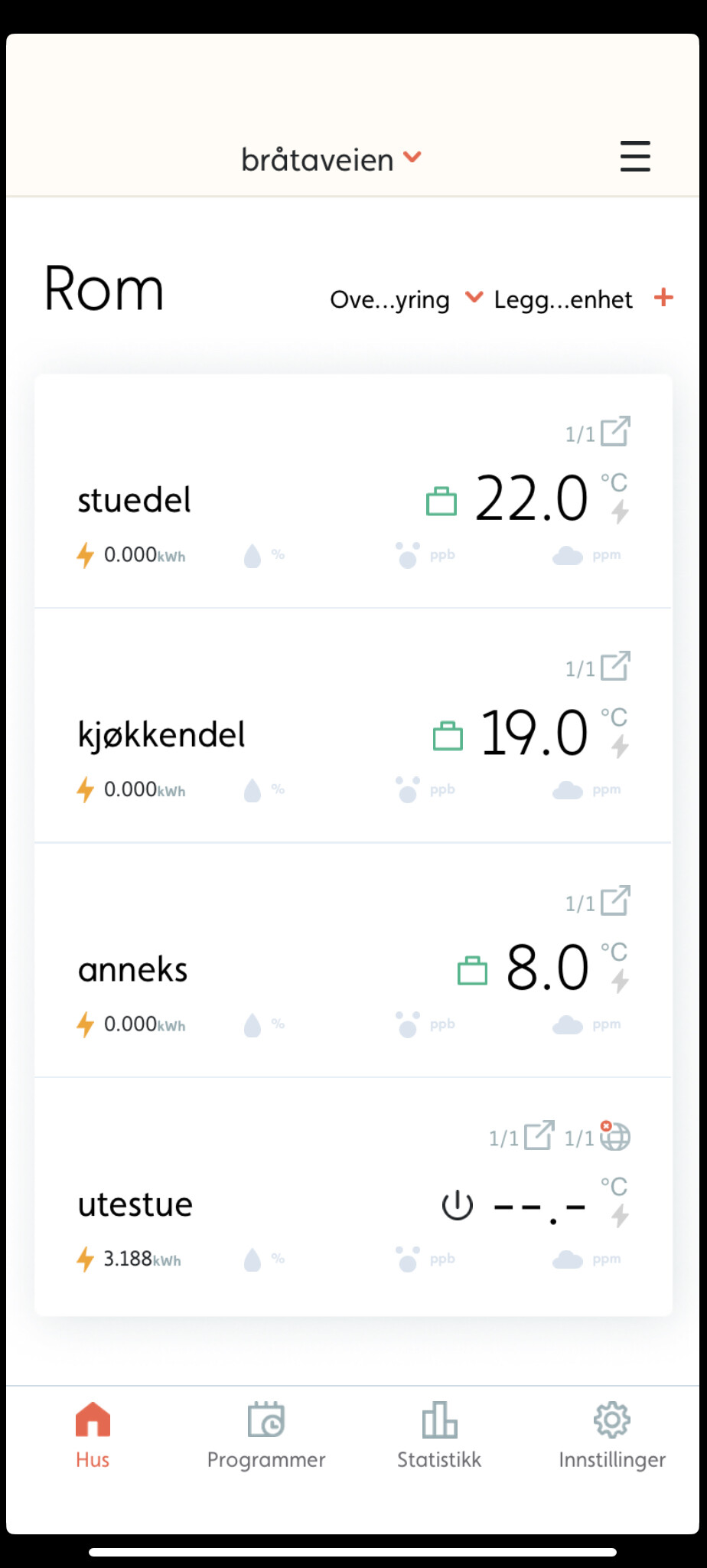

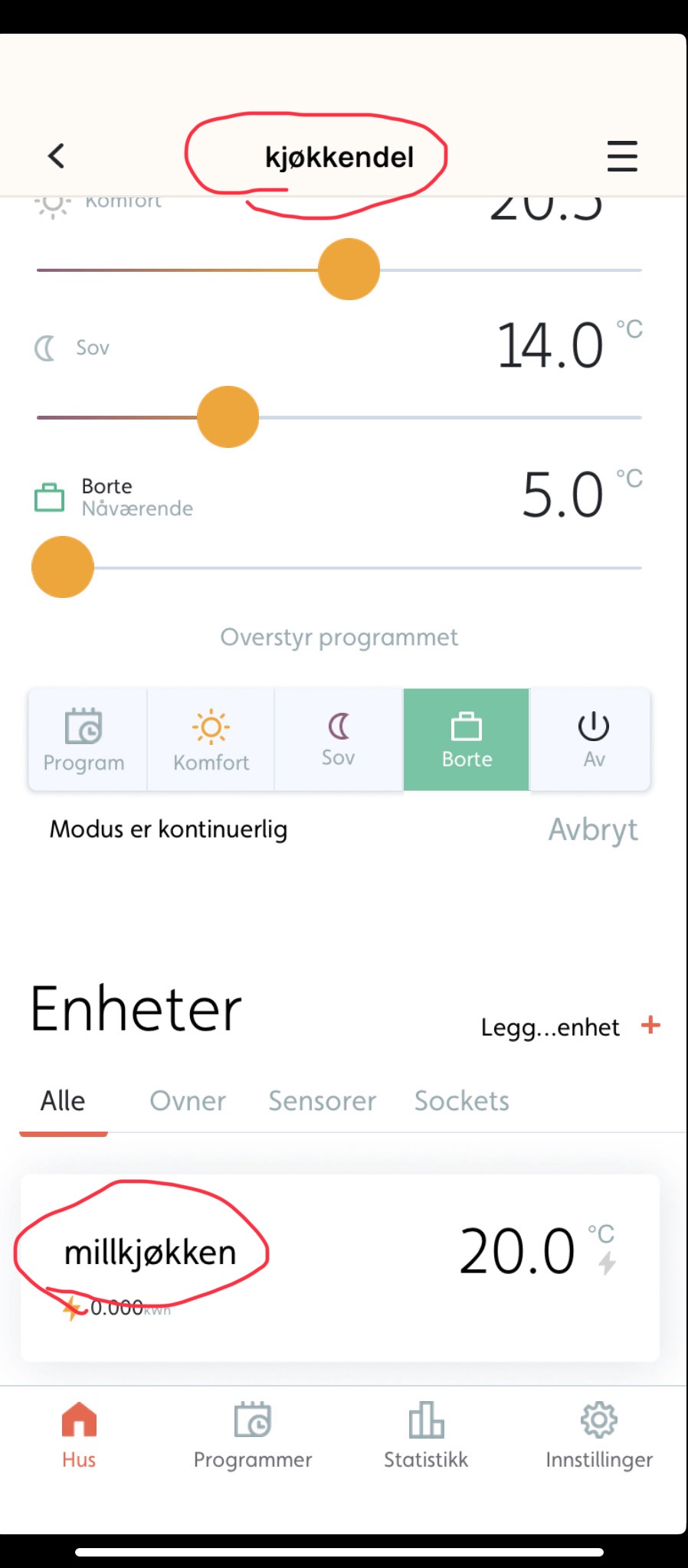
Try too give the ovens unik roomname and delete they you already add to homey, wait for a while, restart the homey mill heating app, then add them again, I,m not an expert but this works for me
Sorry I can,t display the right picture for that flows because I have turned off ( with main switch) the utehus oven for the winter, but this is how its works here with the other ovens🙂
I have recently installed a Mill Invisible WiFi 1050 W
I can control it via the Mill Norway app on my iPhone.
Furthermore, I can turn it on/off via Homey Pro, using Mill Heating Norway app v 2.3.9
However, I can not control the temperature setpoint from Homey, only from the mobile app. It seems that the moble take over temperature control.
Is there a setting in the mobile app where I can hand over tempertature control to the Homey app?
Thank you for your detailed explanation and pictures!  Helps clarify things for me.
Mill does have a bug which causes ovens to fall back into “control individually”-mode seemingly at random, which does cause quite a bit of pain when happning together with Homey-control of the same devices.
I’ve been told this can be mitigated by deleting existing rooms and setting up new rooms.
Will have a new go at configuring the Homey-integration now.
Nice 

Hi - do anyone have experience with Mill device.
Is this Mill - Gentle Air 1500W supported by Homey pro early 23.
Will the new Millheat app work with Homey Bridge (planning to buy) if I use the Cloud version of Homey? (Heaters AV800/1000L Wifi gen2)
Hi @Helge_Carlsen,
Unfortunately, I have to inform you that the Mill Heating app will not work with Homey if you’re planning to use the Cloud/Bridge version of Homey. This is due to the fact that community apps (Homey apps created by Homey users) are not supported on Homey (cloud). The reason behind this is that everything on the Homey Bridge operates in the cloud, including apps. As a result, only verified developers, which are typically well-known brands, have the ability to make their apps available for both Homey Bridge and Homey Pro.
So, in the case of the Mill Heating app for your AV800/1000L Wi-Fi gen2 heaters, unless it’s developed by a verified developer, which it isn’t, it won’t be compatible with the Homey when using the Bridge version of Homey.
Hope this clarifies your question. If you have any more questions or need further assistance, feel free to ask! 
See attached quote 
Thank you for a clear answer!
Hi again
If I still want to use the cloud/Bridge Homey solution controlling my already installed Mill heaters, would it be possible to use intelligent Schuko sockets w/temp sensors? I.e. will it be possible to set the Mill heaters up to act as “dumb” items by f.i. deactivate Wifi?
