I Will look in to making a home and away flow.
New version up with home away flow MELCloud Optimizer | Homey

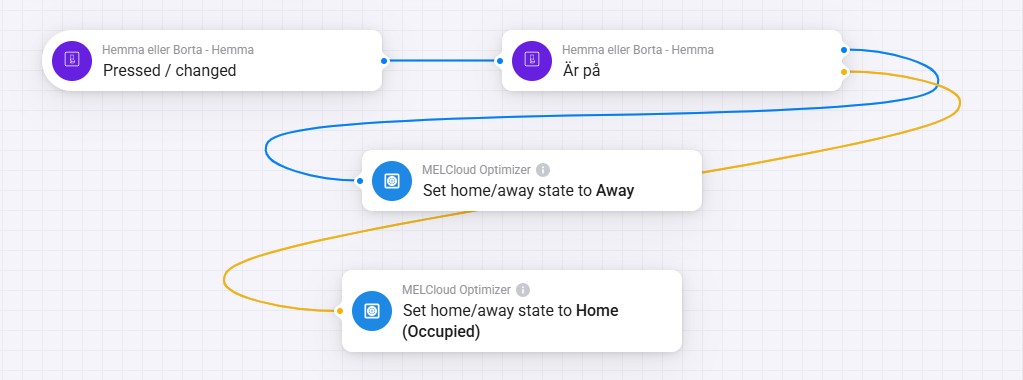

test the new version now this is fully working
Hello Kjetil, maybe this is a beginner question, so sorry for that  , but is the thought that both Melclound and the Melcloud Optimizer apps should be installed at the same time?
I can only see the Ecodan in the Melcloud app in Homey, even if it finds the device when going in to the settings in the optimizer app?

Thanks for all support in this topic.
Best regards
Jörgen


Yes, it exists — but it’s located on the heat pump device, not in the app itself.
Have you added your heat pump under Add Device?
Once it’s added, you should see it there, and it should now be working.
Hi Jörgen,
No worries at all — that’s a good question!
You only need to have the MELCloud Optimizer app installed. However, the actual heat pump device must first be added through the MELCloud Optimazer app in Homey (via Add Device → MELCloud → your heat pump model).
Once the heat pump is added there, it will appear as a selectable device inside the Optimizer app — and then everything should work as expected.
Best regards,
Kjetil
Hi Kjetil,
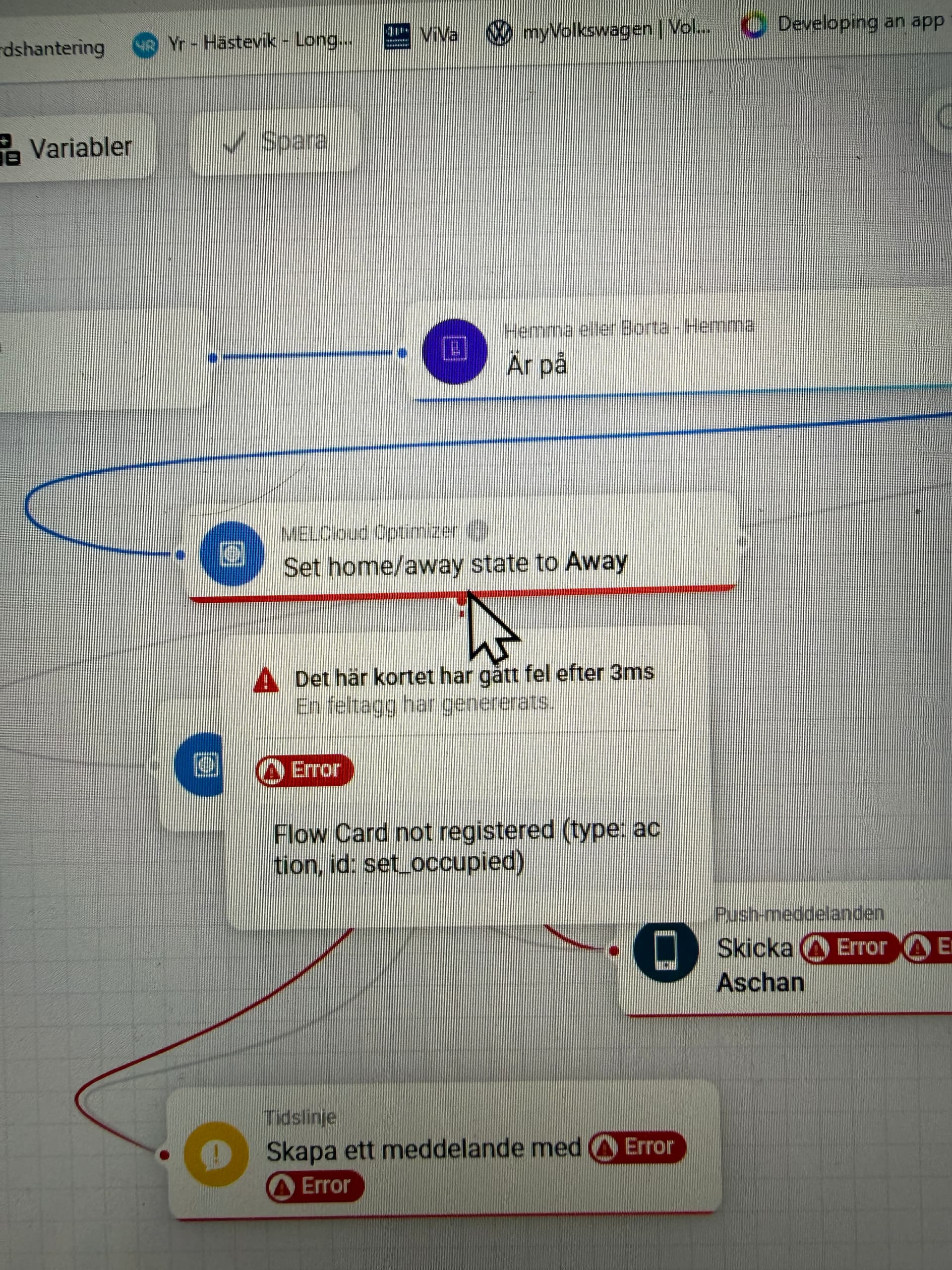
I’ve had the device installed ever since you added it to the app. During Beta I saw that the Home/Away flow was under the app settings and it didn’t work for me so I assumed that the production version had the settings under device but as you can see in the screenshot there is no Home/Away flowcard on my version 14.0.11


I know sometimes you need to delete and add the device again to get new flow cards.
I uninstalled the device but the problem remains when I install it again. I tried another thing, I have heat pumps in two locations I have started with Optimizer on one of the heat pumps but now I installed optimizer on my second pump to with the result that on my first pump I have 61 flowcard and on the new installation I have 70 flowcard (and on it there is Home/Away and Holiday mode flowcard). I will probably try uninstalling the app too and doing a clean install?
Ps! What is the difference between Home/Away and Holiday mode, if I guess the pump’s own Holiday Mode (made by Mitsubishi) is called with holiday mode while Home/Away calls the app settings in optimizer? Which one do you recommend if you are away for a few days?
I guess I can’t use the wireless room sensor and need to go with a curve? Will the app change the curve for me? I have never used the curve settings. It works very good with the room sensor but if this would will save me money I will go with this app. I have setup another app in Homey just to see the different temps but no flows or anything. I wish I had the understanding how to optimize my pump I which I don’t, therefore I use the room sensor. Today I have E-on but I can change to Tibber if this don’t work with Eon
After a clean install it works again 
How do this work with the new 15min prices and do i have to set my air to water on curve or can i use the wireless transmitter?
Hi Jonas,
Keep the heat pump on curve control, and make sure you also keep the room sensor connected — the app uses it to read the indoor temperature of your house.
E.ON works perfectly fine — we already support their price data, and as long as you select the correct region, it will function just like Tibber.
The app also fully supports the new 15-minute price intervals, so you’re all set.
Hi Janne,
Good testing — that helps narrow it down.
If the issue remains after reinstalling the device, a clean reinstall of the app is a good idea, since it will refresh all flowcards and settings.
Regarding your question about the modes:
•	**Home/Away Mode** is handled entirely by the **Optimizer app**. It adjusts the optimization logic and heating behavior when you’re not home.

•	**Holiday Mode** is a **pump-specific Mitsubishi function**, and I don’t recommend using that one together with the Optimizer. It can override the app’s control logic and lead to unexpected behavior.
So, if you’re away for a few days — or even longer — always use Home/Away Mode within the app. That keeps everything under Optimizer’s control and still helps reduce energy usage.
Thank you Kjetil!
It works after a clean install of the app and I will try the Home / Away function 
