@John_Kevin yes you made that clear already in the previous post
You sure you want my help?
@John_Kevin yes you made that clear already in the previous post
You sure you want my help?
I’m pleased to report that so far everything is working as I expected without trouble. I’m not sure if it is correct but I chose addressable from your two device types and added all the LED strips as addressable regardless of their type and everything is working. Thank you. Last time I tried my strips had blank types, now they are detected as one of the following: AK001-
ZJ2131
ZJ2148
ZJ2149
Perhaps there has been an update since I tried the first time which was a few months ago?
@John_Kevin That looks like it’s working properly
24th of march last year was the last update
I have also changed my SKY router which had problems, that could have been the cause of my troubles, I apologise if I wrongly blamed your app.
No worries
Glad it works!
Desaturated LED strips.
I added this Magic Home driver to Homey and it identified as AK001-ZJ2145,
@John_Kevin can you set it via a flow with a hex color
Thanks Martin,
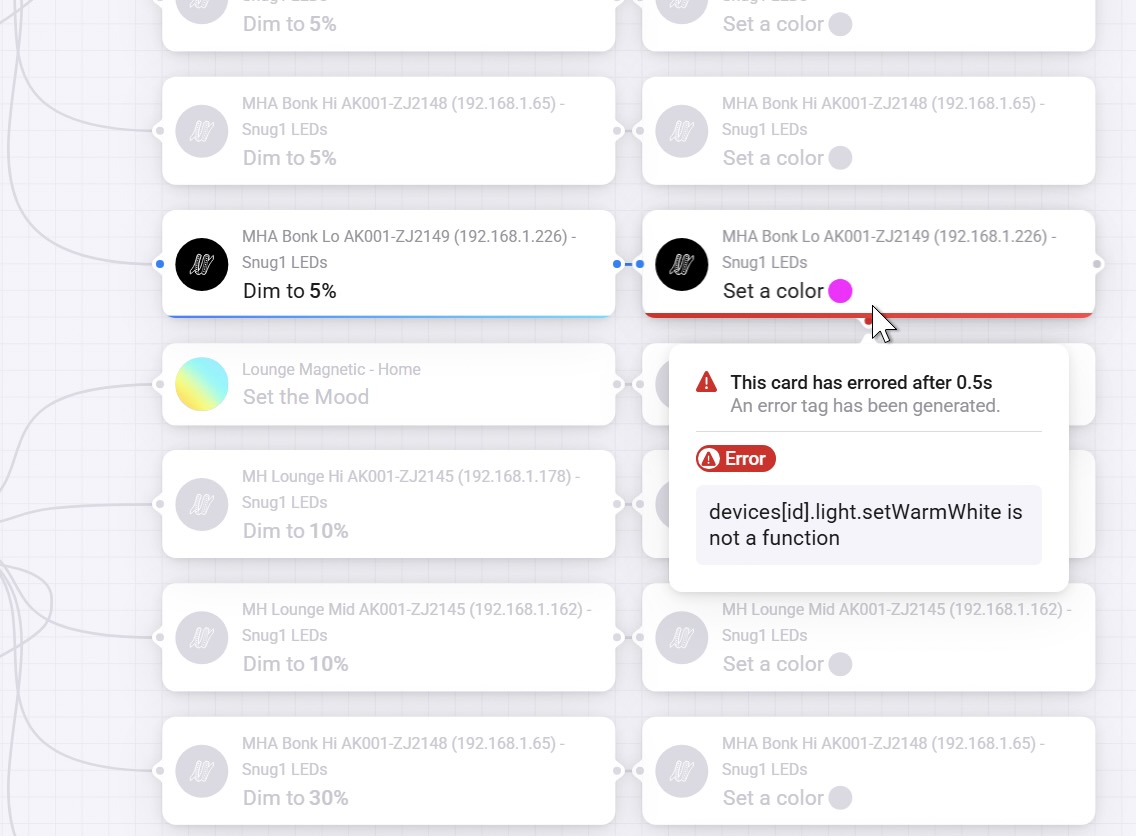
I have tried that but sometimes get when using the Flow card 'Set a color" to change the colour of my AK001-ZJ2149 LED strip to value a hex value 00ffc0, I get the error “devices[id].light.setWarmWhite is not a function”, but not all the time.
@John_Kevin when that happens send a diagnostic report
The Flow is changing the color successfully but just gives this error?
**
Error**
devices[id].light.setWarmWhite is not a function
Here is the diagnostic report:
4f4c1141-df44-4f0f-a832-775f508edfa6
Any help you can give would be appreciated.
@John_Kevin I don’t see any error in the log
 LIVE: 3.6.7):
Changelog:
- FIX: setWarmWhite error
@John_Kevin made a fix. 
@John_Kevin please send a diagnostic report
And I’ll check the code once again. 
@John_Kevin new fix released
I’m very pleased to report that v3.6.7 seems to have fixed my problem. Thank you Martin.
Hi Martin, I am trying to make my LED strips change colour to match the color temperature of my Philips HUE lights, which is in turn set by the Circadian Lighting app.
The App generates two tags: ‘Dim level’ and ‘Color Temperature’, but there is no ‘Color Temp’ card available in your app and the Hue card produces this error. What do you suggest I should do as a work-around please?
@John_Kevin try a different model in the device settings. Then you might get other flowcards