Thanks. I’ll add a trigger for it to start the flow when it reboots.
I so want to like this but i soooo don’t understand how it works. All i need it to do is when light switch is pressed to start the loop. Loop should have delay 60 seconds and loop should run 20 times, so i need that delay for 20 minutes and then turn off the light switch that triggered the flow. Any help?
That is actually wrong. Ill post the solution in half an hour or so.
I don’t understand fully what you want to achieve every 60 seconds but this is how the app works:

You simply start a loop, this will trigger the loop iterates card 20 times with a delay of 60 seconds as you asked.
And there is a when loop card is finished so you can do something at the end like switching off your button.
Yeah actually i think i read this and thought of something different that you are trying to Achieve but as @Menno_van_Hout pointed out it sort of does not make sense.
From your description are you just trying to delay the turning off of the light by 20mins ?
i.e button is pressed to turn on light then you wait 20 mins to turn off.
If so there is a built in delay function in the flow you can just put between the turn on and turn off functions.
True, but last time i tried delay it would not work for more than 90 seconds, it times out, so my current flow has 20 delays of 1 minute in a row to achieve this. I’m not sure if they changed delay and now can do more than 90 seconds or not, but i limited to a minute just to be on a safe side. As you can imagine, having 20 delays in a row looks messy.
I managed to make it work without this Loops app, but I’m still curious why it didn’t work for me as Loop would never start. Who knows. My solution currently is to use variables and variable change status to loop it. So, for now, I’m all good.
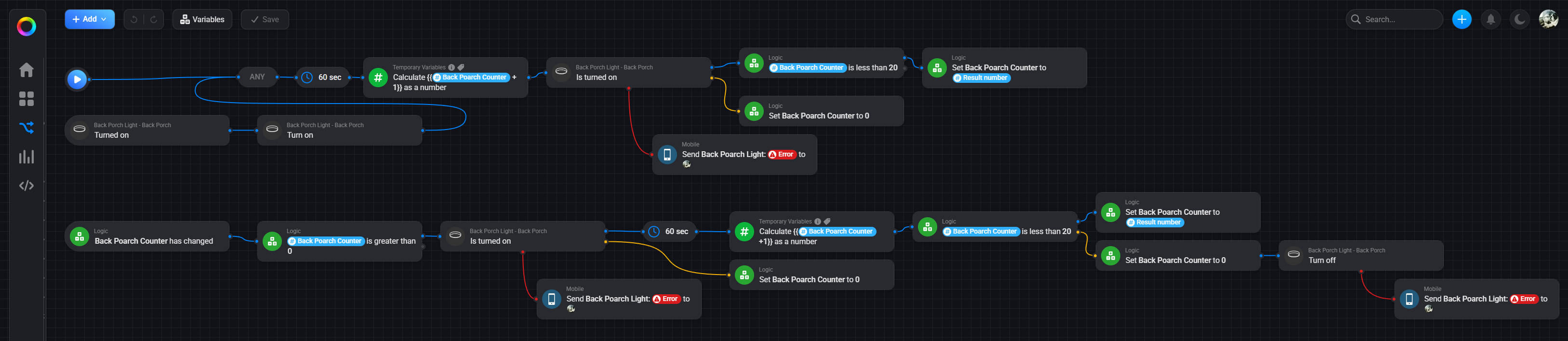
Hello, I am not 100% sure of your desired outcome but it seems you just want you back light to turn off after 20mins
Would something like this example not meet what your trying to do ?
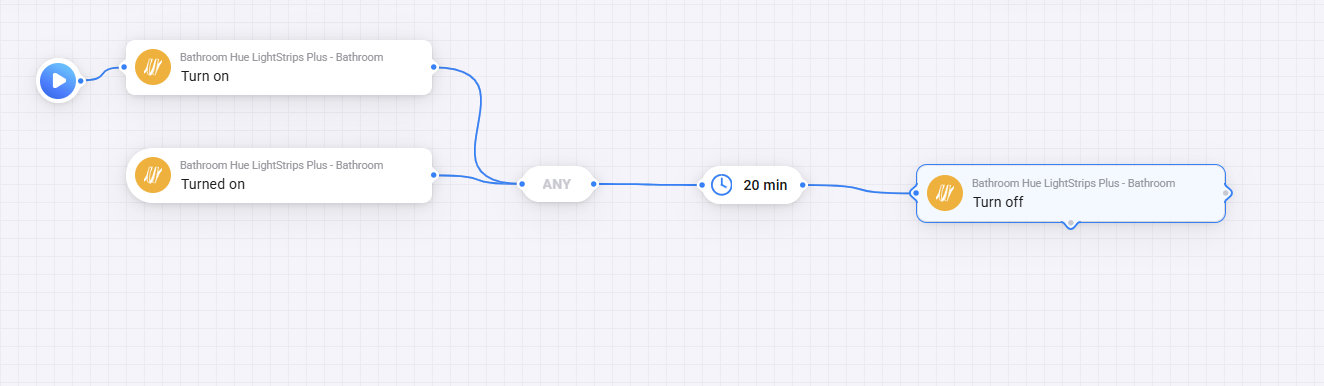
in a real example i use a delay in this flow to turn everything off as a failsafe and that’s with a delay for 30 mins

the first one would but when i created my original flow, for some reason it would time out if i put delay for 20 minutes, it just wouldn’t turn the light off. I wasn’t able to make it work even on 5 minutes. But then again, it could have been issue with Kasa light switches I also had a lot of issues. I have switched them to Aqara since then. Haven’t tested it since, maybe now it would work. I’ll check it out.
Hmm.. is this the app that I need to use if I want to use a”While …” loop ??
Like While this zone/room/presence sensor detects occupancy do …
And to start the loop I would use the new bollean with duration ability.
So not only the entering and leaving a zone/room would trigger a flow and set everything like I want it set but also do an upkeep/maintenance of my favorite scene/mood while I there (also depending on the time of day and how other conditions).
Any thoughts about thus kind of monitoring/checking and correcting flow while ….. ??
I have sonos Speaker. I would like to buy a physical remote with a dial and button so that I can turn on and off a specific playlist with the button and turn the volume up and down with the dial.
Any recommendations? Moreover, will I be using this app to set it up? How ? 
