[APP][Pro] FTP Client - Control FTP Servers through a directory-based UI in the Homey App or Web App

I would like to store a variable (temperature) to a simple index.html and upload to a ftp server.
something like:

<html xmlns="http://www.w3.org/1999/xhtml" xml:lang="en" lang="en">
<head>
</head>
<body>
	<div>20</div>
</body>
</html>

Where 20 is the variable from a sensor.

i tried:

let file= '<html xmlns="http://www.w3.org/1999/xhtml" xml:lang="en" lang="en"> <head>  </head><body>	<div>20</div></body></html>'
let base64 = file.toString('base64');
return base64;

but did not work

how can i achieve this?
thank you

solved it myself

let file= '<html xmlns="http://www.w3.org/1999/xhtml" xml:lang="en" lang="en"> <head>  </head><body>	<div>30</div></body></html>'
let base64 = Buffer.from(file).toString('base64')
return base64;
2 Likes

Hi,

I have a flow that saves some images to Micro Web Server at intervals.
Since I use more than one “Save image to directory/filename” Then flow card, they some times run at the same time, giving this error message:

Client is closed because User launched a task while another one is still running. Forgot to use ‘await’ or ‘.then()’?

I currently have a workaround by adding delays to the flows to try to keep them from running at the same time, but is this something that can be fixed in the app?
It is a bit difficult and inconvenient to use delays like this.

Created a FTP client, it connects well…
I created a folder logfiles and set it to be the default directory for the new client.

But it keeps going to the root ‘/’ instead of ‘/logfiles’
I tried :

logfiles
/logfiles
logfiles/
/logfiles/

but non of these makes it end up in the right folder ?

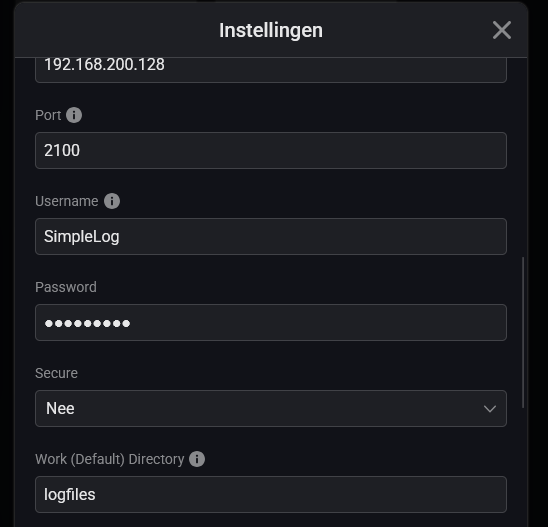
Are you referring to this setting?

I believe it need to be set to the share name / top level folder.

As part of the save flow card you can specify the specific folder, relative to the share name, where the FTP Client should save the file.

Yes, under settings :
afbeelding

I thought it was supposed to send me straight to the folder when connecting, but it doesn’t,

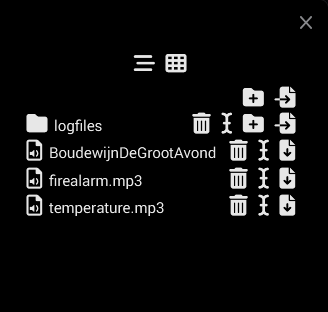
I end up in the root :

Edit: Got it, in the THEN card it shows the folder as the folder to store the file..

In my case, it also opens in the root, though it only shows the items the user account has access to (the Homey Pro share/main folder in my case).

Not much luck yet:

Tried to download :

Cleared log probably to big. (74 pages)

Tried again :

Ok, tried to download :

And that’s it…

Edit: After some time :

# verbinding is verstreken
De server op 192-168-xxx-xxx.homey.homeylocal.com doet er te lang over om te antwoorden.

How is this a correct hostname ?

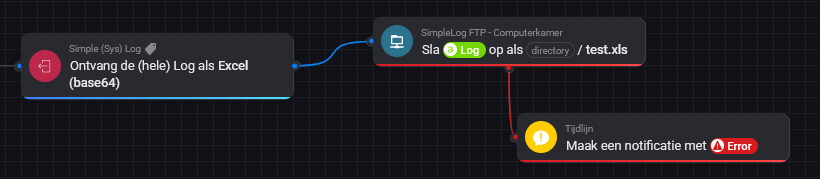
Not sure whether relevant, but the file extension needs to be xlsx instead of xls.

What happens when you try this on mobile?

Note that:

  • My log is 750 pages and is downloadable;
  • Add /logfiles/ before the file name in the flow card to save the log in that folder.

Extension doesn’t matter, old versions used xls not xlsx, and excel is backwards compatible. Even if it was a problem, it would be when opening the file, not when writing…

Btw, got most issues fix, but cannot download. homeylocal.com seems to be just that, a hostname for local access…

On mobile app I can do nothing with de device, I need to use a flow ..

Yes, in my cases it’s the four octets of my LAN IP-address separated by dashes followed by homey.homeylocal.com.

If I am correct that is somehow linked to Homey’s mechanism of connecting securely locally (I had to allow DNS Rebinding for that domain in order for that mechanism to work).

Not sure why your error message shows ‘xxx’ for the last two octets, instead of the actual numbers.

I am out of thoughts…

The xxx was to mask my ip adress…
Hmm, come to think of it, that was pretty useless :thinking: :laughing:

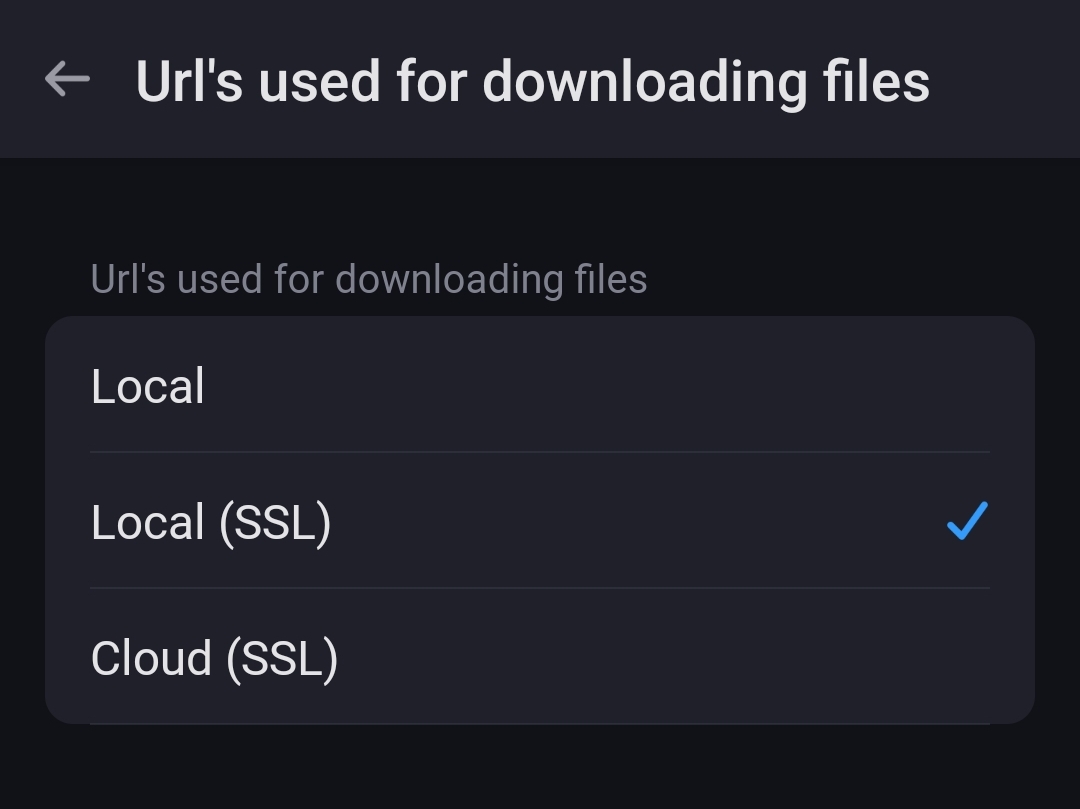
See the FTP client device settings for configuration on how to download.

You can set it to cloud, and you should be able to download:

In your case, i would set all 3 settings (Url’s used for) to use the Cloud (SSL).

Ahh, overlooked that. Sounds obvious, will adjust and test.

Ok, that worked !

But now I can’t get this to work :slight_smile:

Folder exists on the ftp server…

I think: either remove logiles from the flowcard or remove it as default working directory. You now have it double :wink:

Are you sure? In my case I have to include the share name (on my NAS), that I configured as work (default) directory, in the flow cards path. Otherwise it won’t save to that folder.

Well @JohanP
Perhaps try it like @SunBeech has it in his flow, write the foldername in the file-argument of the flowcard?

I don’t get it, I ignored the error, entered ‘working direcory’ as ‘logfiles’ and re-created the FTP save-card. No go.

i cleared the whole log, so only the line ‘Cleared all logging data’ remains..

and now it works…

Oh and just before al that all Simplelog card where ‘unavailable’ so had te restart the App…

Somehow 8-11 entries per minute is to much for either Simplelog or the Virtual FTP ?

Hi.
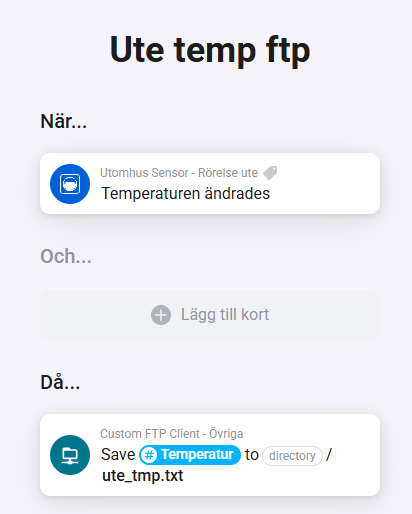
I’m trying to use the flowcard to write a sensorvalue to a textfile on the ftpserver but, when I open the textfile on the ftp-server there is not a readable value.
What am I doing wrong?