Like I said… Enphase had some authentication issues over the weekend. That’s probably it.
@bramtops thx for your reply. I missed the part (nr 5) to make my new company the PV System maintainer. After deleting and installing the app again, I logged in with the right credentials and now the system can be switched.
@bramtops The app is working good. All the micro’s are visible, so no problems.
But wat is this? Envoy-gateway (Verouderd) it is a line in the settings page of the app.
And is it possible to show the used power at the moment in the house?
With a metered version this is possible in the original Enphase app.
If not possible, no problem.
In 1.3.x there’s some internal restructuring of the devices and their drivers; mainly to prepare for more devices like the Enphase battery.
Homey doesn’t allow me to ‘move’ your devices over to the new driver, but to prevent everyone’s integration from breaking while updating I kept the old driver and marked it ‘deprecated’/‘verouderd’. When you add a new Device (gateway) you’ll only see the new one. There’re functionaly the same at this time by the way, but you’ll have to replace the old with the new gateway device eventually.
Good idea! I’ll add it.
During the time my flow switched off the micro converters, the homey dashboard displayed that the (Enphase) batteries were at “0%” (while it was actually about 100%, while the Enphase app reported N/A.
In the history tab on the Enphase app a gap is displayed. Just to show switching off the micro converters with this app, does affect the battery status.

Yes, I’m aware. The current “power production” toggle basically toggles the entire Envoy gateway power delivery on/off and that affects all connected Enphase products, including any batteries. Initially the app was designed for “unmetered” users who don’t have the ability to control their power output – “metered” users have this ability already through Enphase.
I’ll include support for Power Export Limiting (“metered” users only) in the app soon. That’s the one that should be used by users with a metered gateway, especially if there’s also a battery connected.
Yesterday the live version was updated and now includes support for individual inverter monitoring. This through an optional add-on device “Enphase Inverters”.
Current test version has an additional device that will measure and report the grid usage en home consumption. This device can be added independently, and acts independently from the gateway for solar readings. However, Enphase Home will only work if you have the appropriate hardware: Gateway Metered + installed CT clamps. This will be checked when adding the device (but can be ignored for testing purposes).
To have a clearer distinction between the devices and their purpose, the “gateway” device has been renamed to “solar”. We now have:
- Enphase Solar ← Monitors and controls the solar panels output.
- Enphase Inverters ← Monitors the individual inverters.
- Enphase Home ← Monitors the home consumption and net grid usage.
This is done so we can add Enphase Battery and Enphase Charger in future versions and still have a clear distinction between the devices and their purpose.
All devices share the same underlying authentication and device polling routines.
As I dont have CT clamps installed, nor have an Enphase Battery or Charger, I’ll rely heavily on user testing and feedback for upcoming releases. Please take the time to give feedback here and send Diagnostic Reports when encountering bugs or unwanted/unexpected behaviour. Thanks!
See my post above 

Please delete (if you haven’t already) and re-add the Enphase Home device. After getting the warning, just continue, and then send me aan app Diagnostic Report so I can see what’s going on. Make sure to put “did not detect consumption monitoring” in the description.
Go to https://my.homey.app/. Then Settings (bottom left cog), under Apps find Enphase Controller. Then press the big "Create Diagnostic Report" button.
@bramtops Thanks.
Deleted the Enphase home, restarted the ap, add Enphase Home, CT coils are not found, finished the install procedure. Made a diagnostic report with the title you asked in the discription.
Also put the code here, probably not necessary. fba5b863-46bd-44d1-8a0a-517cd605843a
Awesome, thanks. I’ll take a look when I get home.
Bonjour. Merci d’avoir remis à disposition le “grid” dans l’application Enphase Home. Je m’en sers beaucoup pour monitorer ma charge tesla.
Où puis-je vous faire un don PayPal.
Salutations.
@Michel_Fernandez can you translate your post to Englisch please? So everybody can read this.
Thank you.
Good morning. Thank you for making the “grid” available in the Enphase Home application. I use it a lot to monitor my Tesla load.
Where can I make you a PayPal donation.
Greetings.
Thank you and you’re welcome!
Haven’t looked into any donation options yet; i’ll take a look into making that possible. Much appreciated!

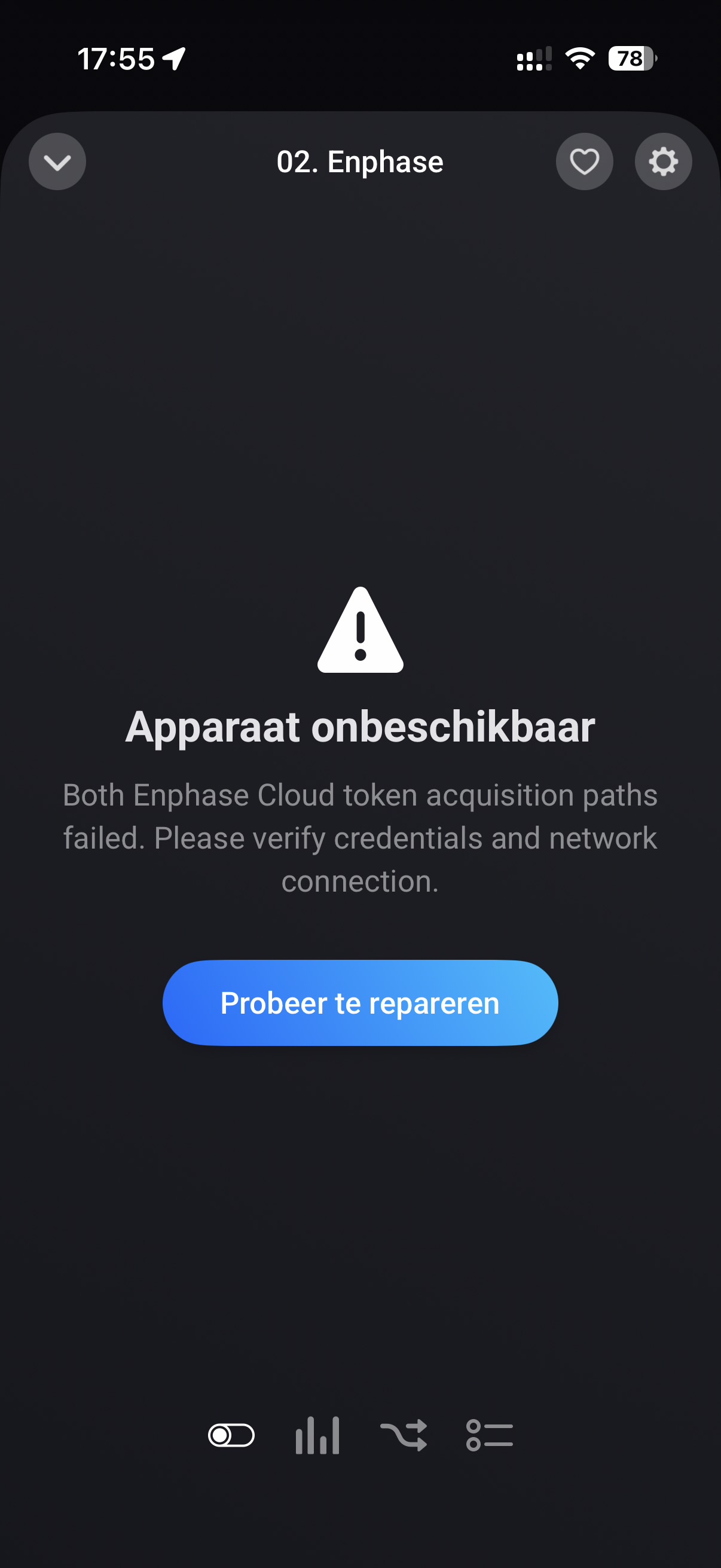
New version with better authentication flows was released today; also Enphase is messing with their authentication mechanisms lately…
Also, maybe you’re on the legacy Gateway driver. Try deleting and re-adding the Gateway, now called Enphase Solar. (And fix your flows  sorry)
Double check the credentials. If it’s still not working send an app diagnostic report with 15 minutes of trying the login so I can investigate.

It is working again without doing anything (just waiting one more day).
