I have played around with the % values to try and harmonise those better.
I have made light_saturation a special case and convert that to a percentage (homey just treats it as a unitless value between 0 and 1).
As for the colour mode, I don’t think I can do anything in the widget to help with that. All the widget can do is change the values of the capabilities and if the device doesn’t act on them then I can’t force anything. I will take a look at the SmartThings app to see if I can do anything in there.
I have added my Alexa device to Homey and played with the settings and everything works as well as it can. My Alexa devices don’t report back the play/pause state when changed on the actual box, so the toggle can’t stay in sync. That is reflected in the normal Homey device as well and the widget just follows that setting.
My Alexa devices (Gen 1 and a Gen 2 display model) also don’t report Artist or Title, etc.
Thanks Adrian. Your efforts on these stated issues are appreciated. All considered, its a very nice widget. Thank you for another good community contribution.
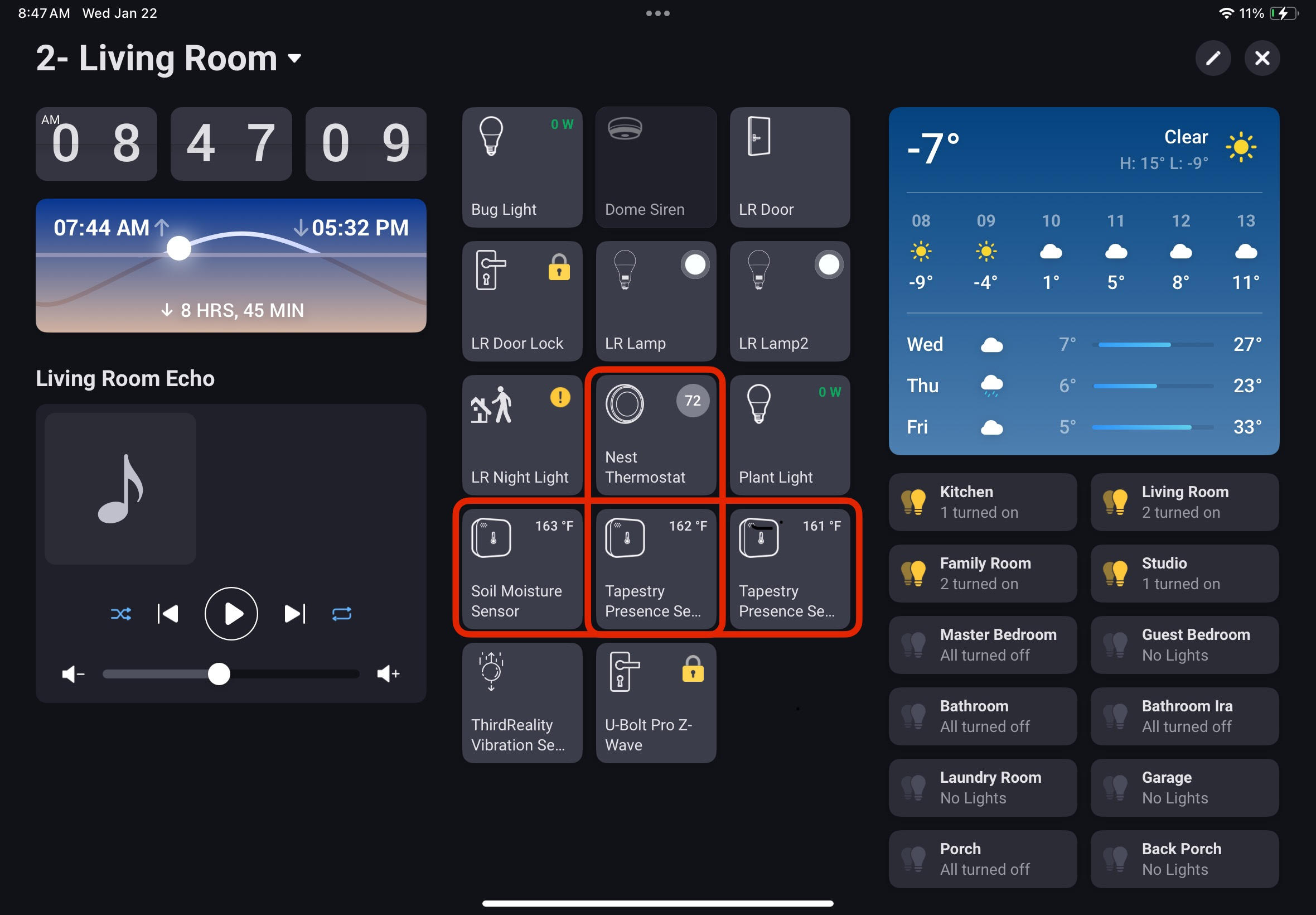
As confirmation of the temperature conversion issue, here is a screenshot of my Living Room dashboard. The nest thermostat is reporting the room temperature at 72 degrees where as the two Tapestry Presence Sensors and the Third Reality Moisture Sensor at an average of 162 degrees:
Hi Nils,
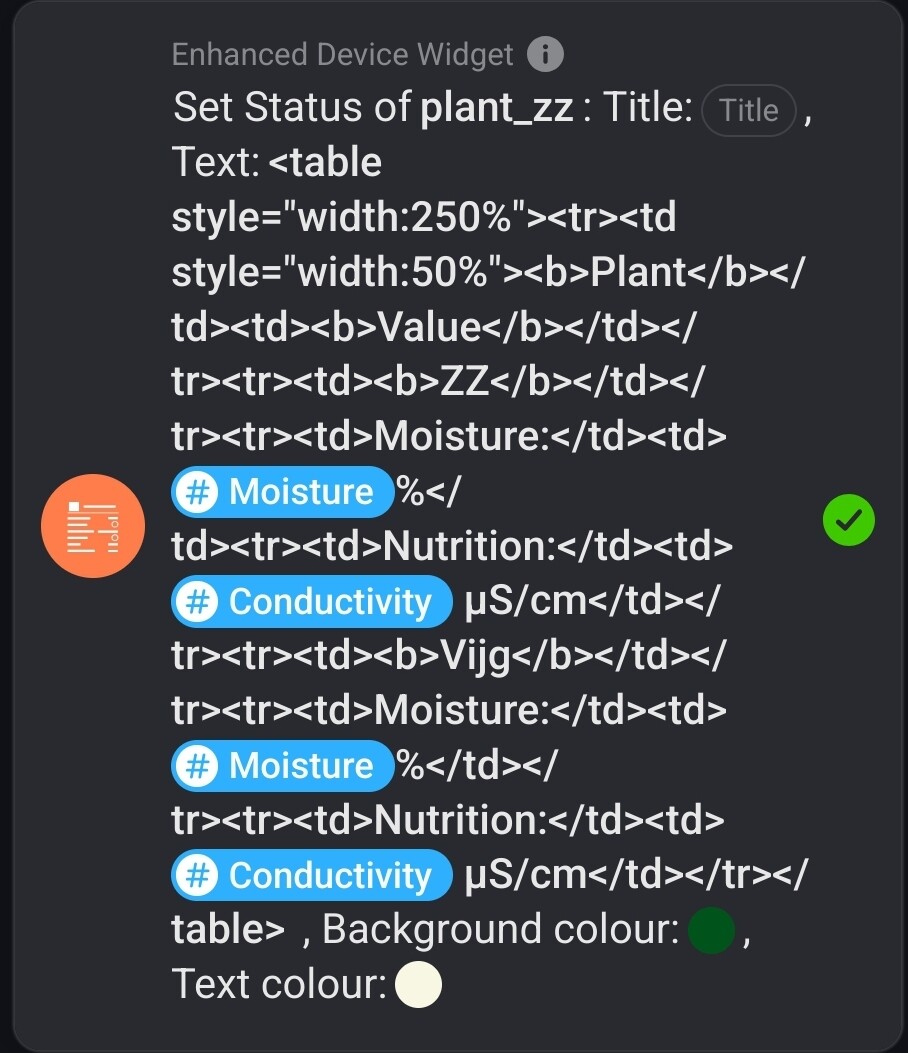
I’ve been fiddling with HTML tables and columns.
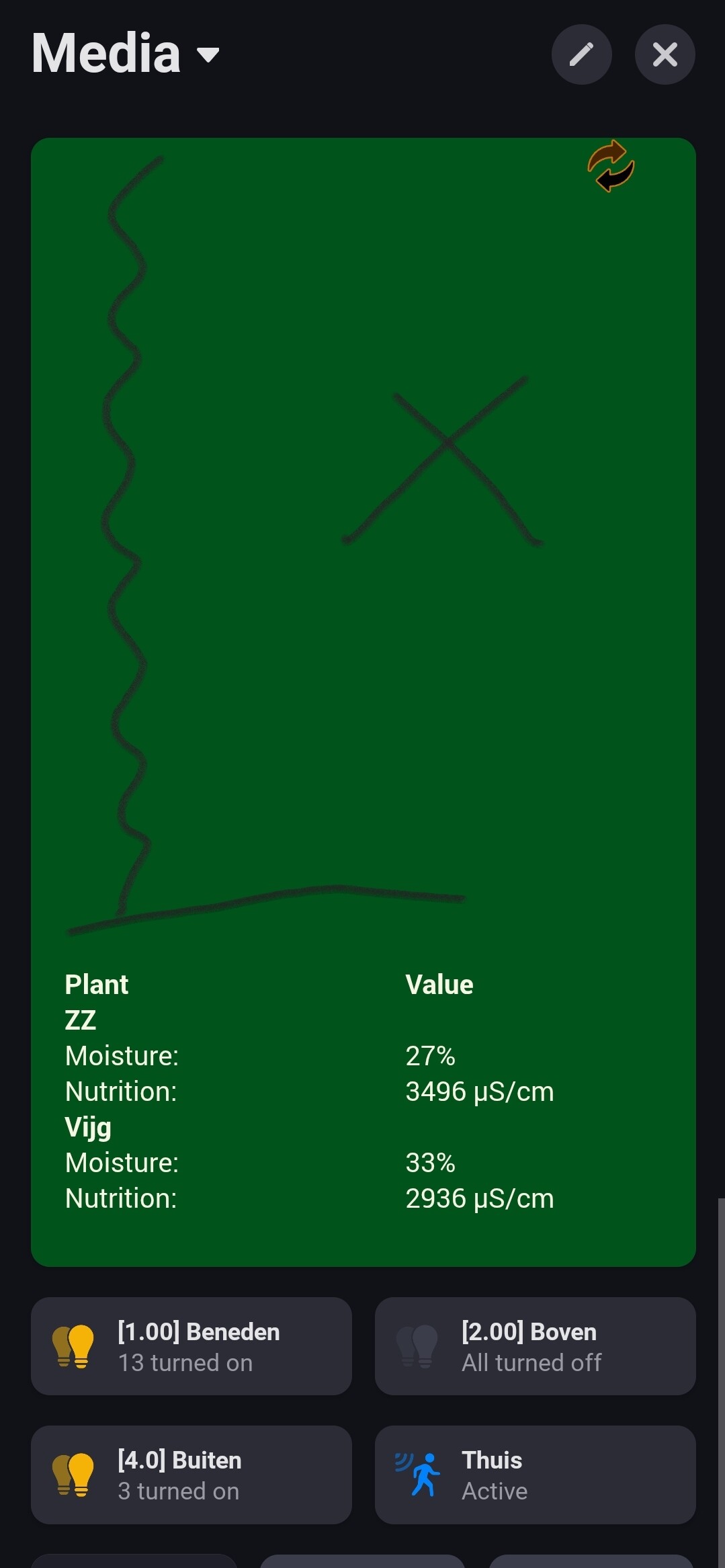
It works well, but I can’t get rid of the large empty space above the table.
Any hints / ideas?
There’s a bug in the test version. Adrian said he’d have a look at the GitHub history to check the changes. But if you roll back to stable version, the gap disappear, correct?
I have figured out what is causing the big gap, now trying to thing of a way to keep everyone happy
As a quick fix, just remove all the prettfying (spaces and new lines) so everything is on one line. <table style="width:250%"><tr><td style="width:50%"><b>Plant</b></td><td><b>Value</b></td></tr><tr><td><b>ZZ</b></td></tr><tr><td>Moisture:</td><td>[Moisture] %</td><tr> <td>Nutrition:</td><td>[Conductivity] µS/cm</td></tr><tr><td><b>Vijg</b></td></tr><tr><td>Moisture:</td><td>[Moisture] %</td></tr><tr><td>Nutrition:</td><td>[Conductivity] µS/cm</td></tr></table>
The change I made was to allow new lines in the text so it could be formatted:
Show this on line one.
And this on line two.
I do that by replacing cr-lf codes with <br> so the status widget displays them. Unfortunately, your pretty HTML has those codes in it and they get converted.
I’m sure the majority of the users will use simple text with newline option.
If HTML (table) code should be on one long line, no problem (for me).
Thanks for your efforts, much appreciated!
I think the only way to do that is to introduce a new action card that is the same as the current one, except it would define the colours as numbers instead of colour pickers. But would users find that confusing?
I would take it gladly👍
Is it so that you cannot have same color picker that Homey uses in the web UI, it gives both?
And if it is troublematic for some, why not just add another card that defines color as text (hex)
That is too bad, but if you just make another card where colours are defined in text. People could use the one they like more? The case where I would needed is in Homey Script I would like to be able to define the colors and somehow be able to pass them to to your widget🤔
New test version with an ‘Enhanced Set Status’ Flow action card. The colour fields are text so they can take tags. I have also added a parser so you can specify a formula, including ternary operators to calculate the colour. For example
Here Battery is a tag that has my current house battery percentage charge. So, if the charge is greater than 50% the text is green, if it’s between 30% and 50% the text is purple and below 30% it’s red.