That’s a strange error. The message is thrown by Homey and not my app, so I am not quite sure what this could’ve caused. What version of DataVista is installed? And have you tried both rebooting or reinstalling the app?
The version is 0.6.2.
Homey app is 9.1.0.1641
Homey is early 2019 with version 12.2.0
A reboot of your app didn’t help, but a reboot of homey itself seems to have solved the issue.

Thanks. 
1 Like
I recently released a tutorial about setting temperatures on a progress bar.
@Mark1541, looking back, do you think this would have been useful and addressed your queries?
2 Likes

@Erikvl87 first thanks a lot for the app.
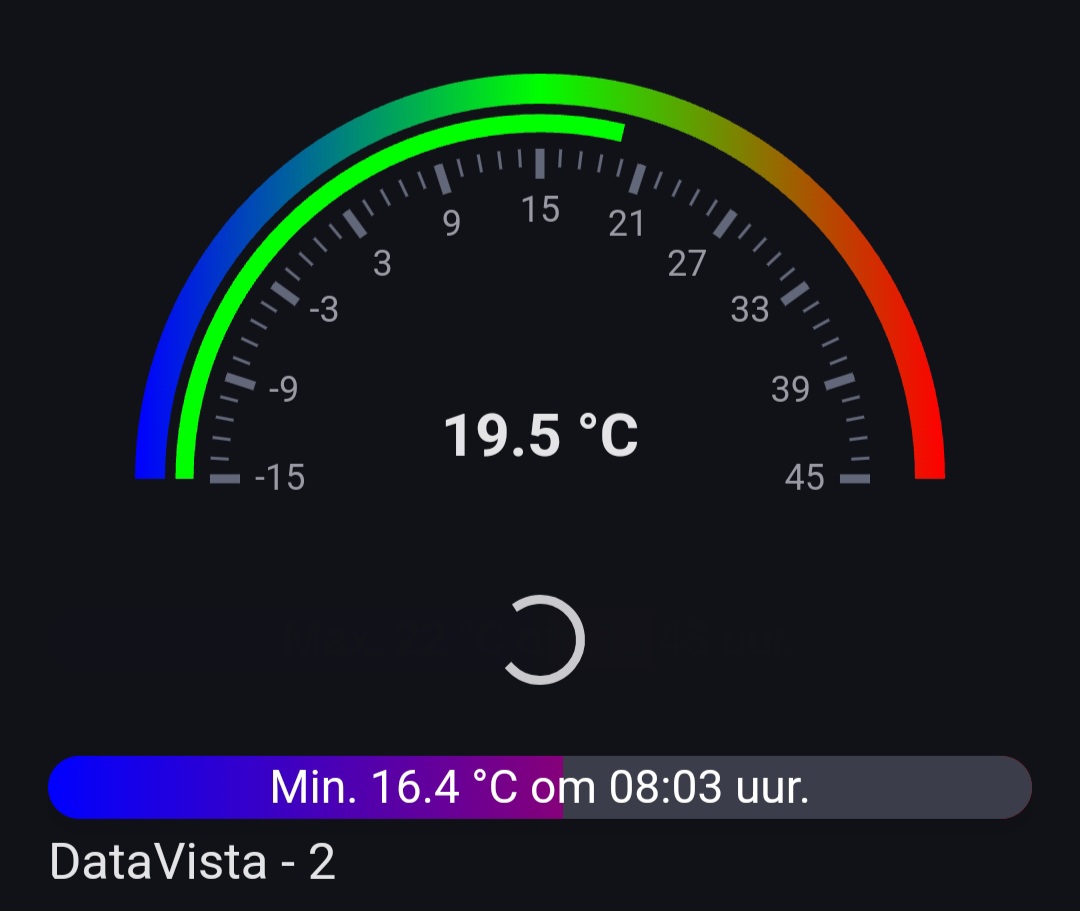
Also a question, more a request from my side. As you can see in sreenshot i shared bellow. Using the gauge meter to display my current temp. the 3 colors i choose blue (cold), green (perfect), red (to hot) temparture.
Also i use 2 progress bars to display the min temp and max temp today. Only can choose 2 colors here, would be nice that we can choose 3 colors and it wil reflect the same as the gauge meter.

Hi @RoyWissenburg, your question relates to the question from @Torbjorn_Melbye to be able to set colors and offsets for the progress bar just like the gauge. I’ll look into adding a 3rd color option and the ability to set (5) color range offsets via a flow just like the gauge.
@Mark1541, I guess this is the datasource setting? Do you get this always, or just occasionally? Were you typing into the search field before any results were shown? Are you unable to select a datasource at all? Any reproduction steps you could share?
1 Like
Thks for the effort.
Also think i found a bug in the progress bar widget. When not showing the name, it works til you close the app, or replaced it to another position at your dashboard. after that you get a spinning wheel and wont display the bar until you set the name to displayed again.
2 bars the first one got the spinning wheel and have not the name displayed. the second has the name displayed and is not affected. This is both on the phone and tablet
Hi,
can I ask you how did you get the time for max and min temperature?
Thanks
Making a variable with the time, and everytime the max temp is set during the day it updates also the time.

2 Likes
Hi,
I’ve found a bug:
- Add a progress bar.
- Set “Show name” to “No” and save.
- Widget is not shown, only spinning (at least if you close and restart the dashboard).
- Set “Show name” to “Yes” and save, the widget is displayed immediately.
Thanks everyone for reporting the bug regarding the progess bar widget stuck at loading (spinning animation) related to showing/hiding the name. I’ll look into this asap!
1 Like
@Erikvl87 I got this message when select a toggle widget and then select a data source
I’ve reproduced the bug with the widget stuck at loading (spinning) when the title is not shown, and I’ve confirmed that this issue is a bug in Homey and not in the app.
Setting the widget height dynamically to an height of 20 pixels will cause the widget getting stuck at loading when reopening the dashboard. I reproduced this will a minimal reproduction case. I will try and contact Athom to get this fixed.
2 Likes
Thanks @Erikvl87 for this very nice app! I am experimenting with some of the widgets and noted the following:

- Would it be possible to add a description/title in the bottom of a gauge, in small text, like in the progress bars and switches? I’d like to use the larger titel of some of the widges as a section title (and hide the title for all other widgets in that section). However that leaves me with no option to indicate what the widget - that has the section tile - is showing.
- Some characters seem to be slightly capped at the left side of the progress bar widget. This is most visible with the capital ‘A’.
- It seems that the color of the capability icon displayed on the left side next to the switch widget is not inverted. In dark mode the icon is displayed in black, while I expect white.
1 Like
@Erikvl87 Thanks for the great app.
I’ve installed the app and trying to add the widget to my dahsboard, but nothing is showing up. When I search for a device in the ‘datasource’ it gives an error ‘cannot convert undefined or null to object’. Also when going to the app settings, nothing is showing up at all when I select ‘data’ or ‘visualizations’. Any ideas?
I’ll have the same issue
All good findings and suggestions, @SunBeech. Thanks for that. I’ll look into all of them.
Icons are already inverted, but the logic I’ve implemented does not always correctly invert some of the icons. Would you be able to let me know which device/capability is used, so I can find the svg that is giving problems?
Thanks for reporting. Is this just as @Mark1541 only for the toggle switch?
Does this happen for other widgets as well?
And have you tried another (potentially faster) device as well? I’ve occasionally seen issues with timeouts for the autosuggest setting on slower devices, resulting in the datasource not always working correctly.
I use the icon for capabilities displayed on the sensors tab of an Advanced Virtual Device:
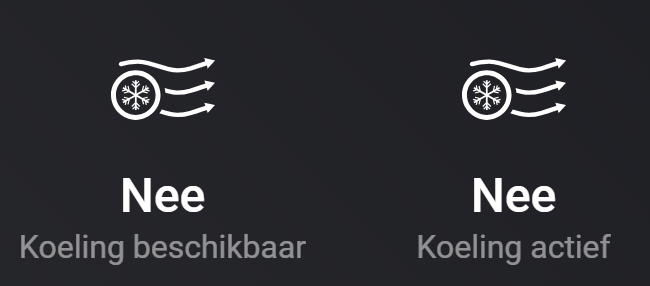
I’ll send you the svg in a PM.
1 Like

