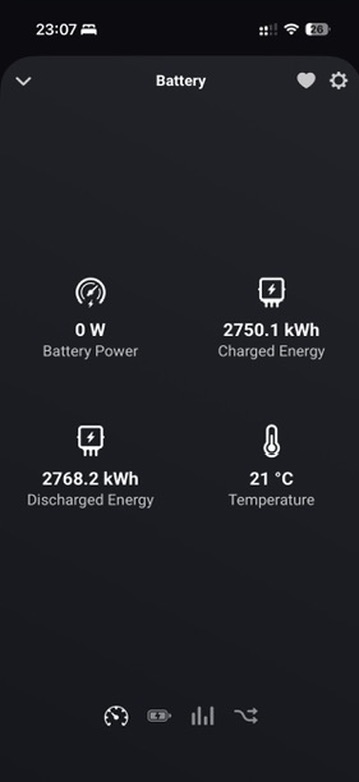
You should add the “Solar Inverter” device first, whilst adding other devices should work, adding the inverter first is the tried and tested route.
Please send diagnostic dumps anytime you find an issue. They send incredibly helpful logs directly to me. You don’t need to share the ID with me at this moment in time.
Please use this topic for any questions or support
Cheers - helpful! I’ve pushed an update with a new auto-discover flow. Try it out, let me know if it changes anything (if not, send another diagnostic - don’t worry about sharing the ID code)
I found I had to re-install the app to get the v1.1.0 update - YMMV
I will install this and give it a go, I previously wrote an app that worked with the GivEnergy wep api (you posted on my thread asking a question about it), but using the local connection seems a far better option.
You mentioned flows on another thread, so for some suggestions, here are some of the ones I implemented:
When: Battery is fully charged, Battery is depleted, Battery level changes
And: Battery is at X percent, Battery is below X percent, Battery is above X percent
Then: Charge battery to X% by TIME, Discharge battery to X% by TIME, Start battery charge, End battery charge, Start battery discharge, End battery discharge, Set the maximum discharge rate to X, Set the maximum charge rate to X
I did also add one that was meant to identify when a powercut occured and ended, but I don’t think that actually worked (obviously the Homey etc. were on a UPS and I had emergency power supply from the battery set up as part of my install) but the ide was that it could be used to notify me and potentially turn off non-essentials etc.
Awesome, appreciate the work.
Ive been talking to David Piper today who made the octopus app. Now that i have the potential to really start automating, both these apps are going to be amazing together. Thanks so much
v1.3.0 has been published to the App Store. Changes:
Repair flow for IP address changes — added a repair flow so users can update the inverter IP without re-pairing (#19)
Pairing improvements — updated pairing to use a lightweight identify() probe instead of full discovery, and adapted to the givenergy-modbus 1.2.0 discover() API changes
Deduplicate time slot writes — fixed onSettings to avoid redundant Modbus writes when time slot settings hadn’t actually changed
Connection pool cleanup — dead connections are now removed from the pool on lost events
Event listener cleanup — all event listeners are properly cleaned up in onUninit to prevent memory leaks